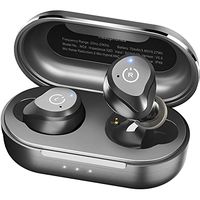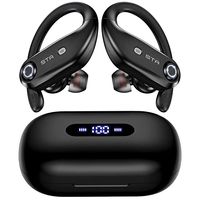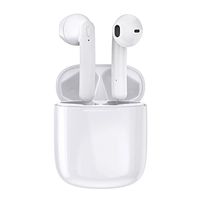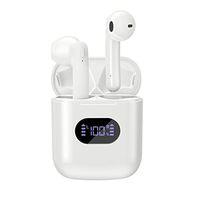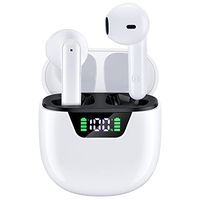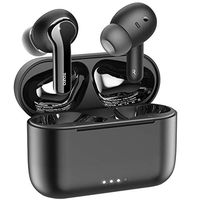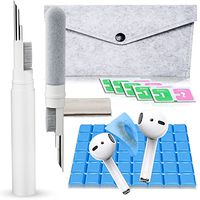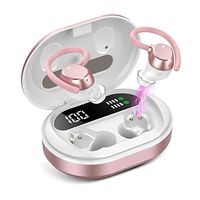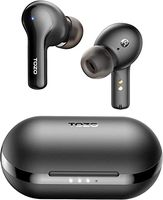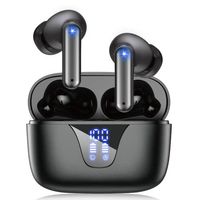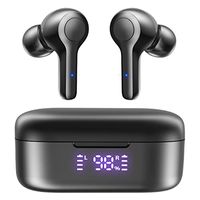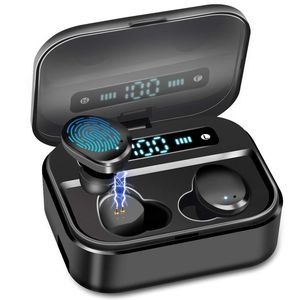
Description
Afrog - Fullfill Your Life with Passion and Creative.
Features
Bluetooth specification: V5.0
Bluetooth protocol: HSP,HFP, A2DP, AVRCP
Support system: All Bluetooth devices and mobile phones
Valid Range: 33ft (10 m)
Charging voltage: 5V/1A
Batterly capacity of the headset: 50MAH
Batterly capacity of the Station: 3600MAH
Charge Time: 30 Min (Earbud) / 2-3H (Station)
Play Time: 3-4 Hour x 12-15 times
Call Time: 6-9Hour x 12-15times
Standby Time: 90 Hour
Package Contents: Charging box*1,Headset:L/R,Data cable*1
FAQ
Question:How to charge the headset?
A:Put the headset into the charging box,press the headset with finger slightly,when the lihgt flashing red and blue, close the lid of the charging box.
Question:How to pair the headset manually if they are not paired automatically?
A:1.Turn off your phone's bluetooth. 2.Press and hold the touch function buttons of the left and right earphones at the same time until the red and blue lights flash alternately,then release the hand. 3.Double-click the right ear touch function button to pair. When successful pairing,the Left earphone light flashes red and blue,and the Right earphone light does not flash. 4.Turn on your phone's Bluetooth and tap Connect to use it.
Question:What can I do if the earbuds suddenly make a zizzy sound?
A:This problem can be solved by restar the earbuds through following steps: 1.Clear the record of TWSX-7 on your phone's bluetooth, and then turn off your phone's bluetooth. 2. Turn off the earbuds for one minute. 3. Turn on the earbuds.Turn on your phone's Bluetooth and tap Connect to use it.
Features
Bluetooth specification: V5.0
Bluetooth protocol: HSP,HFP, A2DP, AVRCP
Support system: All Bluetooth devices and mobile phones
Valid Range: 33ft (10 m)
Charging voltage: 5V/1A
Batterly capacity of the headset: 50MAH
Batterly capacity of the Station: 3600MAH
Charge Time: 30 Min (Earbud) / 2-3H (Station)
Play Time: 3-4 Hour x 12-15 times
Call Time: 6-9Hour x 12-15times
Standby Time: 90 Hour
Package Contents: Charging box*1,Headset:L/R,Data cable*1
FAQ
Question:How to charge the headset?
A:Put the headset into the charging box,press the headset with finger slightly,when the lihgt flashing red and blue, close the lid of the charging box.
Question:How to pair the headset manually if they are not paired automatically?
A:1.Turn off your phone's bluetooth. 2.Press and hold the touch function buttons of the left and right earphones at the same time until the red and blue lights flash alternately,then release the hand. 3.Double-click the right ear touch function button to pair. When successful pairing,the Left earphone light flashes red and blue,and the Right earphone light does not flash. 4.Turn on your phone's Bluetooth and tap Connect to use it.
Question:What can I do if the earbuds suddenly make a zizzy sound?
A:This problem can be solved by restar the earbuds through following steps: 1.Clear the record of TWSX-7 on your phone's bluetooth, and then turn off your phone's bluetooth. 2. Turn off the earbuds for one minute. 3. Turn on the earbuds.Turn on your phone's Bluetooth and tap Connect to use it.
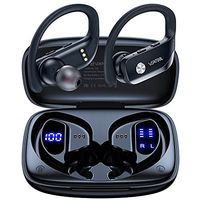
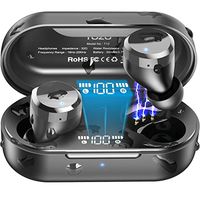
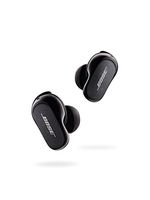
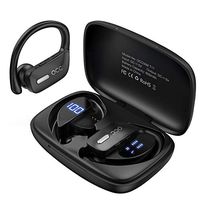
Super Audio Wireless Earbud, IPX8 Waterproof Wireless Earbud,Premium Sound with Deep Bass for Sport,Bluetooth 5.0 Microphone, Auto Pairing, LED Digital Shows 3500mAh Charging Case Total 135 Hours
Current Price
$37.99
Average
$33.31
Min Price
$24.99
Max Price
$42.99
Price dynamics
12%
Description
Afrog - Fullfill Your Life with Passion and Creative.
Features
Bluetooth specification: V5.0
Bluetooth protocol: HSP,HFP, A2DP, AVRCP
Support system: All Bluetooth devices and mobile phones
Valid Range: 33ft (10 m)
Charging voltage: 5V/1A
Batterly capacity of the headset: 50MAH
Batterly capacity of the Station: 3600MAH
Charge Time: 30 Min (Earbud) / 2-3H (Station)
Play Time: 3-4 Hour x 12-15 times
Call Time: 6-9Hour x 12-15times
Standby Time: 90 Hour
Package Contents: Charging box*1,Headset:L/R,Data cable*1
FAQ
Question:How to charge the headset?
A:Put the headset into the charging box,press the headset with finger slightly,when the lihgt flashing red and blue, close the lid of the charging box.
Question:How to pair the headset manually if they are not paired automatically?
A:1.Turn off your phone's bluetooth. 2.Press and hold the touch function buttons of the left and right earphones at the same time until the red and blue lights flash alternately,then release the hand. 3.Double-click the right ear touch function button to pair. When successful pairing,the Left earphone light flashes red and blue,and the Right earphone light does not flash. 4.Turn on your phone's Bluetooth and tap Connect to use it.
Question:What can I do if the earbuds suddenly make a zizzy sound?
A:This problem can be solved by restar the earbuds through following steps: 1.Clear the record of TWSX-7 on your phone's bluetooth, and then turn off your phone's bluetooth. 2. Turn off the earbuds for one minute. 3. Turn on the earbuds.Turn on your phone's Bluetooth and tap Connect to use it.
Features
Bluetooth specification: V5.0
Bluetooth protocol: HSP,HFP, A2DP, AVRCP
Support system: All Bluetooth devices and mobile phones
Valid Range: 33ft (10 m)
Charging voltage: 5V/1A
Batterly capacity of the headset: 50MAH
Batterly capacity of the Station: 3600MAH
Charge Time: 30 Min (Earbud) / 2-3H (Station)
Play Time: 3-4 Hour x 12-15 times
Call Time: 6-9Hour x 12-15times
Standby Time: 90 Hour
Package Contents: Charging box*1,Headset:L/R,Data cable*1
FAQ
Question:How to charge the headset?
A:Put the headset into the charging box,press the headset with finger slightly,when the lihgt flashing red and blue, close the lid of the charging box.
Question:How to pair the headset manually if they are not paired automatically?
A:1.Turn off your phone's bluetooth. 2.Press and hold the touch function buttons of the left and right earphones at the same time until the red and blue lights flash alternately,then release the hand. 3.Double-click the right ear touch function button to pair. When successful pairing,the Left earphone light flashes red and blue,and the Right earphone light does not flash. 4.Turn on your phone's Bluetooth and tap Connect to use it.
Question:What can I do if the earbuds suddenly make a zizzy sound?
A:This problem can be solved by restar the earbuds through following steps: 1.Clear the record of TWSX-7 on your phone's bluetooth, and then turn off your phone's bluetooth. 2. Turn off the earbuds for one minute. 3. Turn on the earbuds.Turn on your phone's Bluetooth and tap Connect to use it.
Price will be lower
in next 2 weeks
in next 2 weeks
According to the data, price will be lower in next two weeks, so not waste your money and track better price!
Product review & video
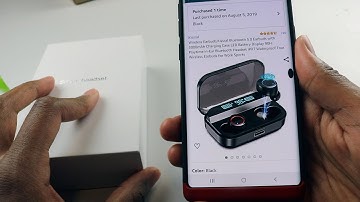
yo sup guys this is going to be a quick review on this wireless earbuds a part from Amazon now the name-brand on this aha I have to go back to my order again the name-brand of this is called let's look at this kiss role and this earbuds are very nice I've been using it for a while now he actually supports Bluetooth 5.0 so if you have like a new smartphone you're gonna notice the quality of those airports being like ridiculously better and also there could like connect on and off significantly faster than an old 4.0 bluetooth now this one has 3000 milliamp our charging battery which is like insane we gotta talk about that soon which equivalents to 90 hours of a plate at 90 hours of playtime in your ear I mean we're gonna talk about all that all I could tell you is 90 hours is ridiculously high in comparison apples have Apple earbud I believe to only has 24 hours of playback time which is

Similar products