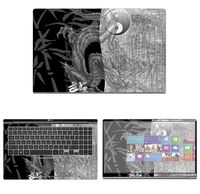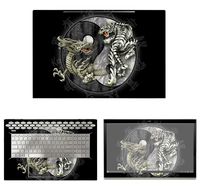
Description
Product Compatible with:
-- Microsoft Surface Laptop Released in 2017 (NOT Fit for other models,also NOT fit for Suface BOOK)
Product Description:
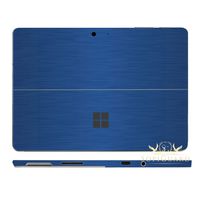
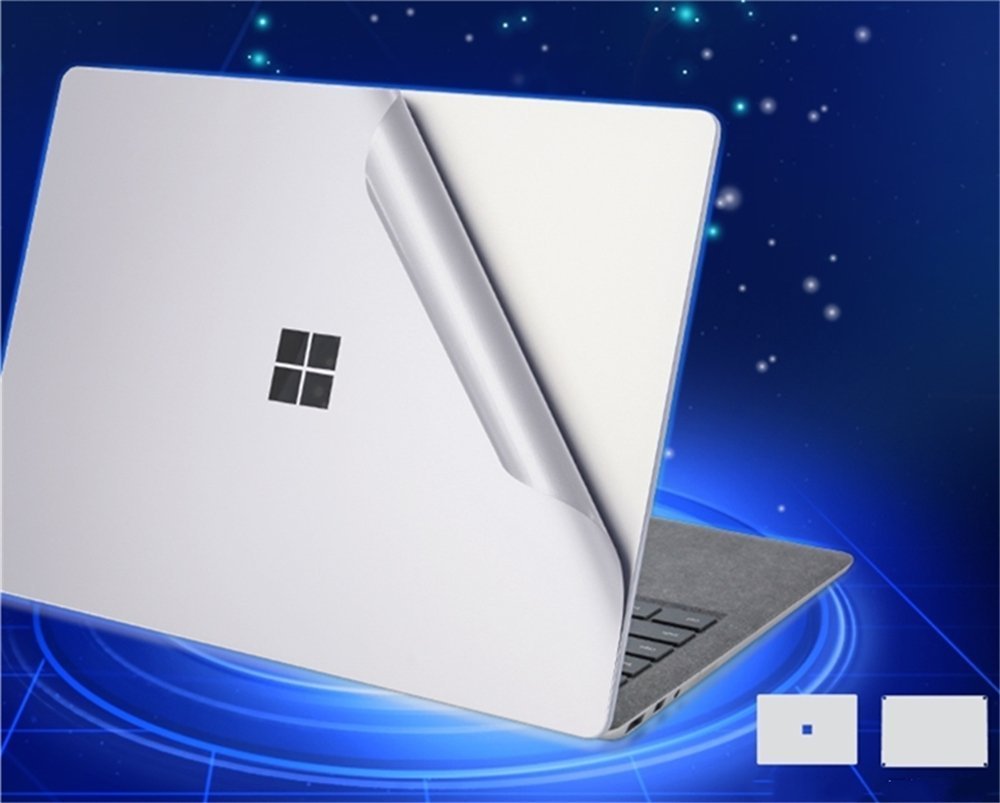
Designed for demanding users who really care about preserving the look of their precious Surface Laptop, but not with a thick protective shell/sleeve.
And This is a wear-resistant thin film solution that can effectively protect the Surface Laptop against the deleterious effects of grease, scratches, smudges,and color-fade that accrete over time.
Package Included:
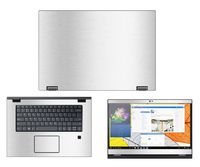
--1x Upper Body Skin Cover
--1x Bottom Body Skin Cover
--1x wiping cloth
--1x alcohol pad
Before paste the skins, please noted two issues:
--After the 3M upper and bottom skin paste completed, do not re-lift, otherwise, the skins will be damaged.
--We design the product off 0.3 mm gap to edge,please take care of its placeholder.
Pasting Instruction:
1. Please use wiping cloth to clean surface before pasting stickers.
2. Align UPPER sticker SURFACE LOGO hole>edges>corners to the laptop body.
3. Peel off and cut half side of backing paper; Align upper sticker to LOGO hole mainly, then edges/corners of laptop body, paste it on laptop easily.
4. Slowly peel off the rest of backing paper, paste the other half skin at the same time.
4-1.If the alignment process is not good, you can slowly take it away, then re-alignment, paste again.
5. Use JRC wiping cloth wipe the laptop and squeeze out bubbles. Finally, Bubbles be disappeared; sticker fit SURFACE LOGO hole and laptop UPPER side well.
6. Paste another sticker in the same way.
-- Microsoft Surface Laptop Released in 2017 (NOT Fit for other models,also NOT fit for Suface BOOK)
Product Description:
Designed for demanding users who really care about preserving the look of their precious Surface Laptop, but not with a thick protective shell/sleeve.
And This is a wear-resistant thin film solution that can effectively protect the Surface Laptop against the deleterious effects of grease, scratches, smudges,and color-fade that accrete over time.
Package Included:
--1x Upper Body Skin Cover
--1x Bottom Body Skin Cover
--1x wiping cloth
--1x alcohol pad
Before paste the skins, please noted two issues:
--After the 3M upper and bottom skin paste completed, do not re-lift, otherwise, the skins will be damaged.
--We design the product off 0.3 mm gap to edge,please take care of its placeholder.
Pasting Instruction:
1. Please use wiping cloth to clean surface before pasting stickers.
2. Align UPPER sticker SURFACE LOGO hole>edges>corners to the laptop body.
3. Peel off and cut half side of backing paper; Align upper sticker to LOGO hole mainly, then edges/corners of laptop body, paste it on laptop easily.
4. Slowly peel off the rest of backing paper, paste the other half skin at the same time.
4-1.If the alignment process is not good, you can slowly take it away, then re-alignment, paste again.
5. Use JRC wiping cloth wipe the laptop and squeeze out bubbles. Finally, Bubbles be disappeared; sticker fit SURFACE LOGO hole and laptop UPPER side well.
6. Paste another sticker in the same way.
Surface Laptop Body Decals Protective Skins Cover for Microsoft Surface Laptop, Sticker for Surface Laptop Body Precisely, 3M Decal Decorative Full Protector (silver)
Current Price
$16.99
Average
$14.49
Min Price
$11.99
Max Price
$16.99
Price dynamics
15%
Description
Product Compatible with:
-- Microsoft Surface Laptop Released in 2017 (NOT Fit for other models,also NOT fit for Suface BOOK)
Product Description:
Designed for demanding users who really care about preserving the look of their precious Surface Laptop, but not with a thick protective shell/sleeve.
And This is a wear-resistant thin film solution that can effectively protect the Surface Laptop against the deleterious effects of grease, scratches, smudges,and color-fade that accrete over time.
Package Included:
--1x Upper Body Skin Cover
--1x Bottom Body Skin Cover
--1x wiping cloth
--1x alcohol pad
Before paste the skins, please noted two issues:
--After the 3M upper and bottom skin paste completed, do not re-lift, otherwise, the skins will be damaged.
--We design the product off 0.3 mm gap to edge,please take care of its placeholder.
Pasting Instruction:
1. Please use wiping cloth to clean surface before pasting stickers.
2. Align UPPER sticker SURFACE LOGO hole>edges>corners to the laptop body.
3. Peel off and cut half side of backing paper; Align upper sticker to LOGO hole mainly, then edges/corners of laptop body, paste it on laptop easily.
4. Slowly peel off the rest of backing paper, paste the other half skin at the same time.
4-1.If the alignment process is not good, you can slowly take it away, then re-alignment, paste again.
5. Use JRC wiping cloth wipe the laptop and squeeze out bubbles. Finally, Bubbles be disappeared; sticker fit SURFACE LOGO hole and laptop UPPER side well.
6. Paste another sticker in the same way.
-- Microsoft Surface Laptop Released in 2017 (NOT Fit for other models,also NOT fit for Suface BOOK)
Product Description:
Designed for demanding users who really care about preserving the look of their precious Surface Laptop, but not with a thick protective shell/sleeve.
And This is a wear-resistant thin film solution that can effectively protect the Surface Laptop against the deleterious effects of grease, scratches, smudges,and color-fade that accrete over time.
Package Included:
--1x Upper Body Skin Cover
--1x Bottom Body Skin Cover
--1x wiping cloth
--1x alcohol pad
Before paste the skins, please noted two issues:
--After the 3M upper and bottom skin paste completed, do not re-lift, otherwise, the skins will be damaged.
--We design the product off 0.3 mm gap to edge,please take care of its placeholder.
Pasting Instruction:
1. Please use wiping cloth to clean surface before pasting stickers.
2. Align UPPER sticker SURFACE LOGO hole>edges>corners to the laptop body.
3. Peel off and cut half side of backing paper; Align upper sticker to LOGO hole mainly, then edges/corners of laptop body, paste it on laptop easily.
4. Slowly peel off the rest of backing paper, paste the other half skin at the same time.
4-1.If the alignment process is not good, you can slowly take it away, then re-alignment, paste again.
5. Use JRC wiping cloth wipe the laptop and squeeze out bubbles. Finally, Bubbles be disappeared; sticker fit SURFACE LOGO hole and laptop UPPER side well.
6. Paste another sticker in the same way.
Price will be lower
in next 2 weeks
in next 2 weeks
According to the data, price will be lower in next two weeks, so not waste your money and track better price!
Product review & video
okay today I'm going to install the combo one which is most popular kit and here is the keyboard skin with the trackpad this is the bottom skin with the arrows pointing to the top and this is the top skin that can be placed either way you can peel off the wax backing and replace it without a half an inch on top and an inch on the side so I'm going to feel the edges in the corners make sure it is properly aligned then you want to lift the skin and remove the wax paper and while holding it up align it in place now you may have some sharp edges these are the flat object or your fingernail just skim it next will be the keyboard skin and as you see if I'm pulling the paper off of the skin just so I don't stretch so next it's going to align it start with the bottom and work my way up to the top now next will be the bottom skin and as you see that word microsoft that is the top of the back and

Similar products