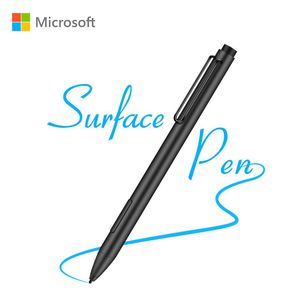
Description
Best Gift
1024 Levels of Pressure Sensitivity-Provide Highly Sensitive and Precise Writing & Painting Experience,Ensures your Paintings has High Artistic Precision.Perfect for Hand Writing, Drawing, Marking, Signing and Making Notes Anytime and Anywhere by Artists, Architects, Officers, Teachers, Students and Children.
Excellent Design
No Drivers or Bluetooth Connection are required. Wireless Connection,Easy to Operate.This pen is incredibly detailed and maneuver easily across the screen. Only took about 5 minutes to adapt to the functionality & you can use it enough. Drawing, writing, accessing files all comes with great ease.
How to Use?
When you insert the battery,that is it,
Back to your Surface,
Just writing now!
How to hook up the battery?
1.Rotate the top of the pen counterclockwise.
2.Positive pole side down, Insert the battery into it.
3.Return to the original position clockwise.
How to replace the Refill?
1. Use the tools in the package to gently rotate and pull out the refill on the Surface pen.
2. Find the new refill you need to replace in the package, using your hand, gently insert the refill into the pen.
3. Complete the replacement.
Compatible Model List
You can send us a message directly when you are not sure whether the pen is compatible with your devices or not.
Surface Pro 3/4/5/6
New Surface Pro 2017
New Surface Go
Surface 3
Surface Laptop 1/2
Surface Studio 1/2
Surface Book 1/2
Asus Transformer Mini
Asus Transformer 3 Pro
Asus Transformer 3
Asus Transformer Pro
Asus ZenBook Flip S
Vivobook Flip 12 R211NA
Vivobook Flip 14 R211NA
Inspiron 13 7373
Inspiron 15 7573
Envy 17-aexxx
Envy x360 15-bp0xx
Envy x360 15-bq0xx
Pavilionx360 11m-ad0xx
Pavilionx360 14m-ba0xx
Pavilionx360 15-br0xx
Spectre x2 12-c0xx
1024 Levels of Pressure Sensitivity-Provide Highly Sensitive and Precise Writing & Painting Experience,Ensures your Paintings has High Artistic Precision.Perfect for Hand Writing, Drawing, Marking, Signing and Making Notes Anytime and Anywhere by Artists, Architects, Officers, Teachers, Students and Children.
Excellent Design
No Drivers or Bluetooth Connection are required. Wireless Connection,Easy to Operate.This pen is incredibly detailed and maneuver easily across the screen. Only took about 5 minutes to adapt to the functionality & you can use it enough. Drawing, writing, accessing files all comes with great ease.
How to Use?
When you insert the battery,that is it,
Back to your Surface,
Just writing now!
How to hook up the battery?
1.Rotate the top of the pen counterclockwise.
2.Positive pole side down, Insert the battery into it.
3.Return to the original position clockwise.
How to replace the Refill?
1. Use the tools in the package to gently rotate and pull out the refill on the Surface pen.
2. Find the new refill you need to replace in the package, using your hand, gently insert the refill into the pen.
3. Complete the replacement.
Compatible Model List
You can send us a message directly when you are not sure whether the pen is compatible with your devices or not.
Surface Pro 3/4/5/6
New Surface Pro 2017
New Surface Go
Surface 3
Surface Laptop 1/2
Surface Studio 1/2
Surface Book 1/2
Asus Transformer Mini
Asus Transformer 3 Pro
Asus Transformer 3
Asus Transformer Pro
Asus ZenBook Flip S
Vivobook Flip 12 R211NA
Vivobook Flip 14 R211NA
Inspiron 13 7373
Inspiron 15 7573
Envy 17-aexxx
Envy x360 15-bp0xx
Envy x360 15-bq0xx
Pavilionx360 11m-ad0xx
Pavilionx360 14m-ba0xx
Pavilionx360 15-br0xx
Spectre x2 12-c0xx
Surface Pen, Stylus Pen with Microsoft Pen Protocol(MPP), 1024 Levels of Pressure Sensitivity and Aluminum Body, 2 Different Tips (H&HB), Active Surface Pro 6, Surface Laptop 1/2, (Black)
Current Price
$37.99
Average
$32.82
Min Price
$28.99
Max Price
$42.99
Price dynamics
14%
Description
Best Gift
1024 Levels of Pressure Sensitivity-Provide Highly Sensitive and Precise Writing & Painting Experience,Ensures your Paintings has High Artistic Precision.Perfect for Hand Writing, Drawing, Marking, Signing and Making Notes Anytime and Anywhere by Artists, Architects, Officers, Teachers, Students and Children.
Excellent Design
No Drivers or Bluetooth Connection are required. Wireless Connection,Easy to Operate.This pen is incredibly detailed and maneuver easily across the screen. Only took about 5 minutes to adapt to the functionality & you can use it enough. Drawing, writing, accessing files all comes with great ease.
How to Use?
When you insert the battery,that is it,
Back to your Surface,
Just writing now!
How to hook up the battery?
1.Rotate the top of the pen counterclockwise.
2.Positive pole side down, Insert the battery into it.
3.Return to the original position clockwise.
How to replace the Refill?
1. Use the tools in the package to gently rotate and pull out the refill on the Surface pen.
2. Find the new refill you need to replace in the package, using your hand, gently insert the refill into the pen.
3. Complete the replacement.
Compatible Model List
You can send us a message directly when you are not sure whether the pen is compatible with your devices or not.
Surface Pro 3/4/5/6
New Surface Pro 2017
New Surface Go
Surface 3
Surface Laptop 1/2
Surface Studio 1/2
Surface Book 1/2
Asus Transformer Mini
Asus Transformer 3 Pro
Asus Transformer 3
Asus Transformer Pro
Asus ZenBook Flip S
Vivobook Flip 12 R211NA
Vivobook Flip 14 R211NA
Inspiron 13 7373
Inspiron 15 7573
Envy 17-aexxx
Envy x360 15-bp0xx
Envy x360 15-bq0xx
Pavilionx360 11m-ad0xx
Pavilionx360 14m-ba0xx
Pavilionx360 15-br0xx
Spectre x2 12-c0xx
1024 Levels of Pressure Sensitivity-Provide Highly Sensitive and Precise Writing & Painting Experience,Ensures your Paintings has High Artistic Precision.Perfect for Hand Writing, Drawing, Marking, Signing and Making Notes Anytime and Anywhere by Artists, Architects, Officers, Teachers, Students and Children.
Excellent Design
No Drivers or Bluetooth Connection are required. Wireless Connection,Easy to Operate.This pen is incredibly detailed and maneuver easily across the screen. Only took about 5 minutes to adapt to the functionality & you can use it enough. Drawing, writing, accessing files all comes with great ease.
How to Use?
When you insert the battery,that is it,
Back to your Surface,
Just writing now!
How to hook up the battery?
1.Rotate the top of the pen counterclockwise.
2.Positive pole side down, Insert the battery into it.
3.Return to the original position clockwise.
How to replace the Refill?
1. Use the tools in the package to gently rotate and pull out the refill on the Surface pen.
2. Find the new refill you need to replace in the package, using your hand, gently insert the refill into the pen.
3. Complete the replacement.
Compatible Model List
You can send us a message directly when you are not sure whether the pen is compatible with your devices or not.
Surface Pro 3/4/5/6
New Surface Pro 2017
New Surface Go
Surface 3
Surface Laptop 1/2
Surface Studio 1/2
Surface Book 1/2
Asus Transformer Mini
Asus Transformer 3 Pro
Asus Transformer 3
Asus Transformer Pro
Asus ZenBook Flip S
Vivobook Flip 12 R211NA
Vivobook Flip 14 R211NA
Inspiron 13 7373
Inspiron 15 7573
Envy 17-aexxx
Envy x360 15-bp0xx
Envy x360 15-bq0xx
Pavilionx360 11m-ad0xx
Pavilionx360 14m-ba0xx
Pavilionx360 15-br0xx
Spectre x2 12-c0xx
Price will be lower
in next 2 weeks
in next 2 weeks
According to the data, price will be lower in next two weeks, so not waste your money and track better price!
Product review & video
>> It was very important
for us as we're building Windows 10 to make sure that this does more than just
take handwritten notes, sign your name or circle something. We want to make it, so that
you can use your Surface Pen as a mouse and a keyboard
throughout Windows. So I want to show you a bit
about how that works. By default, your pen will behave
like a mouse throughout Windows. So as I press the Start Menu or if I'm scrolling through the different
apps and tiles that I have, click and drag is
just press and hold, and move your Pen across the screen. It will behave like that mouse. Now, if I want to
right-click on something, on the barrel of my Pen, this flat edge here, is where I have this button. I'm going to press and hold
on this right-click button, and then tap anywhere on the screen. That's going to perform
the right-click function wherever I'd like. So I have all of
that nice ad


Similar products


































