Description
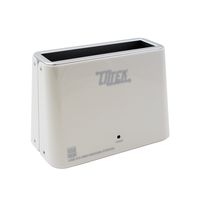
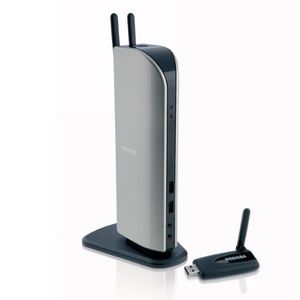
Ready to multi-task like a pro? Well then clear the cables cluttering your desk and make way for enhanced wireless productivity and entertainment! The dynadock wireless U, universal wireless USB docking station, allows you to connect wirelessly from your laptop to your docking station. Finally you can link to all your desktop accessories, printer, router, sound system and even an external monitor without needing to run any cords to your laptop computer.

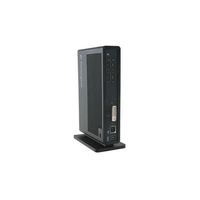
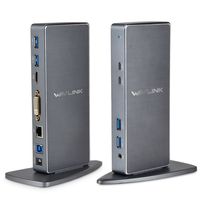
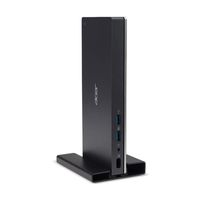
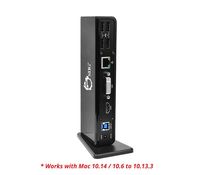
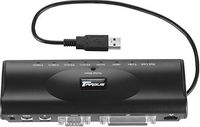
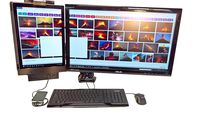
The dynadock wireless U is also compatible with any brand of Windows-based computer with built-in wireless USB technology or an available USB 2.0 port for the included wireless USB adapter. The dynadock wireless U has a built-in HD Digital Video card to connect an extra VGA or DVI monitor* with resolution up to 1680 x 1050, enabling you to view up to 3 displays simultaneously.** It also has a built-in Digital Audio card to add high quality 7.1 surround sound through the S/PDIF port, providing a true multimedia experience. The dynadock wireless U adds six USB 2.0 ports, Ethernet LAN connectivity and 3.5mm audio in and out for headphones, microphone, headset or speakers. The upright slim design saves precious desk space while providing fast access to a true desktop environment. Docking and undocking is easy with the dynadock wireless U. Just one touch of the undock/dock button and the dynadock wireless U automatically shuts down all peripherals attached to your docking station for a smooth undock experience. Simply pick-up your laptop and go. If you prefer to dock manually, simply hit the dock button again and all your peripherals will be synced with your laptop in no time. Or, as an added feature, the dynadock wireless U can be setup to automatically connect to your laptop when back within range.
Expand Your Wireless World

The dynadock wireless U is also compatible with any brand of Windows-based computer with built-in wireless USB technology or an available USB 2.0 port for the included wireless USB adapter. The dynadock wireless U has a built-in HD Digital Video card to connect an extra VGA or DVI monitor* with resolution up to 1680 x 1050, enabling you to view up to 3 displays simultaneously.** It also has a built-in Digital Audio card to add high quality 7.1 surround sound through the S/PDIF port, providing a true multimedia experience. The dynadock wireless U adds six USB 2.0 ports, Ethernet LAN connectivity and 3.5mm audio in and out for headphones, microphone, headset or speakers. The upright slim design saves precious desk space while providing fast access to a true desktop environment. Docking and undocking is easy with the dynadock wireless U. Just one touch of the undock/dock button and the dynadock wireless U automatically shuts down all peripherals attached to your docking station for a smooth undock experience. Simply pick-up your laptop and go. If you prefer to dock manually, simply hit the dock button again and all your peripherals will be synced with your laptop in no time. Or, as an added feature, the dynadock wireless U can be setup to automatically connect to your laptop when back within range.
Expand Your Wireless World
Toshiba Dynadock Wireless U Universal USB Docking Station
Current Price
$175.6
Average
$171.69
Min Price
$143.03
Max Price
$208.99
Price dynamics
2%
Description
Ready to multi-task like a pro? Well then clear the cables cluttering your desk and make way for enhanced wireless productivity and entertainment! The dynadock wireless U, universal wireless USB docking station, allows you to connect wirelessly from your laptop to your docking station. Finally you can link to all your desktop accessories, printer, router, sound system and even an external monitor without needing to run any cords to your laptop computer.

The dynadock wireless U is also compatible with any brand of Windows-based computer with built-in wireless USB technology or an available USB 2.0 port for the included wireless USB adapter. The dynadock wireless U has a built-in HD Digital Video card to connect an extra VGA or DVI monitor* with resolution up to 1680 x 1050, enabling you to view up to 3 displays simultaneously.** It also has a built-in Digital Audio card to add high quality 7.1 surround sound through the S/PDIF port, providing a true multimedia experience. The dynadock wireless U adds six USB 2.0 ports, Ethernet LAN connectivity and 3.5mm audio in and out for headphones, microphone, headset or speakers. The upright slim design saves precious desk space while providing fast access to a true desktop environment. Docking and undocking is easy with the dynadock wireless U. Just one touch of the undock/dock button and the dynadock wireless U automatically shuts down all peripherals attached to your docking station for a smooth undock experience. Simply pick-up your laptop and go. If you prefer to dock manually, simply hit the dock button again and all your peripherals will be synced with your laptop in no time. Or, as an added feature, the dynadock wireless U can be setup to automatically connect to your laptop when back within range.
Expand Your Wireless World

The dynadock wireless U is also compatible with any brand of Windows-based computer with built-in wireless USB technology or an available USB 2.0 port for the included wireless USB adapter. The dynadock wireless U has a built-in HD Digital Video card to connect an extra VGA or DVI monitor* with resolution up to 1680 x 1050, enabling you to view up to 3 displays simultaneously.** It also has a built-in Digital Audio card to add high quality 7.1 surround sound through the S/PDIF port, providing a true multimedia experience. The dynadock wireless U adds six USB 2.0 ports, Ethernet LAN connectivity and 3.5mm audio in and out for headphones, microphone, headset or speakers. The upright slim design saves precious desk space while providing fast access to a true desktop environment. Docking and undocking is easy with the dynadock wireless U. Just one touch of the undock/dock button and the dynadock wireless U automatically shuts down all peripherals attached to your docking station for a smooth undock experience. Simply pick-up your laptop and go. If you prefer to dock manually, simply hit the dock button again and all your peripherals will be synced with your laptop in no time. Or, as an added feature, the dynadock wireless U can be setup to automatically connect to your laptop when back within range.
Expand Your Wireless World
Price will be lower
in next 2 weeks
in next 2 weeks
According to the data, price will be lower in next two weeks, so not waste your money and track better price!
Product review & video
in this video we will demonstrate how to install and configure your Toshiba Dino docu 3.0 and download the latest drivers along with some helpful troubleshooting tips after unboxing the Dino Doc connect the AC adapter to the DC and Jack on the back of the Dino dock the power light on the front of the Dino dock will glow blue when power is applied next connect the Dino dog to a computer that has Internet connectivity by connecting the square end of the provided USB cable to the Dino dock and the other end to an available USB port on your computer it's preferable to connect the Dino duck to a USB 3.0 port on the computer for maximum performance but you can connect it to any available USB 2.0 port note that when the Dino dock is connected to the computer by USB connection you'll still need to provide power to the computer either by internal battery or AC adapter connected to the computer t


Similar products