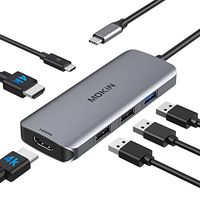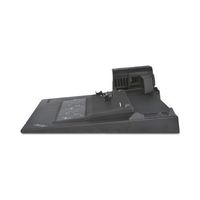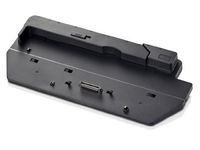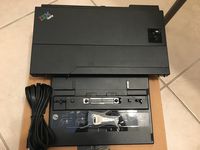
Description
Compatible Systems
Windows 10, 8, 7:Support Multi StreamTransport(Triple Display). Power delivery only supports Windows 8 and above.
MacOS: Currently only support "Mirroring"; display "Extended" is not supported.
Chrome OS,Vista, XP, Linux 2.6.14 or Later.
Incompatible Device(Not a full list) :
iPad Pro
Surface go
Nintendo Switch
Apple USB SuperDrive
Most HP systems are incompatible,HP EliteBook 840/Zbook /Pavilion/ Spectre etc.
Note:
1.Do not support USB-A to USB-C Adapter and extension cable.
2.The DP port is incompatible with the macOS 10.13.6. The DP port will not be displayed when it is connected to the mac system 10.13.6 separately.please update to the latest system. If DP and HDMI are used simultaneously, the macOS 10.13.6 is supported.
3.macOS currently only support "Mirroring", display " Extended" is not supported.
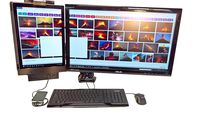
4.Triple display for Windows:Only Windows system support the Multi Stream Transport,Triple display can be switch between HDMI&DP&Laptop freely. Screen switch shortcut key: Windows+P.
5.Thunderbolt 3 USB-C ports generally support Alt Mode output.
6.Many current USB-C systems which do support Alt Mode video output do not support charging via USB-C. Systems such as these will need their proprietary OEM chargers. The Dell XPS 15 9550/9560 and Precision 5510/7510, for example, will display a warning during boot if connected to a 60W power adapter rather than a Dell 130W power adapter. Please use the OEM charger for Dell laptop.
7.When the DELL laptop is connected to 3 monitors, the laptop screen is black.
8.Most Android phones and tablets currently do not support Alt Mode video output.
9.For Windows laptops, since the CPU bandwidth of each laptop is different, it is not recommended to use three display ports simultaneously. It is recommended to use only two display ports at a time.
Windows 10, 8, 7:Support Multi StreamTransport(Triple Display). Power delivery only supports Windows 8 and above.
MacOS: Currently only support "Mirroring"; display "Extended" is not supported.
Chrome OS,Vista, XP, Linux 2.6.14 or Later.
Incompatible Device(Not a full list) :
iPad Pro
Surface go
Nintendo Switch
Apple USB SuperDrive
Most HP systems are incompatible,HP EliteBook 840/Zbook /Pavilion/ Spectre etc.
Note:
1.Do not support USB-A to USB-C Adapter and extension cable.
2.The DP port is incompatible with the macOS 10.13.6. The DP port will not be displayed when it is connected to the mac system 10.13.6 separately.please update to the latest system. If DP and HDMI are used simultaneously, the macOS 10.13.6 is supported.
3.macOS currently only support "Mirroring", display " Extended" is not supported.
4.Triple display for Windows:Only Windows system support the Multi Stream Transport,Triple display can be switch between HDMI&DP&Laptop freely. Screen switch shortcut key: Windows+P.
5.Thunderbolt 3 USB-C ports generally support Alt Mode output.
6.Many current USB-C systems which do support Alt Mode video output do not support charging via USB-C. Systems such as these will need their proprietary OEM chargers. The Dell XPS 15 9550/9560 and Precision 5510/7510, for example, will display a warning during boot if connected to a 60W power adapter rather than a Dell 130W power adapter. Please use the OEM charger for Dell laptop.
7.When the DELL laptop is connected to 3 monitors, the laptop screen is black.
8.Most Android phones and tablets currently do not support Alt Mode video output.
9.For Windows laptops, since the CPU bandwidth of each laptop is different, it is not recommended to use three display ports simultaneously. It is recommended to use only two display ports at a time.
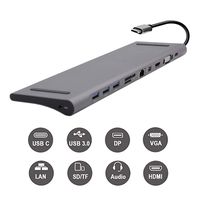
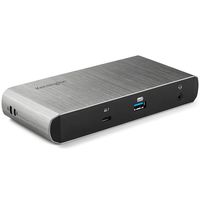
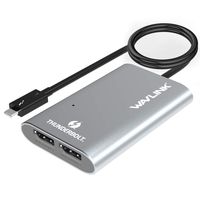
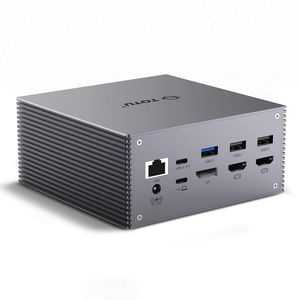
TOTU USB-C 4K Triple Display Docking Station with Charging Support for Windows USB C and Thunderbolt 3 Systems (2 HDMI,DP,7 USB Ports, 60W USB PD),macOS only Support Mirror Display
Price is below average
Current Price
$159.99
Average
$169.99
Min Price
$159.99
Max Price
$179.99
Price dynamics
6%
Description
Compatible Systems
Windows 10, 8, 7:Support Multi StreamTransport(Triple Display). Power delivery only supports Windows 8 and above.
MacOS: Currently only support "Mirroring"; display "Extended" is not supported.
Chrome OS,Vista, XP, Linux 2.6.14 or Later.
Incompatible Device(Not a full list) :
iPad Pro
Surface go
Nintendo Switch
Apple USB SuperDrive
Most HP systems are incompatible,HP EliteBook 840/Zbook /Pavilion/ Spectre etc.
Note:
1.Do not support USB-A to USB-C Adapter and extension cable.
2.The DP port is incompatible with the macOS 10.13.6. The DP port will not be displayed when it is connected to the mac system 10.13.6 separately.please update to the latest system. If DP and HDMI are used simultaneously, the macOS 10.13.6 is supported.
3.macOS currently only support "Mirroring", display " Extended" is not supported.
4.Triple display for Windows:Only Windows system support the Multi Stream Transport,Triple display can be switch between HDMI&DP&Laptop freely. Screen switch shortcut key: Windows+P.
5.Thunderbolt 3 USB-C ports generally support Alt Mode output.
6.Many current USB-C systems which do support Alt Mode video output do not support charging via USB-C. Systems such as these will need their proprietary OEM chargers. The Dell XPS 15 9550/9560 and Precision 5510/7510, for example, will display a warning during boot if connected to a 60W power adapter rather than a Dell 130W power adapter. Please use the OEM charger for Dell laptop.
7.When the DELL laptop is connected to 3 monitors, the laptop screen is black.
8.Most Android phones and tablets currently do not support Alt Mode video output.
9.For Windows laptops, since the CPU bandwidth of each laptop is different, it is not recommended to use three display ports simultaneously. It is recommended to use only two display ports at a time.
Windows 10, 8, 7:Support Multi StreamTransport(Triple Display). Power delivery only supports Windows 8 and above.
MacOS: Currently only support "Mirroring"; display "Extended" is not supported.
Chrome OS,Vista, XP, Linux 2.6.14 or Later.
Incompatible Device(Not a full list) :
iPad Pro
Surface go
Nintendo Switch
Apple USB SuperDrive
Most HP systems are incompatible,HP EliteBook 840/Zbook /Pavilion/ Spectre etc.
Note:
1.Do not support USB-A to USB-C Adapter and extension cable.
2.The DP port is incompatible with the macOS 10.13.6. The DP port will not be displayed when it is connected to the mac system 10.13.6 separately.please update to the latest system. If DP and HDMI are used simultaneously, the macOS 10.13.6 is supported.
3.macOS currently only support "Mirroring", display " Extended" is not supported.
4.Triple display for Windows:Only Windows system support the Multi Stream Transport,Triple display can be switch between HDMI&DP&Laptop freely. Screen switch shortcut key: Windows+P.
5.Thunderbolt 3 USB-C ports generally support Alt Mode output.
6.Many current USB-C systems which do support Alt Mode video output do not support charging via USB-C. Systems such as these will need their proprietary OEM chargers. The Dell XPS 15 9550/9560 and Precision 5510/7510, for example, will display a warning during boot if connected to a 60W power adapter rather than a Dell 130W power adapter. Please use the OEM charger for Dell laptop.
7.When the DELL laptop is connected to 3 monitors, the laptop screen is black.
8.Most Android phones and tablets currently do not support Alt Mode video output.
9.For Windows laptops, since the CPU bandwidth of each laptop is different, it is not recommended to use three display ports simultaneously. It is recommended to use only two display ports at a time.
Price will be lower
in next 2 weeks
in next 2 weeks
According to the data, price will be lower in next two weeks, so not waste your money and track better price!
Product review & video
laptops are getting thinner and you're losing your ports right and left and typically all you're left with right now is one two or four usbc there are many different options available for you to expand the number of ports on your laptop and in this video we're going to look at one of those options this is ok x usbc triple display docking station this is a sponsored video which means yep you guessed it right there's going to be a giveaway stay tuned what's up everybody my name is sean welcome to my tech channel if this is the first time you're stopping by and you enjoy tech content like this you may want to hit that subscribe button and turn on the notification so you won't miss my future videos let me have a quick shameless plug if you do want to support me and my channel before you forget give this video a thumbs up that would be a huge help so before we get started i want to tell you


Similar products