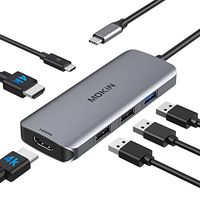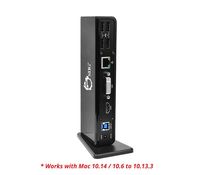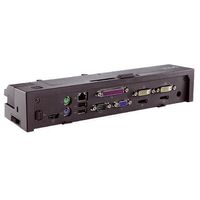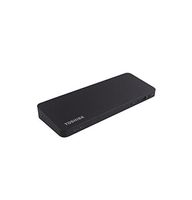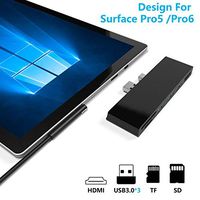
Description
USB-C Dock Turns Your Device’s USB-C or Thunderbolt 3 Port into a Multiport Workstation:
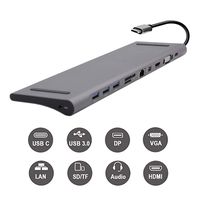
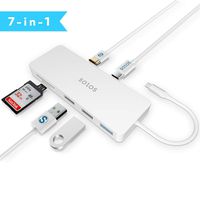
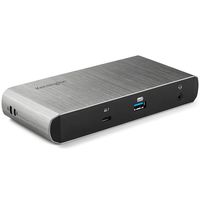
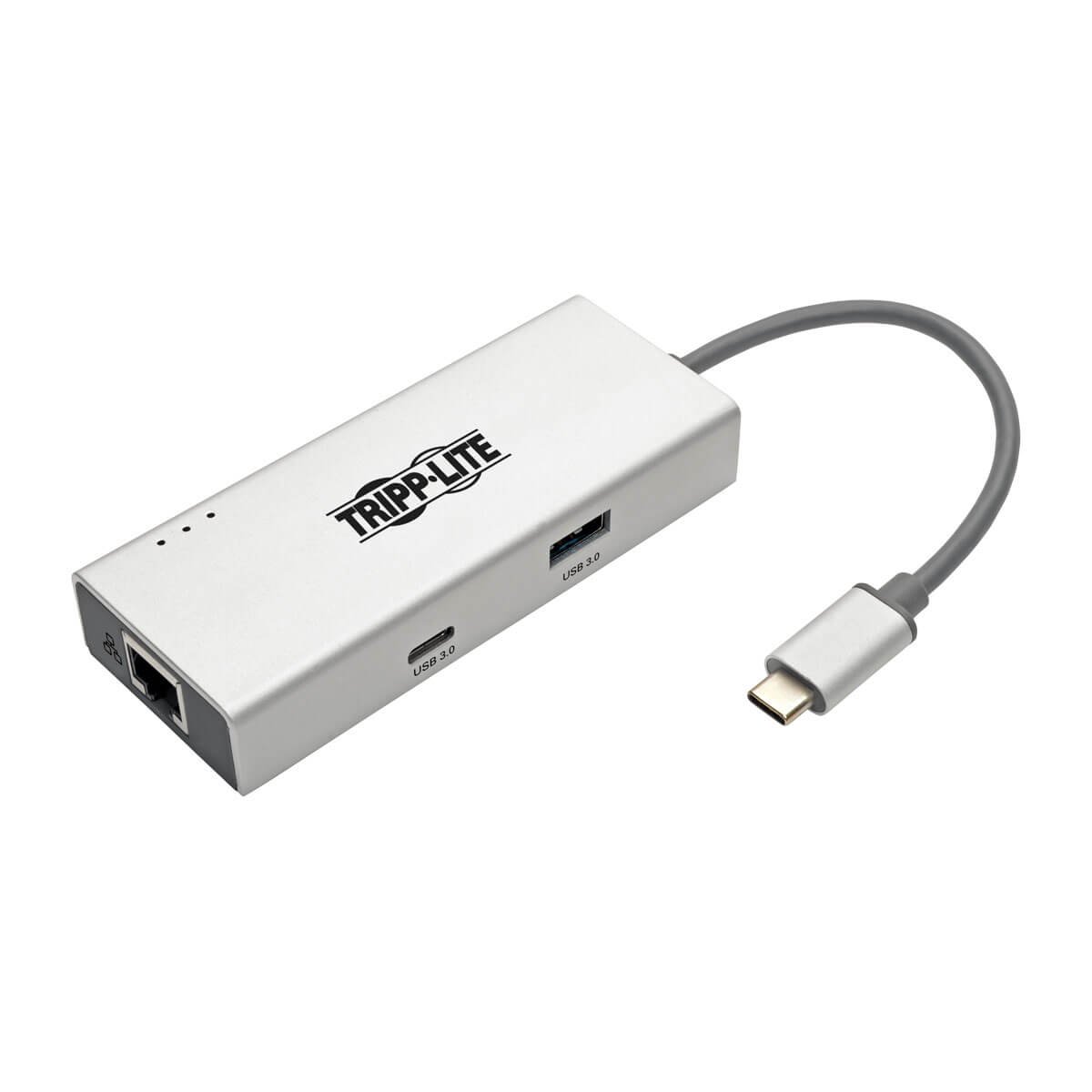
The U442-DOCK13-S expands the potential of your tablet, laptop, Chromebook, MacBook, smartphone or PC’s USB-C or Thunderbolt 3 port. It’s ideal for connecting to a wired Gigabit Ethernet network, transmitting digital audio and video to a large display, adding a thumb drive or other USB peripheral and more—all at the same time.
Supports USB DisplayPort Alternate Mode for Transmitting Audio/Video Signals:
With a source device that also supports USB DisplayPort Alt Mode, you can extend video from your primary display to another, duplicate the same video on both displays, or change the second display to your primary.
Transmits Crystal-Clear 4K Video and Digital Audio:
To send digital audio and Ultra High Definition video to a 4K-ready HDMI television, projector or monitor, connect the corresponding port to the display using an HDMI cable (sold separately). The HDMI port supports UHD video resolutions up to 3840 x 2160 (4K x 2K) at 30 Hz. A DVI display may also be connected using an HDMI to DVI adapter (adapters sold separately).
Accesses a Wired Gigabit Ethernet Network:
The RJ45 port offers access to a Gigabit Ethernet network when no Wi-Fi is available or when a wired connection offers faster speeds. Connect using a UTP cable (sold separately), and enjoy true 10/100/1000 Mbps Ethernet speeds for fast data transfers.
Connects Keyboards, Thumb Drives and Other USB Peripherals:
The USB-A and USB-C hub ports accept up to two USB peripherals, such as flash drives, mice, keyboards and printers. They support fast USB 3.1 Gen 1 data transfer rates up to 5 Gbps and are backward compatible with USB 2.0 and USB 1.1 devices.
Built-In USB-C Cable Connects in Either Direction:
Connect the reversible USB-C plug to your source device’s USB-C or Thunderbolt 3 port. The fumble-free USB-C plug connects in either direction to ensure fast, easy con
The U442-DOCK13-S expands the potential of your tablet, laptop, Chromebook, MacBook, smartphone or PC’s USB-C or Thunderbolt 3 port. It’s ideal for connecting to a wired Gigabit Ethernet network, transmitting digital audio and video to a large display, adding a thumb drive or other USB peripheral and more—all at the same time.
Supports USB DisplayPort Alternate Mode for Transmitting Audio/Video Signals:
With a source device that also supports USB DisplayPort Alt Mode, you can extend video from your primary display to another, duplicate the same video on both displays, or change the second display to your primary.
Transmits Crystal-Clear 4K Video and Digital Audio:
To send digital audio and Ultra High Definition video to a 4K-ready HDMI television, projector or monitor, connect the corresponding port to the display using an HDMI cable (sold separately). The HDMI port supports UHD video resolutions up to 3840 x 2160 (4K x 2K) at 30 Hz. A DVI display may also be connected using an HDMI to DVI adapter (adapters sold separately).
Accesses a Wired Gigabit Ethernet Network:
The RJ45 port offers access to a Gigabit Ethernet network when no Wi-Fi is available or when a wired connection offers faster speeds. Connect using a UTP cable (sold separately), and enjoy true 10/100/1000 Mbps Ethernet speeds for fast data transfers.
Connects Keyboards, Thumb Drives and Other USB Peripherals:
The USB-A and USB-C hub ports accept up to two USB peripherals, such as flash drives, mice, keyboards and printers. They support fast USB 3.1 Gen 1 data transfer rates up to 5 Gbps and are backward compatible with USB 2.0 and USB 1.1 devices.
Built-In USB-C Cable Connects in Either Direction:
Connect the reversible USB-C plug to your source device’s USB-C or Thunderbolt 3 port. The fumble-free USB-C plug connects in either direction to ensure fast, easy con
Tripp Lite USB C Docking Station w/ USB-A Hub, HDMI, Gbe, 4K @ 30Hz Portable Thunderbolt 3 Silver (U442-DOCK13-S)
Current Price
$57.99
Average
$47.16
Min Price
$25.55
Max Price
$60.7
Price dynamics
19%
Description
USB-C Dock Turns Your Device’s USB-C or Thunderbolt 3 Port into a Multiport Workstation:
The U442-DOCK13-S expands the potential of your tablet, laptop, Chromebook, MacBook, smartphone or PC’s USB-C or Thunderbolt 3 port. It’s ideal for connecting to a wired Gigabit Ethernet network, transmitting digital audio and video to a large display, adding a thumb drive or other USB peripheral and more—all at the same time.
Supports USB DisplayPort Alternate Mode for Transmitting Audio/Video Signals:
With a source device that also supports USB DisplayPort Alt Mode, you can extend video from your primary display to another, duplicate the same video on both displays, or change the second display to your primary.
Transmits Crystal-Clear 4K Video and Digital Audio:
To send digital audio and Ultra High Definition video to a 4K-ready HDMI television, projector or monitor, connect the corresponding port to the display using an HDMI cable (sold separately). The HDMI port supports UHD video resolutions up to 3840 x 2160 (4K x 2K) at 30 Hz. A DVI display may also be connected using an HDMI to DVI adapter (adapters sold separately).
Accesses a Wired Gigabit Ethernet Network:
The RJ45 port offers access to a Gigabit Ethernet network when no Wi-Fi is available or when a wired connection offers faster speeds. Connect using a UTP cable (sold separately), and enjoy true 10/100/1000 Mbps Ethernet speeds for fast data transfers.
Connects Keyboards, Thumb Drives and Other USB Peripherals:
The USB-A and USB-C hub ports accept up to two USB peripherals, such as flash drives, mice, keyboards and printers. They support fast USB 3.1 Gen 1 data transfer rates up to 5 Gbps and are backward compatible with USB 2.0 and USB 1.1 devices.
Built-In USB-C Cable Connects in Either Direction:
Connect the reversible USB-C plug to your source device’s USB-C or Thunderbolt 3 port. The fumble-free USB-C plug connects in either direction to ensure fast, easy con
The U442-DOCK13-S expands the potential of your tablet, laptop, Chromebook, MacBook, smartphone or PC’s USB-C or Thunderbolt 3 port. It’s ideal for connecting to a wired Gigabit Ethernet network, transmitting digital audio and video to a large display, adding a thumb drive or other USB peripheral and more—all at the same time.
Supports USB DisplayPort Alternate Mode for Transmitting Audio/Video Signals:
With a source device that also supports USB DisplayPort Alt Mode, you can extend video from your primary display to another, duplicate the same video on both displays, or change the second display to your primary.
Transmits Crystal-Clear 4K Video and Digital Audio:
To send digital audio and Ultra High Definition video to a 4K-ready HDMI television, projector or monitor, connect the corresponding port to the display using an HDMI cable (sold separately). The HDMI port supports UHD video resolutions up to 3840 x 2160 (4K x 2K) at 30 Hz. A DVI display may also be connected using an HDMI to DVI adapter (adapters sold separately).
Accesses a Wired Gigabit Ethernet Network:
The RJ45 port offers access to a Gigabit Ethernet network when no Wi-Fi is available or when a wired connection offers faster speeds. Connect using a UTP cable (sold separately), and enjoy true 10/100/1000 Mbps Ethernet speeds for fast data transfers.
Connects Keyboards, Thumb Drives and Other USB Peripherals:
The USB-A and USB-C hub ports accept up to two USB peripherals, such as flash drives, mice, keyboards and printers. They support fast USB 3.1 Gen 1 data transfer rates up to 5 Gbps and are backward compatible with USB 2.0 and USB 1.1 devices.
Built-In USB-C Cable Connects in Either Direction:
Connect the reversible USB-C plug to your source device’s USB-C or Thunderbolt 3 port. The fumble-free USB-C plug connects in either direction to ensure fast, easy con
Price will be lower
in next 2 weeks
in next 2 weeks
According to the data, price will be lower in next two weeks, so not waste your money and track better price!
Product review & video
[Music] usb has a long and needlessly complicated past just try googling a chart of all the different usb generations ports their specs and compatibility if you've got the time and you'll see what we're talking about it's a mess thankfully we don't need to know this history lesson to use and appreciate the usb connection today it had its hits it had its misses and now with the help of usb type-c it's slowly becoming more streamlined than ever but here's the thing many technologies utilize this connector now one such technology is thunderbolt 3. and quite frankly it can be difficult to distinguish usb c from thunderbolt 3 at a glance that's why in today's video we will be talking about this topic so without any further ado let's begin by introducing the two terms we'll start with usb type-c as it does hold seniority over thunderbolt 3. as you can guess usb type-c is one in a long line of


Similar products