Description
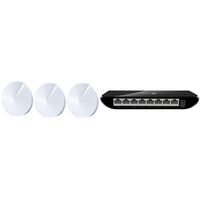
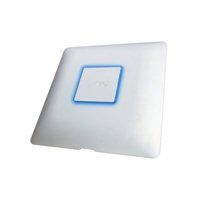
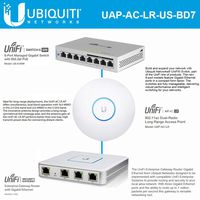
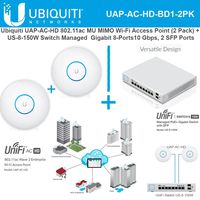
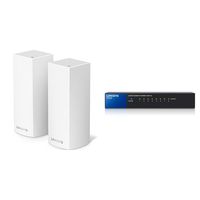
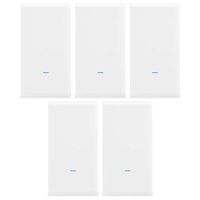
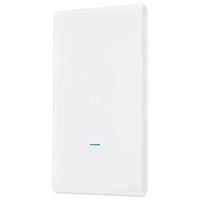
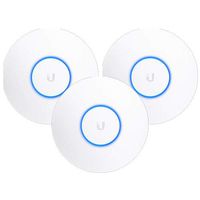
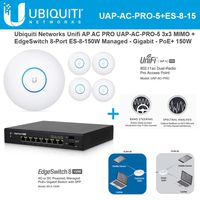
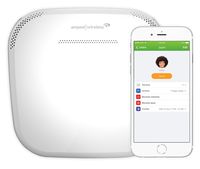
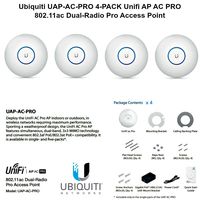
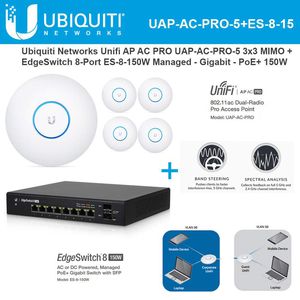
The UAP-AC-PRO-5 UniFi Access Point Enterprise Wi-Fi System from Ubiquiti Networks is a scalable enterprise access point solution designed to be easily deployed and managed. It supports the 802.11ac Wi-Fi standard with speeds of up to 1300 Mb/s in the 5 GHz radio band, and up to 450 Mb/s in the 2.4 GHz radio band. The Wi-Fi system offers simultaneous dual band operation with 3 x 3 MIMO technology for each band. It has a range of up to 400' and two Gigabit Ethernet ports. This UniFi Access Point (AP) has a sleek design and can be easily mounted to a ceiling tile or wall, using the included mounting hardware. - The 802.11ac MIMO Technology offers Gigabit speeds and range up to 400'. - Power over Ethernet (PoE) The ES-8-150W EdgeSwitch 8-Port 150-Watt Managed PoE+ Gigabit Switch with SFP from Ubiquiti Networks is a full featured networking solution. Along with the two 1 Gbps SFP Ethernet ports, you can take advantage of 8 Gigabit Ethernet ports supporting a max power over Ethernet wattage of 34.2 watts per port. The voltage ranges from 50 to 57 volts with a maximum passive power over Ethernet wattage per port of 17 watts. Other networking features include VLAN, private VLAN, voice VLAN, link aggregation, DHCP snooping, IGMP snooping, and much more. The unit comes with rack mount brackets. - The fanless EdgeSwitch 8 is a fully managed, high-performance, PoE+ Gigabit switch. It delivers powerful performance and intelligent switching with its 10 independent switching ports. - Optional DC input for connecting a redundant or stand-alone 42 to 56VDC power source, such as the EdgePower EP-54V-150W.
Ubiquiti UAP-AC-PRO-5 Pack UniFi Access Point + ES-8-150W EdgeSwitch 8 PoE+
Current Price
$910
Average
$905.22
Min Price
$859.95
Max Price
$957
Price dynamics
1%
Description
The UAP-AC-PRO-5 UniFi Access Point Enterprise Wi-Fi System from Ubiquiti Networks is a scalable enterprise access point solution designed to be easily deployed and managed. It supports the 802.11ac Wi-Fi standard with speeds of up to 1300 Mb/s in the 5 GHz radio band, and up to 450 Mb/s in the 2.4 GHz radio band. The Wi-Fi system offers simultaneous dual band operation with 3 x 3 MIMO technology for each band. It has a range of up to 400' and two Gigabit Ethernet ports. This UniFi Access Point (AP) has a sleek design and can be easily mounted to a ceiling tile or wall, using the included mounting hardware. - The 802.11ac MIMO Technology offers Gigabit speeds and range up to 400'. - Power over Ethernet (PoE) The ES-8-150W EdgeSwitch 8-Port 150-Watt Managed PoE+ Gigabit Switch with SFP from Ubiquiti Networks is a full featured networking solution. Along with the two 1 Gbps SFP Ethernet ports, you can take advantage of 8 Gigabit Ethernet ports supporting a max power over Ethernet wattage of 34.2 watts per port. The voltage ranges from 50 to 57 volts with a maximum passive power over Ethernet wattage per port of 17 watts. Other networking features include VLAN, private VLAN, voice VLAN, link aggregation, DHCP snooping, IGMP snooping, and much more. The unit comes with rack mount brackets. - The fanless EdgeSwitch 8 is a fully managed, high-performance, PoE+ Gigabit switch. It delivers powerful performance and intelligent switching with its 10 independent switching ports. - Optional DC input for connecting a redundant or stand-alone 42 to 56VDC power source, such as the EdgePower EP-54V-150W.
Price will be lower
in next 2 weeks
in next 2 weeks
According to the data, price will be lower in next two weeks, so not waste your money and track better price!
Product review & video
[Music] hey what's going on everybody today I'm gonna show you how to set up a unify access point from ubiquity this is just gonna be a step by step guide because these things can be a little bit different than your regular Wi-Fi access points or Wi-Fi routers that you would find at the store and that is because they are managed using what's called a controller software instead of just logging in to the device itself so most of us are used to just going to the IP of our home router logging in with username and password and being able to manage our Wi-Fi network these things were made for businesses or enterprises that have a lot of access points so basically the actual thing you buy is just a dumb access point you have to configure it using separate software that's hosted on another machine be it a server or your desktop or whatever so that's what I'm gonna show you how to do today just


Similar products