Description
Item Specifics:
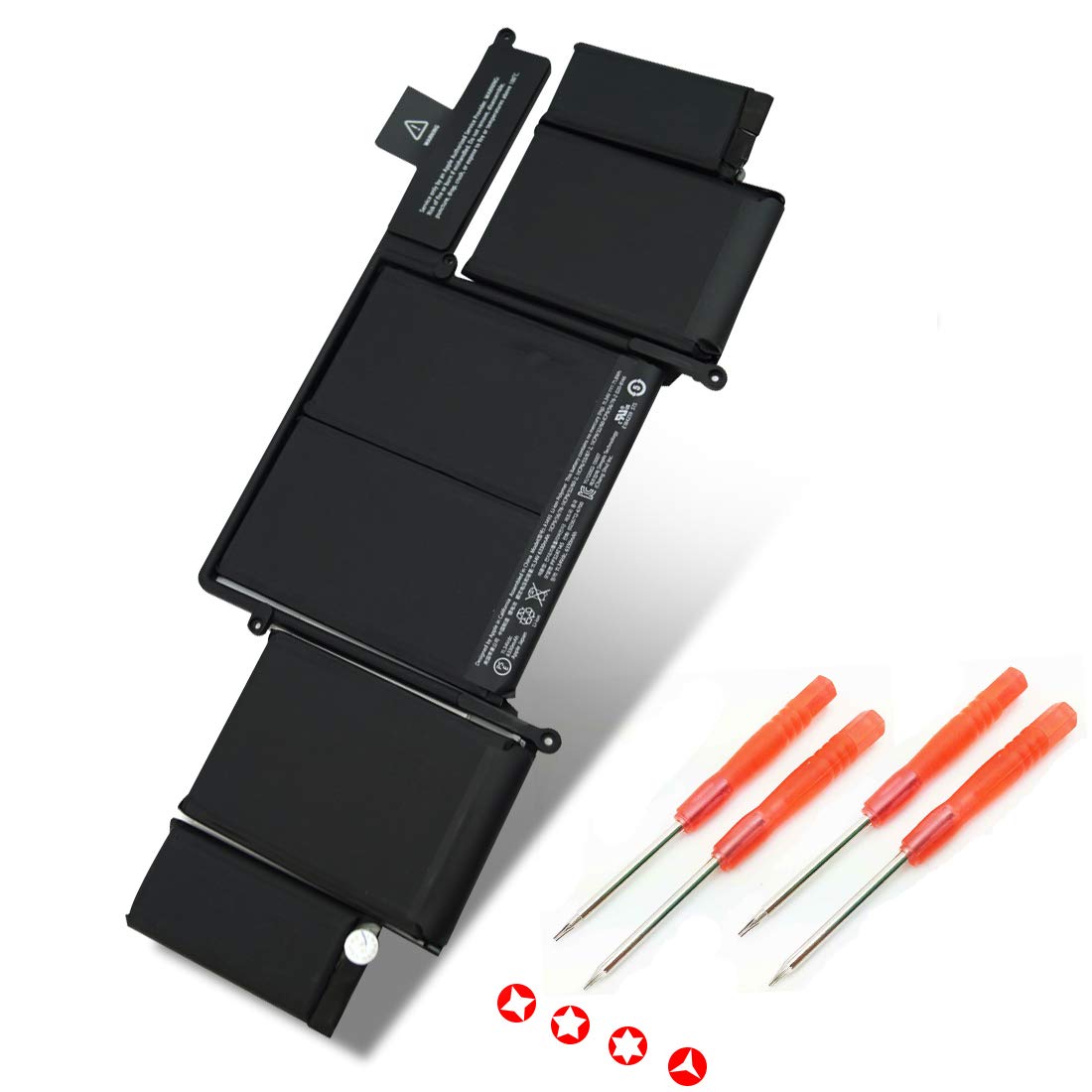
Item Model: A1493
Product Type: Replacement Battery
Battery Type: Li-ion Polymer
Battery Pack: 6 Cores
Voltage: 11.34V
Capacity: 71.8WH/6330mAh
Color: Black
Compatible Models (Only for Late 2013, Mid 2014 Version):
MacBook Pro 13"" Retina A1502 ME864LL/A* ME866LL/A
MacBook Pro ""Core i5"" 2.4 13"" Late 2013 Retina
MacBook Pro ""Core i5"" 2.6 13"" Late 2013 Retina
MacBook Pro ""Core i7"" 2.8 13"" Late 2013 Retina
Compatible Part Numbers:
A1493 020-8146 1ICP9/56/76 1ICP9/32/60-2 1ICP6/53/87-2 1ICP9/32/60 1ICP9/56/76-2
Here are some suggestions for battery maintenance:
1. Never recharge the battery after it has run out of power.
2. If you use the battery frequently, don't worry that the battery is always plugged in, but pay attention to the temperature of the laptop.
3. If you do not use the battery often, you can occasionally unplug the power supply and use the battery alone.
4. Be sure to download the software that maintains the battery on your notebook and set the battery level to around 50% in the software.
5. Use external power supply as much as possible. If it is not necessary, do not use batteries alone.
6.Repeat the process of charging and discharging once every 1-2 months to maintain the battery.
Any questions, please mail to us for help.
Ulvench New A1493 A1502 Battery Replacement for ME864LL/A, ME866LL/A, Core i5 2.4, 2.6, i7 2.8, 020-8146, fit for Apple MacBook Pro 13 inch Retina Late 2013 Mid 2014 [11.34V 71.8WH]
Current Price
$45.99
Average
$43.19
Min Price
$39.99
Max Price
$45.99
Price dynamics
6%
Description
Item Specifics:
Item Model: A1493
Product Type: Replacement Battery
Battery Type: Li-ion Polymer
Battery Pack: 6 Cores
Voltage: 11.34V
Capacity: 71.8WH/6330mAh
Color: Black
Compatible Models (Only for Late 2013, Mid 2014 Version):
MacBook Pro 13"" Retina A1502 ME864LL/A* ME866LL/A
MacBook Pro ""Core i5"" 2.4 13"" Late 2013 Retina
MacBook Pro ""Core i5"" 2.6 13"" Late 2013 Retina
MacBook Pro ""Core i7"" 2.8 13"" Late 2013 Retina
Compatible Part Numbers:
A1493 020-8146 1ICP9/56/76 1ICP9/32/60-2 1ICP6/53/87-2 1ICP9/32/60 1ICP9/56/76-2
Here are some suggestions for battery maintenance:
1. Never recharge the battery after it has run out of power.
2. If you use the battery frequently, don't worry that the battery is always plugged in, but pay attention to the temperature of the laptop.
3. If you do not use the battery often, you can occasionally unplug the power supply and use the battery alone.
4. Be sure to download the software that maintains the battery on your notebook and set the battery level to around 50% in the software.
5. Use external power supply as much as possible. If it is not necessary, do not use batteries alone.
6.Repeat the process of charging and discharging once every 1-2 months to maintain the battery.
Any questions, please mail to us for help.
Price will be lower
in next 2 weeks
in next 2 weeks
According to the data, price will be lower in next two weeks, so not waste your money and track better price!

Similar products