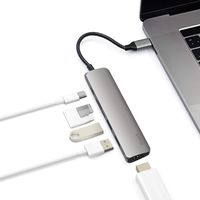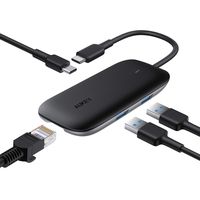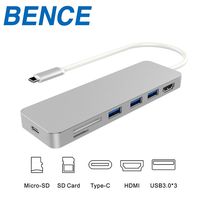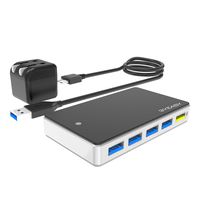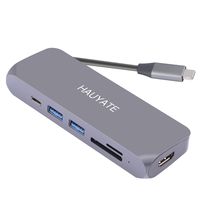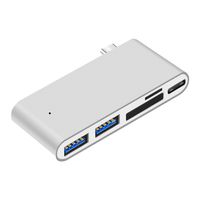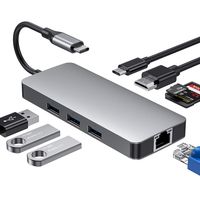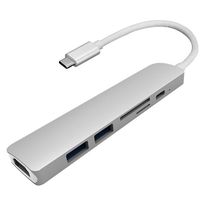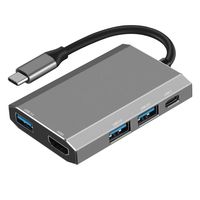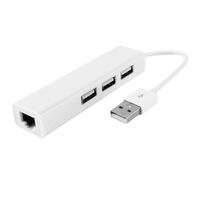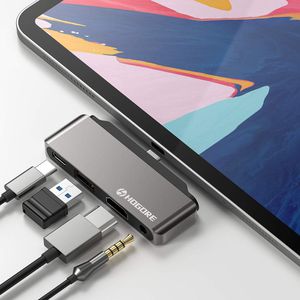
HOGORE 4-in-1 USB C iPad Pro Hub:
- USB C PD port: Support power delivery up to 60W (PD 3.0), Max 30W for iPad Pro
- HDMI port: Up to 4K UHD (3840x2160@60Hz) or 2K/1080p/720p/480p/360p
- USB 2.0 ports: Up to 480Mbps data transfer speed. DC 5V 500mA Max
- 3.5mm Audio Jack: USB 2.0 Audio, 48KHz, 16-bit Audio Input/Output, TRRS
- Dimension(LxWxH): 3.15x1.06x0.4inch (8x2.7x1cm)
- Weight:0.99oz (28g)
Compatible Devices:
- i-Pad Pro 2018 / 2019 (ipad pro 11 inch, ipad pro 12.9 inch)
- 2018 / 2017 / 2016 MacBook Pro
- MacBook 2017 / 2016 / 2015
- Samsung Galaxy S8 / S8+ / S9 / S9+ / Note 8 / Note 9
- Huawei Mate 20 / Mate 10
- Dell XPS 15 / XPS 13
- Chromebook Pixel
- and more USB-C laptops /smartphones
Notice:
- Please confirm the USB-C laptop / smartphone support DisplayPort Alt Mode.
- DO NOT support 2017 & earlier i-Pad models
- It only can transfer images due to iOS limitations. In the iOS 13 beta system, this allows you to read data via USB drive FAT format.
- Type-C device cannot read the data from memory card and flash drive unless you follow the Path Rule below:
Path Rule For Reading File In iPad Pro 2018:
Before inserting the flash drive/SD card/micro SD card into the hub to read it on your iPad Pro 2018, you need to change the name of the file in the flash drive on a computer (Windows or Mac operation system).
1. Home folder must be named "DCIM".
2. A folder under your Home Folder must be named "100APPLE" or supported camera name.
3. The image file name must be named "IMG_xxxx" (xxxx is any number).
Make an example:
If your camera is Nikon D7000, there are two options:
(1). DCIM/100APPLE/IMG_xxxx.jpg
(2). DCIM/100D7000/IMG_xxxx.jpg
USB C Hub Adapter for 2018 2019 iPad Pro 12.9" 11", 4-in-1 Mini Type C Hub with USB C to HDMI 4K@60Hz, PD Charging, USB2.0, 3.5mm Headphone Jack Compatible with MacBook(Pro) 2019/2018/2017 -Space Gray
HOGORE 4-in-1 USB C iPad Pro Hub:
- USB C PD port: Support power delivery up to 60W (PD 3.0), Max 30W for iPad Pro
- HDMI port: Up to 4K UHD (3840x2160@60Hz) or 2K/1080p/720p/480p/360p
- USB 2.0 ports: Up to 480Mbps data transfer speed. DC 5V 500mA Max
- 3.5mm Audio Jack: USB 2.0 Audio, 48KHz, 16-bit Audio Input/Output, TRRS
- Dimension(LxWxH): 3.15x1.06x0.4inch (8x2.7x1cm)
- Weight:0.99oz (28g)
Compatible Devices:
- i-Pad Pro 2018 / 2019 (ipad pro 11 inch, ipad pro 12.9 inch)
- 2018 / 2017 / 2016 MacBook Pro
- MacBook 2017 / 2016 / 2015
- Samsung Galaxy S8 / S8+ / S9 / S9+ / Note 8 / Note 9
- Huawei Mate 20 / Mate 10
- Dell XPS 15 / XPS 13
- Chromebook Pixel
- and more USB-C laptops /smartphones
Notice:
- Please confirm the USB-C laptop / smartphone support DisplayPort Alt Mode.
- DO NOT support 2017 & earlier i-Pad models
- It only can transfer images due to iOS limitations. In the iOS 13 beta system, this allows you to read data via USB drive FAT format.
- Type-C device cannot read the data from memory card and flash drive unless you follow the Path Rule below:
Path Rule For Reading File In iPad Pro 2018:
Before inserting the flash drive/SD card/micro SD card into the hub to read it on your iPad Pro 2018, you need to change the name of the file in the flash drive on a computer (Windows or Mac operation system).
1. Home folder must be named "DCIM".
2. A folder under your Home Folder must be named "100APPLE" or supported camera name.
3. The image file name must be named "IMG_xxxx" (xxxx is any number).
Make an example:
If your camera is Nikon D7000, there are two options:
(1). DCIM/100APPLE/IMG_xxxx.jpg
(2). DCIM/100D7000/IMG_xxxx.jpg
in next 2 weeks