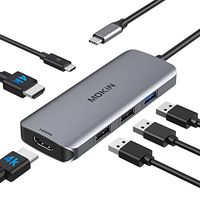
Description
Compatible Devices: (Not a full list)
MacBook(2015/2016/ 2017/2018/2019)
MacBook Pro ( 2016 / 2017/2018/2019)
iMac/iMac Pro (21.5 in & 27 in)
Windows Thunderbolt 3 and USB-C systems
Incompatible Devices:
iPad Pro 2018
HP Zbook/Pavilion
Surface go
USB-A to USB-C Adapter
Nintendo Switch
Apple USB SuperDrive
Supported Systems:
Windows 10, 8, 7, Vista, XP, Mac OS X 10.6 or later, Linux 2.6.14 or Later
Note:
We do not recommend adding an extra extension cable for the hub as it can cause slow transmission, HDMI port not being recognized, or other connective issues.
The hub can not work with the USB-A to USB-C Adapter.
2.4 GHz wireless devices, MIDI devices, and some USB 3.0 devices may not be supported.
Many current USB-C systems which do support Alt Mode video output do not support charging via USB-C. Systems such as this will output video from the dock, but will still need their proprietary OEM chargers. The Dell XPS 15 9550/9560 and Precision 5510/7510, for example, will display a warning during boot if connected to a 60W power adapter rather than a Dell 130W power adapter. These systems may still charge, but at a slower rate.
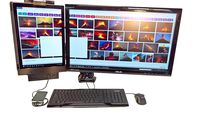
Triple display for Windows System:Only Windows system support the Multi Stream Transport,Triple display can be switch between HDMI&DP&Laptop freely. Screen switch shortcut key: Windows+P.
macOS does not support the Multi Stream Transport.There will be only one display on the three external monitors.
The DP port is not compatible with the system version of mac 10.13.6. The DP port will not be displayed when it is connected to the mac 10.13.6 separately. It needs to be updated to the latest system. But if DP and HDMI are used simultaneously, there is no need to upgrade the system.
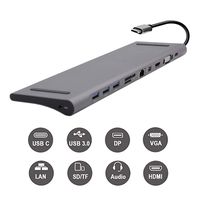
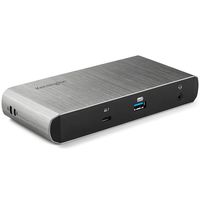
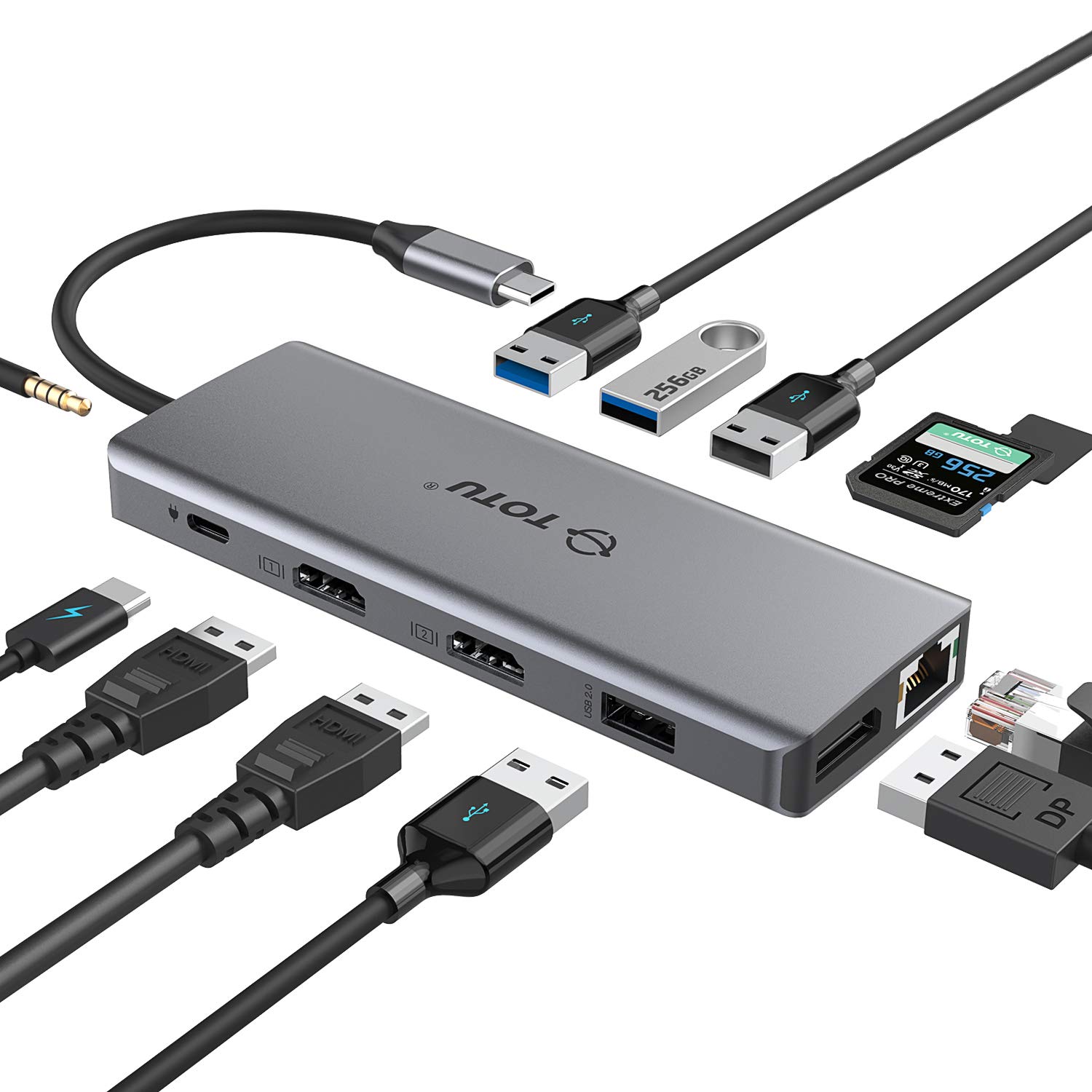
USB C HUB,Upgraded TOTU 12 in 1 Type C Hub Dongle Adapter (4K Dual HDMI&DP,75W PD),Triple Display Docking Station for Windows USB C and Thunderbolt3 Systems,macOS only Support Mirror Display
Price is below average
Current Price
$67.99
Average
$73.99
Min Price
$67.99
Max Price
$79.99
Price dynamics
8%
Description
Compatible Devices: (Not a full list)
MacBook(2015/2016/ 2017/2018/2019)
MacBook Pro ( 2016 / 2017/2018/2019)
iMac/iMac Pro (21.5 in & 27 in)
Windows Thunderbolt 3 and USB-C systems
Incompatible Devices:
iPad Pro 2018
HP Zbook/Pavilion
Surface go
USB-A to USB-C Adapter
Nintendo Switch
Apple USB SuperDrive
Supported Systems:
Windows 10, 8, 7, Vista, XP, Mac OS X 10.6 or later, Linux 2.6.14 or Later
Note:
We do not recommend adding an extra extension cable for the hub as it can cause slow transmission, HDMI port not being recognized, or other connective issues.
The hub can not work with the USB-A to USB-C Adapter.
2.4 GHz wireless devices, MIDI devices, and some USB 3.0 devices may not be supported.
Many current USB-C systems which do support Alt Mode video output do not support charging via USB-C. Systems such as this will output video from the dock, but will still need their proprietary OEM chargers. The Dell XPS 15 9550/9560 and Precision 5510/7510, for example, will display a warning during boot if connected to a 60W power adapter rather than a Dell 130W power adapter. These systems may still charge, but at a slower rate.
Triple display for Windows System:Only Windows system support the Multi Stream Transport,Triple display can be switch between HDMI&DP&Laptop freely. Screen switch shortcut key: Windows+P.
macOS does not support the Multi Stream Transport.There will be only one display on the three external monitors.
The DP port is not compatible with the system version of mac 10.13.6. The DP port will not be displayed when it is connected to the mac 10.13.6 separately. It needs to be updated to the latest system. But if DP and HDMI are used simultaneously, there is no need to upgrade the system.
Price will be lower
in next 2 weeks
in next 2 weeks
According to the data, price will be lower in next two weeks, so not waste your money and track better price!
Product review & video
USBC tap 12 in one now this particular unit took this out so we have an input USBC so that's it for you I'm Mac many windows laptop as well or desktop alright so let's get more details on the USB have 12 and 1/2 USB 3.0 perfect to stop high drive trainers drawing anything keyboards whatever you want in remember those who's back compatible 2.0 so you think you can stall a keyboard and mouse there but there's no problem because we do have a 2.0 here so you don't need to waste it 3/4 know that maybe you wanna use for fight traffic a hard drive so here I'm gonna put my wireless keyboard so I got right over here that's my wallet keyboard but I can explore the wireless keyboard here as well but we want to use this for high-speed like my time drive 3.0 right there now pictures memories no problem micro SD card the way you gonna install it so that's in a money manufacturer that means the app we


Similar products