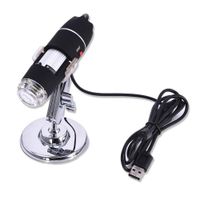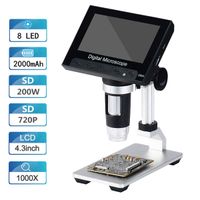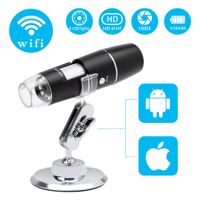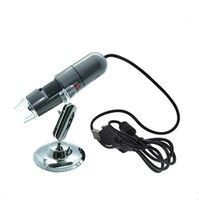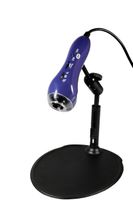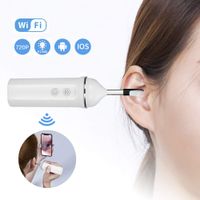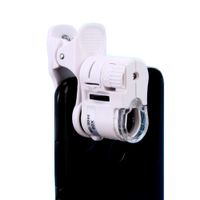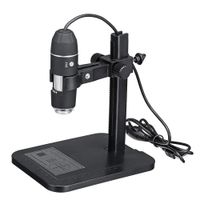
Description
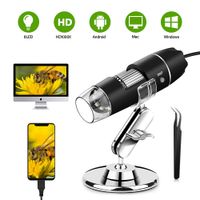
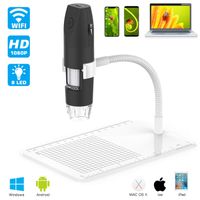
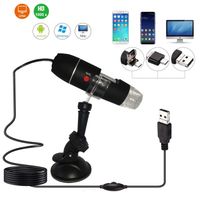
❤ THE DIGITAL MICROSCOPE CAN BE USED UNDER WINDOWS2000, WINDOWS XP, WIN8 SYSTEM WITHOUT SOFTWARE DRIVER INSTALLED, EXCEPT FOR VISTA AND WIN7 SYSTEMS.
How To Use USB Digital Microscope?
✦ The top of the USB digital microscope is equipped with a lens cover. Pls remove the protective cover before use.
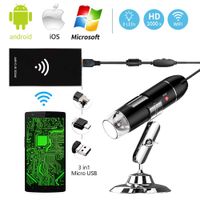
For Android Users:
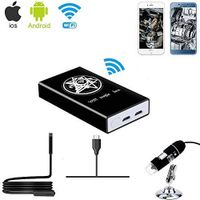
✦ Search for "Camarafi" on Google Play to download and install.
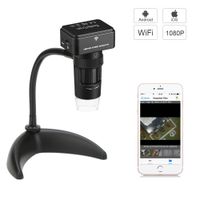
✦ Select the corresponding interface according to the type of mobile phone used, connect the device to the phone, then light will be on.
✦ Open the APP on your phone, you can take photos, videos.
For Window Users:
✦ Download and install the software from CD.
✦ Connect Device: connect the device with computer, LED light is on, then run the "Smart Camera" and use it.
For Mac Users:
✦ In the "Applications" directory of the Finder window, find "Photo Booth".
✦ Connect the device with computer, click Photo Booth, then use it.
Specifications:
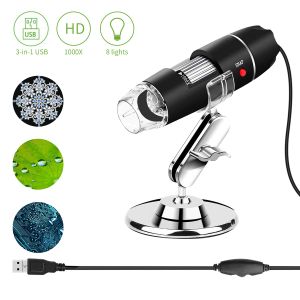
Magnification: 40X--1000X
Imaging Range: 0--1.57in
Photo Resolution: 640*480(Default)
Video Resolution: 320*240--1600*1200
Photo Format: JPEG / BMP
Video Format: AVI
Power Supply: USB (5V, DC)
Gross Weight: 237g (0.52lb)
Packing Size: 13*13.5*4.7cm(5.07*5.27*1.83in)
Package Includes:
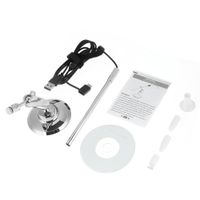
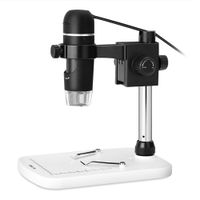
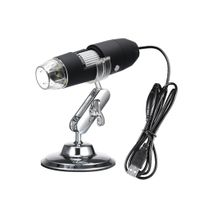
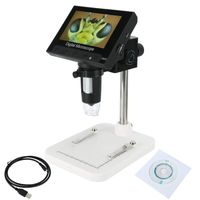
➢1 x USB Microscope
➢1 x Tpye-C Adapter
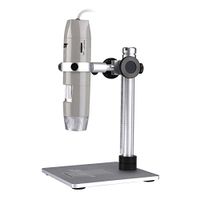
➢1 x Metal Fixet Stand
➢1 x CD (Driver Software, Measurement Software, User Manual)
➢1 x Calibration Ruler
Any problem or confuse about the product, please feel free to contact us. We are pleasure to provide the best service for you.
How To Use USB Digital Microscope?
✦ The top of the USB digital microscope is equipped with a lens cover. Pls remove the protective cover before use.
For Android Users:
✦ Search for "Camarafi" on Google Play to download and install.
✦ Select the corresponding interface according to the type of mobile phone used, connect the device to the phone, then light will be on.
✦ Open the APP on your phone, you can take photos, videos.
For Window Users:
✦ Download and install the software from CD.
✦ Connect Device: connect the device with computer, LED light is on, then run the "Smart Camera" and use it.
For Mac Users:
✦ In the "Applications" directory of the Finder window, find "Photo Booth".
✦ Connect the device with computer, click Photo Booth, then use it.
Specifications:
Magnification: 40X--1000X
Imaging Range: 0--1.57in
Photo Resolution: 640*480(Default)
Video Resolution: 320*240--1600*1200
Photo Format: JPEG / BMP
Video Format: AVI
Power Supply: USB (5V, DC)
Gross Weight: 237g (0.52lb)
Packing Size: 13*13.5*4.7cm(5.07*5.27*1.83in)
Package Includes:
➢1 x USB Microscope
➢1 x Tpye-C Adapter
➢1 x Metal Fixet Stand
➢1 x CD (Driver Software, Measurement Software, User Manual)
➢1 x Calibration Ruler
Any problem or confuse about the product, please feel free to contact us. We are pleasure to provide the best service for you.
USB Digital Microscope, WIOR Kids Microscope 40 to 1000x Magnification Endoscope with 8 LEDs & Metal Stand Compatible with Mac Win 7/8/10 Android Linux Gifts for Birthday Christmas Halloween Holiday
Current Price
$20.99
Average
$19.66
Min Price
$16.99
Max Price
$20.99
Price dynamics
6%
Description
❤ THE DIGITAL MICROSCOPE CAN BE USED UNDER WINDOWS2000, WINDOWS XP, WIN8 SYSTEM WITHOUT SOFTWARE DRIVER INSTALLED, EXCEPT FOR VISTA AND WIN7 SYSTEMS.
How To Use USB Digital Microscope?
✦ The top of the USB digital microscope is equipped with a lens cover. Pls remove the protective cover before use.
For Android Users:
✦ Search for "Camarafi" on Google Play to download and install.
✦ Select the corresponding interface according to the type of mobile phone used, connect the device to the phone, then light will be on.
✦ Open the APP on your phone, you can take photos, videos.
For Window Users:
✦ Download and install the software from CD.
✦ Connect Device: connect the device with computer, LED light is on, then run the "Smart Camera" and use it.
For Mac Users:
✦ In the "Applications" directory of the Finder window, find "Photo Booth".
✦ Connect the device with computer, click Photo Booth, then use it.
Specifications:
Magnification: 40X--1000X
Imaging Range: 0--1.57in
Photo Resolution: 640*480(Default)
Video Resolution: 320*240--1600*1200
Photo Format: JPEG / BMP
Video Format: AVI
Power Supply: USB (5V, DC)
Gross Weight: 237g (0.52lb)
Packing Size: 13*13.5*4.7cm(5.07*5.27*1.83in)
Package Includes:
➢1 x USB Microscope
➢1 x Tpye-C Adapter
➢1 x Metal Fixet Stand
➢1 x CD (Driver Software, Measurement Software, User Manual)
➢1 x Calibration Ruler
Any problem or confuse about the product, please feel free to contact us. We are pleasure to provide the best service for you.
How To Use USB Digital Microscope?
✦ The top of the USB digital microscope is equipped with a lens cover. Pls remove the protective cover before use.
For Android Users:
✦ Search for "Camarafi" on Google Play to download and install.
✦ Select the corresponding interface according to the type of mobile phone used, connect the device to the phone, then light will be on.
✦ Open the APP on your phone, you can take photos, videos.
For Window Users:
✦ Download and install the software from CD.
✦ Connect Device: connect the device with computer, LED light is on, then run the "Smart Camera" and use it.
For Mac Users:
✦ In the "Applications" directory of the Finder window, find "Photo Booth".
✦ Connect the device with computer, click Photo Booth, then use it.
Specifications:
Magnification: 40X--1000X
Imaging Range: 0--1.57in
Photo Resolution: 640*480(Default)
Video Resolution: 320*240--1600*1200
Photo Format: JPEG / BMP
Video Format: AVI
Power Supply: USB (5V, DC)
Gross Weight: 237g (0.52lb)
Packing Size: 13*13.5*4.7cm(5.07*5.27*1.83in)
Package Includes:
➢1 x USB Microscope
➢1 x Tpye-C Adapter
➢1 x Metal Fixet Stand
➢1 x CD (Driver Software, Measurement Software, User Manual)
➢1 x Calibration Ruler
Any problem or confuse about the product, please feel free to contact us. We are pleasure to provide the best service for you.
Price will be lower
in next 2 weeks
in next 2 weeks
According to the data, price will be lower in next two weeks, so not waste your money and track better price!
Product review & video
reading to everyone hope you are keeping one out there I'm sure you all know by now my name is Alex and today we're taking a look at one of these bad boys which is in fact a USB digital microscope now the reason I have actually ended up with one of these is because of you are like me and you have children you will know that they are just and extremely fascinated by the world around them but most importantly with insects and bugs so like any parents I've decided to take full advantage of this interest of his and with one of these I'm hoping he'll be able to gain a valuable insight to just how fascinating life is at a microscopic level so as usual starting off with the box it looks quite scientific and it you know it's got no excruciating or bright designs really attract you to the box however it does obviously have a picture of the microscope on the front and that's what description here