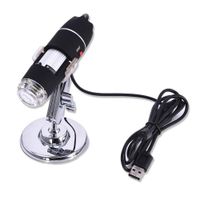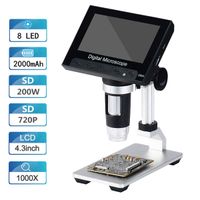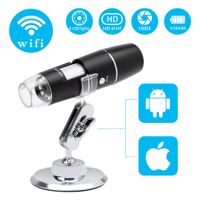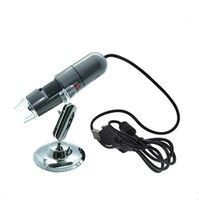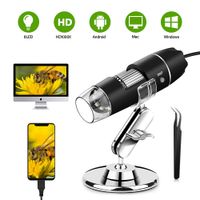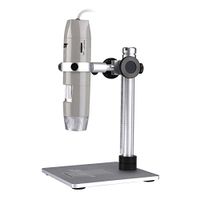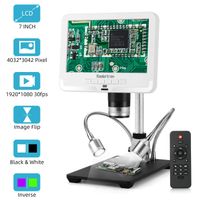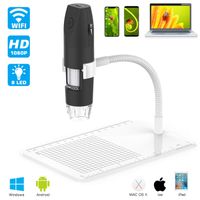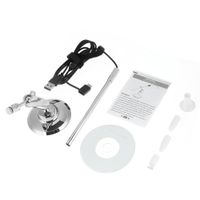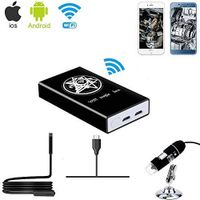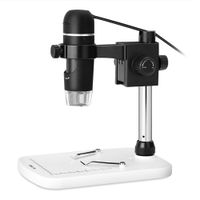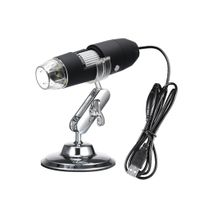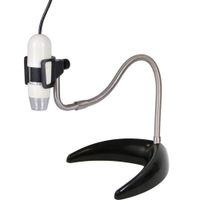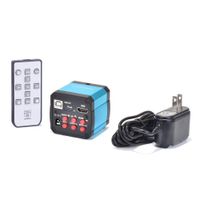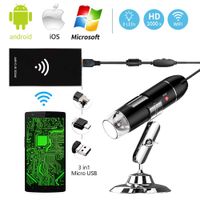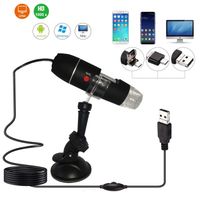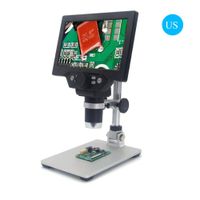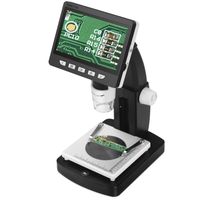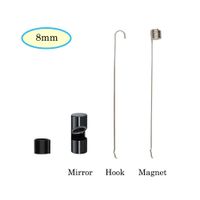
Description
Note before use
1. Before using the microscope, remove the plastic cover of the LED lamp cover and cover it after
2. Please confirm whether the phone supports OTG and check if the phone OTG function is turned on
3. The best focal length for microscope imaging is 3-60mm. You need to use the zoom wheel to adjust to the clearest state
4. Pleasure shut down the unuseful APP in your phone to make sure our microscope run Smoothly, and won not get stuck, crash
5. Do not clean the microscope with alcohol organic solvents
6. Do not dissemble the digital microscope or change the interior parts, it can cause damage
7.Do not touch the lens with your fingers
Guide:
A: Using on Phone
1, Searching for "inskam"on Google Play download and install the app.
2, Camera USB Interface plug into the phone
3, Open the app and you can take photos, videos, settings, etc.
B: Windows
1, Enter the URL: www.inskam.com/download/camera.zip to download and install the APP.
2, Camera USB Interface plug into the computer
3, Open "Smart Camera", click on the device in the settings, then select "inskam-302",then you can take ph otos, videos, settings, et.
C: Mac
1,In the application directory of the Finder window, search for an app called Photo Booth.
2, Connecting Camera.Camera USB Interface plug into the computer.
3, Clicking on the Photo Booth and selecting "inskam-302",then you can take ph otos, videos, settings, et.
1. Before using the microscope, remove the plastic cover of the LED lamp cover and cover it after
2. Please confirm whether the phone supports OTG and check if the phone OTG function is turned on
3. The best focal length for microscope imaging is 3-60mm. You need to use the zoom wheel to adjust to the clearest state
4. Pleasure shut down the unuseful APP in your phone to make sure our microscope run Smoothly, and won not get stuck, crash
5. Do not clean the microscope with alcohol organic solvents
6. Do not dissemble the digital microscope or change the interior parts, it can cause damage
7.Do not touch the lens with your fingers
Guide:
A: Using on Phone
1, Searching for "inskam"on Google Play download and install the app.
2, Camera USB Interface plug into the phone
3, Open the app and you can take photos, videos, settings, etc.
B: Windows
1, Enter the URL: www.inskam.com/download/camera.zip to download and install the APP.
2, Camera USB Interface plug into the computer
3, Open "Smart Camera", click on the device in the settings, then select "inskam-302",then you can take ph otos, videos, settings, et.
C: Mac
1,In the application directory of the Finder window, search for an app called Photo Booth.
2, Connecting Camera.Camera USB Interface plug into the computer.
3, Clicking on the Photo Booth and selecting "inskam-302",then you can take ph otos, videos, settings, et.
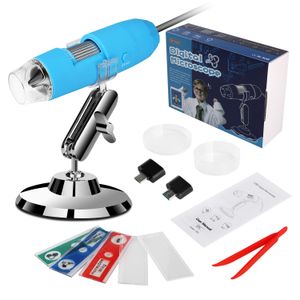
USB Microscope Set, QRose Digital Microscope Camera with 1080P HD 2MP 50x to 1000x Magnification Endoscope for Android Smartphone, Widows, Mac PC Best Kids Gifts
Price is below average
Current Price
$19.99
Average
$21.99
Min Price
$9.99
Max Price
$35.99
Price dynamics
9%
Description
Note before use
1. Before using the microscope, remove the plastic cover of the LED lamp cover and cover it after
2. Please confirm whether the phone supports OTG and check if the phone OTG function is turned on
3. The best focal length for microscope imaging is 3-60mm. You need to use the zoom wheel to adjust to the clearest state
4. Pleasure shut down the unuseful APP in your phone to make sure our microscope run Smoothly, and won not get stuck, crash
5. Do not clean the microscope with alcohol organic solvents
6. Do not dissemble the digital microscope or change the interior parts, it can cause damage
7.Do not touch the lens with your fingers
Guide:
A: Using on Phone
1, Searching for "inskam"on Google Play download and install the app.
2, Camera USB Interface plug into the phone
3, Open the app and you can take photos, videos, settings, etc.
B: Windows
1, Enter the URL: www.inskam.com/download/camera.zip to download and install the APP.
2, Camera USB Interface plug into the computer
3, Open "Smart Camera", click on the device in the settings, then select "inskam-302",then you can take ph otos, videos, settings, et.
C: Mac
1,In the application directory of the Finder window, search for an app called Photo Booth.
2, Connecting Camera.Camera USB Interface plug into the computer.
3, Clicking on the Photo Booth and selecting "inskam-302",then you can take ph otos, videos, settings, et.
1. Before using the microscope, remove the plastic cover of the LED lamp cover and cover it after
2. Please confirm whether the phone supports OTG and check if the phone OTG function is turned on
3. The best focal length for microscope imaging is 3-60mm. You need to use the zoom wheel to adjust to the clearest state
4. Pleasure shut down the unuseful APP in your phone to make sure our microscope run Smoothly, and won not get stuck, crash
5. Do not clean the microscope with alcohol organic solvents
6. Do not dissemble the digital microscope or change the interior parts, it can cause damage
7.Do not touch the lens with your fingers
Guide:
A: Using on Phone
1, Searching for "inskam"on Google Play download and install the app.
2, Camera USB Interface plug into the phone
3, Open the app and you can take photos, videos, settings, etc.
B: Windows
1, Enter the URL: www.inskam.com/download/camera.zip to download and install the APP.
2, Camera USB Interface plug into the computer
3, Open "Smart Camera", click on the device in the settings, then select "inskam-302",then you can take ph otos, videos, settings, et.
C: Mac
1,In the application directory of the Finder window, search for an app called Photo Booth.
2, Connecting Camera.Camera USB Interface plug into the computer.
3, Clicking on the Photo Booth and selecting "inskam-302",then you can take ph otos, videos, settings, et.
Price will be lower
in next 2 weeks
in next 2 weeks
According to the data, price will be lower in next two weeks, so not waste your money and track better price!
Product review & video
back to our tech today we review the tiny digital microscope with 1000 X magnification so glad this on Amazon for about thousand five hundred pieces and it comes in his neat blue team box you would have seen these kind of microscopes on online and they come under various brand names but they look the same this one's called the lippy world USB microscope with 1000 X magnification it's portable as 80 LEDs and uses an endoscope camera magnifier with Stan uses USB to kind of transfer you know the images it takes and then gives you a display of that so it's got some basic specs here let's have a look so a CMOS sensor captures pics at about 2,000 560 by 1090 pixel resolution captures video as well 640 by 480 up to 30 frames/second it's about 15mm 240 mm focus range and it has 8 LEDs to help brighten the subject some of the common uses of this microscope are to kind of look at skin closely loo