Description
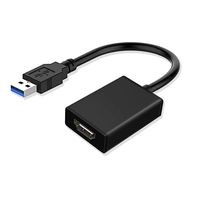
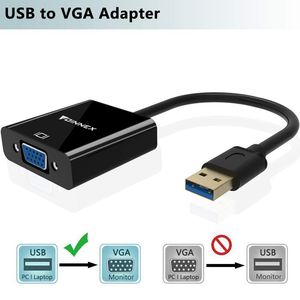
FOINNEX USB 3.0 to VGA Adapter Convert your desktop or laptop computer into double monitor environment with this USB 3.0 to VGA Display Adapter. Allows you connect a VGA enabled monitors, projectors, or HDTV to a host computer to extend or mirror the desktop display, a cost-saving double-monitor or dual-display option. Operation
1.Connect a VGA Cable (sold seperately) to the adapter. Connect USB end and VGA end directly to PC's USB 3.0 port and monitor's VGA port.
Then turn on your monitor and your PC.
2.Built-in driver Installation
Windows
Double click "computer". double click "FL2000DX" disk, then click the "FL2000-2.134054.0" to install.
3.After the installation, you will be prompted to restart your computer. please unplug the USB end and click "Yes" to restart the computer.
4. Then you can duplicate or extend your display.
If your monitor is not displaying correctly, please change the screen resolution first.
(Please search online about how to adjust the resolution based on your system version.)
Note: "false positives" may occurs for some antivirus software. Please temporarily turn off any antivirus softwares, then reinstall the driver.
High Resolution
Supports resolution up to 1920x1080@60Hz (1080P) over USB 3.0.
Extend or mirror your workstation to another screen.
NOTE
-DO NOT connect to any Docking Station or Hub, so the PC Must have its own USB 3.0 port.
-Only operate 800x600 over USB 2.0
-NO Audio Support
1.Connect a VGA Cable (sold seperately) to the adapter. Connect USB end and VGA end directly to PC's USB 3.0 port and monitor's VGA port.
Then turn on your monitor and your PC.
2.Built-in driver Installation
Windows
Double click "computer". double click "FL2000DX" disk, then click the "FL2000-2.134054.0" to install.
3.After the installation, you will be prompted to restart your computer. please unplug the USB end and click "Yes" to restart the computer.
4. Then you can duplicate or extend your display.
If your monitor is not displaying correctly, please change the screen resolution first.
(Please search online about how to adjust the resolution based on your system version.)
Note: "false positives" may occurs for some antivirus software. Please temporarily turn off any antivirus softwares, then reinstall the driver.
High Resolution
Supports resolution up to 1920x1080@60Hz (1080P) over USB 3.0.
Extend or mirror your workstation to another screen.
NOTE
-DO NOT connect to any Docking Station or Hub, so the PC Must have its own USB 3.0 port.
-Only operate 800x600 over USB 2.0
-NO Audio Support
USB to VGA Adapter/Converter Only Supports Windows 10/8.1/8/7(NOT XP/Mac OS/Vista), USB 3.0 to VGA Video Connector 1080P for Surface,PC,Laptop to TV,Monitor,Projector,USB-VGA Adaptador/Convertidor
Current Price
$16.99
Average
$15.99
Min Price
$14.99
Max Price
$16.99
Price dynamics
6%
Description
FOINNEX USB 3.0 to VGA Adapter Convert your desktop or laptop computer into double monitor environment with this USB 3.0 to VGA Display Adapter. Allows you connect a VGA enabled monitors, projectors, or HDTV to a host computer to extend or mirror the desktop display, a cost-saving double-monitor or dual-display option. Operation
1.Connect a VGA Cable (sold seperately) to the adapter. Connect USB end and VGA end directly to PC's USB 3.0 port and monitor's VGA port.
Then turn on your monitor and your PC.
2.Built-in driver Installation
Windows
Double click "computer". double click "FL2000DX" disk, then click the "FL2000-2.134054.0" to install.
3.After the installation, you will be prompted to restart your computer. please unplug the USB end and click "Yes" to restart the computer.
4. Then you can duplicate or extend your display.
If your monitor is not displaying correctly, please change the screen resolution first.
(Please search online about how to adjust the resolution based on your system version.)
Note: "false positives" may occurs for some antivirus software. Please temporarily turn off any antivirus softwares, then reinstall the driver.
High Resolution
Supports resolution up to 1920x1080@60Hz (1080P) over USB 3.0.
Extend or mirror your workstation to another screen.
NOTE
-DO NOT connect to any Docking Station or Hub, so the PC Must have its own USB 3.0 port.
-Only operate 800x600 over USB 2.0
-NO Audio Support
1.Connect a VGA Cable (sold seperately) to the adapter. Connect USB end and VGA end directly to PC's USB 3.0 port and monitor's VGA port.
Then turn on your monitor and your PC.
2.Built-in driver Installation
Windows
Double click "computer". double click "FL2000DX" disk, then click the "FL2000-2.134054.0" to install.
3.After the installation, you will be prompted to restart your computer. please unplug the USB end and click "Yes" to restart the computer.
4. Then you can duplicate or extend your display.
If your monitor is not displaying correctly, please change the screen resolution first.
(Please search online about how to adjust the resolution based on your system version.)
Note: "false positives" may occurs for some antivirus software. Please temporarily turn off any antivirus softwares, then reinstall the driver.
High Resolution
Supports resolution up to 1920x1080@60Hz (1080P) over USB 3.0.
Extend or mirror your workstation to another screen.
NOTE
-DO NOT connect to any Docking Station or Hub, so the PC Must have its own USB 3.0 port.
-Only operate 800x600 over USB 2.0
-NO Audio Support
Price will be lower
in next 2 weeks
in next 2 weeks
According to the data, price will be lower in next two weeks, so not waste your money and track better price!
Product review & video
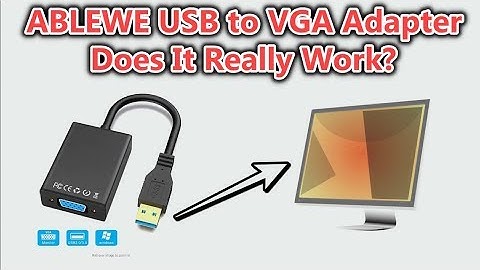
hi guys welcome to this review about the USB to VGA adapter from a BLEVE which is supposed to support USB 2.0 3.0 a lot of display resolutions a lot of different Window System back to Windows XP has warranty and has good reviews a lot but also a lot of one-star reviews people saying it does not work at all or it it broke their pc chinese virus and so crazy things i mean it's actually a really interesting product especially if you are traveling with your notebook maybe you are a consultant and have to be at clients and make presentations and most of the projectors i mean probably 99% of them they have this witchy a adapters but as output from your laptop a lot of them don't have this vga anymore most of them have definitely HDMI or other things DisplayPort whatsoever so it could be a good thing if this really works from usb to eg a just fifteen dollars really interesting product with suc

Similar products