- HomeElectronicsAccessories & SuppliesAudio & Video AccessoriesTV Accessories & PartsTV Ceiling & Wall Mounts
Description
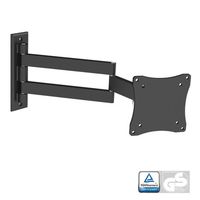
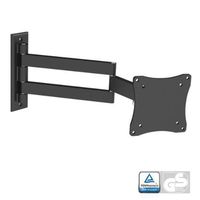
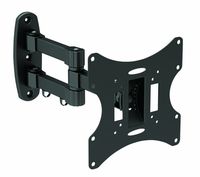
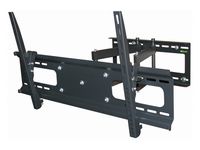
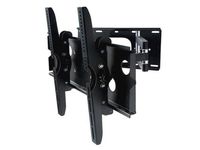
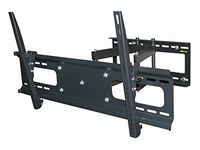
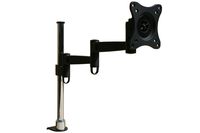
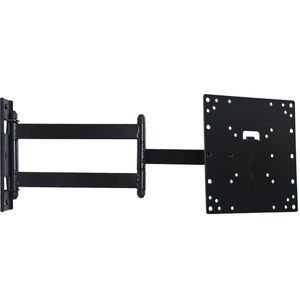
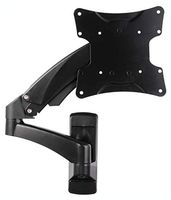
The Articulating LCD Wall Arm supports most 22" to 37" LCD screens and up to 42 inch TV. It folds 1.9" against the wall or extends out up to 20". The two-link arm design provides 15 degrees tilt up or down and up to 180 degrees of swivel for virtually limitless viewing positions. Post-installation level adjustment allows the TV to perfectly level. The VESA plate can be taken off for easy installation. Will It Fit my LCD? Please check the weight of your TV, it must be less than 66 lbs. If your LCD Monitor or TV has 4 holes on the back of the screen, and they are either 75 x 75 mm (3" X 3") or 100x100 mm (4" x 4"), 200x100mm (8" x 4 "), or 200x200 (8" x 8") apart from each other horizontally or vertically. Lastly, Please check the area inside the 4 mounting holes to make sure there are not any plugs. Otherwise, the plate may block the plugs. If you currently have a stand attached to your LCD TV this is usually removed prior to fitting the wall mount and 4 holes should be revealed. If your TV has VESA 400x200 or 600x400, this mount does not fit. You need a mount with larger TV plate. Please make sure what mount your TV needs before you place order. If you are not sure, please send us a message. We will check for you.
Notice: This mount fits most 23-32" TVs, do not work for some old size 37-42 inch TVs manufactured before 2013 year.
VideoSecu Articulating TV Wall Mount for Philips 26PFL4907/F7 1K9
Price is below average
Current Price
$17.19
Average
$23.9
Min Price
$17.19
Max Price
$29.99
Price dynamics
28%
Description
The Articulating LCD Wall Arm supports most 22" to 37" LCD screens and up to 42 inch TV. It folds 1.9" against the wall or extends out up to 20". The two-link arm design provides 15 degrees tilt up or down and up to 180 degrees of swivel for virtually limitless viewing positions. Post-installation level adjustment allows the TV to perfectly level. The VESA plate can be taken off for easy installation. Will It Fit my LCD? Please check the weight of your TV, it must be less than 66 lbs. If your LCD Monitor or TV has 4 holes on the back of the screen, and they are either 75 x 75 mm (3" X 3") or 100x100 mm (4" x 4"), 200x100mm (8" x 4 "), or 200x200 (8" x 8") apart from each other horizontally or vertically. Lastly, Please check the area inside the 4 mounting holes to make sure there are not any plugs. Otherwise, the plate may block the plugs. If you currently have a stand attached to your LCD TV this is usually removed prior to fitting the wall mount and 4 holes should be revealed. If your TV has VESA 400x200 or 600x400, this mount does not fit. You need a mount with larger TV plate. Please make sure what mount your TV needs before you place order. If you are not sure, please send us a message. We will check for you.
Notice: This mount fits most 23-32" TVs, do not work for some old size 37-42 inch TVs manufactured before 2013 year.
Price will be lower
in next 2 weeks
in next 2 weeks
According to the data, price will be lower in next two weeks, so not waste your money and track better price!
Product review & video
Hello today we're going to be showing
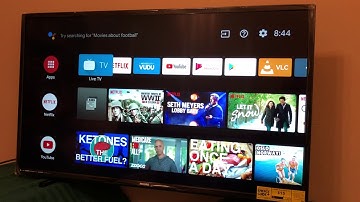
you how to set up a Philips Android television. This is a 43PFL5604 but
the steps that we'll go through will be similar for any of our Android
televisions. Ok, we have the box open now and you'll see that there are stands one
each on the left and right side of the styrofoam as well as a bag in the center.
That bag contains, importantly, the screws for the stands as well as the batteries
and remote control for your television and a QuickStart guide. You should remove
these items and set them aside. To begin, lay your television carefully face down
on a safe flat surface and gather the two stands and the screws necessary to
assemble it. You will notice that the stands have an arrow pointing to the
front of the television. Use a Phillips head screwdriver to
attach them. You may now stand your television upright on the two attached
stands and carefully

Similar products