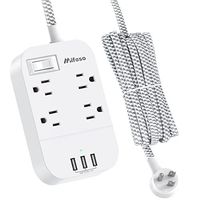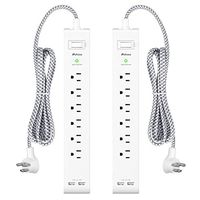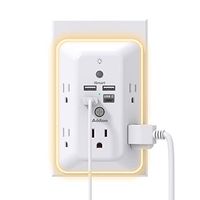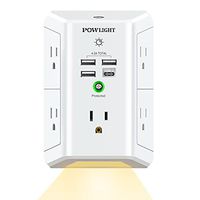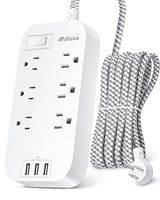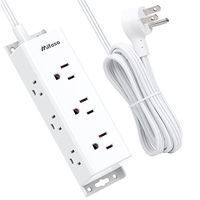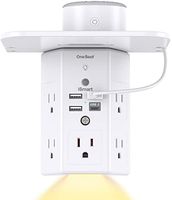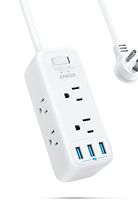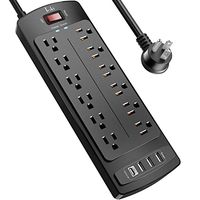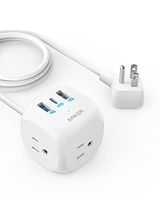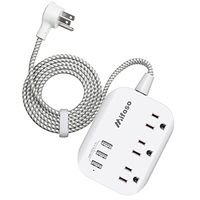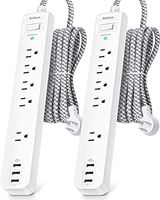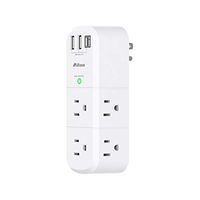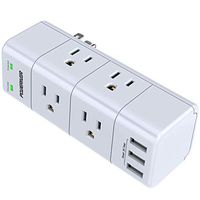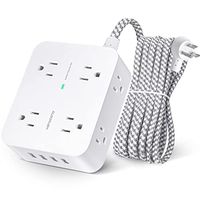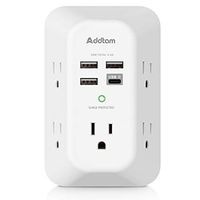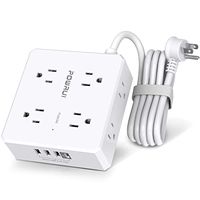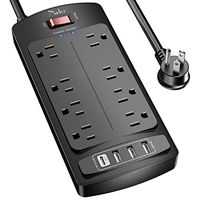
Description
Specification:
- Model: SM-MGA1
- Wi-Fi type: WI-FI2.4GHZ 802.11B/G/N
- Voltage: 110-125V
- Max Current: 10A/60Hz
- Max power: 1250W
- USB Output: 5V/2.1A
Checklist:
1. The smart power strip have to connect the same Wi-Fi(2.4G ONLY) as your phone connected. After initially setting, you can access to other Wi-Fi or cellular to control it.
2. To make sure that your UNCOVERED Wi-Fi SSID and passwords don't contain any special characters.
3. Far away from Wi-Fi router or poor Wi-Fi will cause Wi-Fi connection drop.
4. Download and launch the "Plug and Play" app on your phone, register with phone number, than connect Wi-Fi (2.4G Only).
Easy to set up:
1. Plug into a 3-prong outlet, keeping pressing the pairing button for 5 seconds until LED indicator blink repeatedly.
2. Click the icon "+" on the button to add a device, then select Quick Pairing Mode (Touch) to next step.
3. Select the same Wi-Fi as the on your mobile connected and input the correct passwords to next step. It will take 1-3 minutes to connect with the device automatically. Once finished you are allowed to rename your outlets making it way easier.
* You may experience "Failed to add" during this process, and it will prompt you the FAQ. Please read it carefully and retry. If the smart power strip cannot be connected with App after 3 times, making your devices to enter pairing status and selecting Compatible Pairing Mode.
To reset it:
Re-plug the outlet and press manual power button 5 secs, re-connect app after fast blink.
APP Support:
1. Android devices with this APP: Just enter the correct password to wait the process completed.
2. IOS devices (iPhone/iPad) with this APP: Go to phone settings>Wi-Fi>Connect the product's hotspot Wi-Fi (like that ITEAD-******) with the password "12345678". Once connected, go back to the eWelink APP to wait the process completed.
- Model: SM-MGA1
- Wi-Fi type: WI-FI2.4GHZ 802.11B/G/N
- Voltage: 110-125V
- Max Current: 10A/60Hz
- Max power: 1250W
- USB Output: 5V/2.1A
Checklist:
1. The smart power strip have to connect the same Wi-Fi(2.4G ONLY) as your phone connected. After initially setting, you can access to other Wi-Fi or cellular to control it.
2. To make sure that your UNCOVERED Wi-Fi SSID and passwords don't contain any special characters.
3. Far away from Wi-Fi router or poor Wi-Fi will cause Wi-Fi connection drop.
4. Download and launch the "Plug and Play" app on your phone, register with phone number, than connect Wi-Fi (2.4G Only).
Easy to set up:
1. Plug into a 3-prong outlet, keeping pressing the pairing button for 5 seconds until LED indicator blink repeatedly.
2. Click the icon "+" on the button to add a device, then select Quick Pairing Mode (Touch) to next step.
3. Select the same Wi-Fi as the on your mobile connected and input the correct passwords to next step. It will take 1-3 minutes to connect with the device automatically. Once finished you are allowed to rename your outlets making it way easier.
* You may experience "Failed to add" during this process, and it will prompt you the FAQ. Please read it carefully and retry. If the smart power strip cannot be connected with App after 3 times, making your devices to enter pairing status and selecting Compatible Pairing Mode.
To reset it:
Re-plug the outlet and press manual power button 5 secs, re-connect app after fast blink.
APP Support:
1. Android devices with this APP: Just enter the correct password to wait the process completed.
2. IOS devices (iPhone/iPad) with this APP: Go to phone settings>Wi-Fi>Connect the product's hotspot Wi-Fi (like that ITEAD-******) with the password "12345678". Once connected, go back to the eWelink APP to wait the process completed.
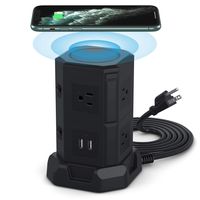
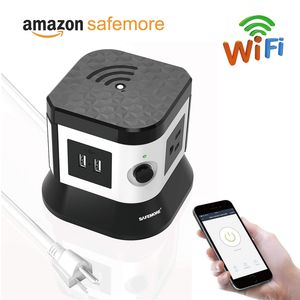
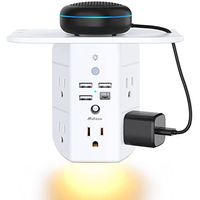
Wi-Fi Smart Power Strip by SAFEMORE, Surge Protector Tower with 2 USB Ports & 3 Remote Controlled AC Plugs, Compatible with Alexa and Google Assistant ¨C Black + White
Price is below average
Current Price
$24.99
Average
$27.32
Min Price
$24.99
Max Price
$29.99
Price dynamics
9%
Description
Specification:
- Model: SM-MGA1
- Wi-Fi type: WI-FI2.4GHZ 802.11B/G/N
- Voltage: 110-125V
- Max Current: 10A/60Hz
- Max power: 1250W
- USB Output: 5V/2.1A
Checklist:
1. The smart power strip have to connect the same Wi-Fi(2.4G ONLY) as your phone connected. After initially setting, you can access to other Wi-Fi or cellular to control it.
2. To make sure that your UNCOVERED Wi-Fi SSID and passwords don't contain any special characters.
3. Far away from Wi-Fi router or poor Wi-Fi will cause Wi-Fi connection drop.
4. Download and launch the "Plug and Play" app on your phone, register with phone number, than connect Wi-Fi (2.4G Only).
Easy to set up:
1. Plug into a 3-prong outlet, keeping pressing the pairing button for 5 seconds until LED indicator blink repeatedly.
2. Click the icon "+" on the button to add a device, then select Quick Pairing Mode (Touch) to next step.
3. Select the same Wi-Fi as the on your mobile connected and input the correct passwords to next step. It will take 1-3 minutes to connect with the device automatically. Once finished you are allowed to rename your outlets making it way easier.
* You may experience "Failed to add" during this process, and it will prompt you the FAQ. Please read it carefully and retry. If the smart power strip cannot be connected with App after 3 times, making your devices to enter pairing status and selecting Compatible Pairing Mode.
To reset it:
Re-plug the outlet and press manual power button 5 secs, re-connect app after fast blink.
APP Support:
1. Android devices with this APP: Just enter the correct password to wait the process completed.
2. IOS devices (iPhone/iPad) with this APP: Go to phone settings>Wi-Fi>Connect the product's hotspot Wi-Fi (like that ITEAD-******) with the password "12345678". Once connected, go back to the eWelink APP to wait the process completed.
- Model: SM-MGA1
- Wi-Fi type: WI-FI2.4GHZ 802.11B/G/N
- Voltage: 110-125V
- Max Current: 10A/60Hz
- Max power: 1250W
- USB Output: 5V/2.1A
Checklist:
1. The smart power strip have to connect the same Wi-Fi(2.4G ONLY) as your phone connected. After initially setting, you can access to other Wi-Fi or cellular to control it.
2. To make sure that your UNCOVERED Wi-Fi SSID and passwords don't contain any special characters.
3. Far away from Wi-Fi router or poor Wi-Fi will cause Wi-Fi connection drop.
4. Download and launch the "Plug and Play" app on your phone, register with phone number, than connect Wi-Fi (2.4G Only).
Easy to set up:
1. Plug into a 3-prong outlet, keeping pressing the pairing button for 5 seconds until LED indicator blink repeatedly.
2. Click the icon "+" on the button to add a device, then select Quick Pairing Mode (Touch) to next step.
3. Select the same Wi-Fi as the on your mobile connected and input the correct passwords to next step. It will take 1-3 minutes to connect with the device automatically. Once finished you are allowed to rename your outlets making it way easier.
* You may experience "Failed to add" during this process, and it will prompt you the FAQ. Please read it carefully and retry. If the smart power strip cannot be connected with App after 3 times, making your devices to enter pairing status and selecting Compatible Pairing Mode.
To reset it:
Re-plug the outlet and press manual power button 5 secs, re-connect app after fast blink.
APP Support:
1. Android devices with this APP: Just enter the correct password to wait the process completed.
2. IOS devices (iPhone/iPad) with this APP: Go to phone settings>Wi-Fi>Connect the product's hotspot Wi-Fi (like that ITEAD-******) with the password "12345678". Once connected, go back to the eWelink APP to wait the process completed.
Price will be lower
in next 2 weeks
in next 2 weeks
According to the data, price will be lower in next two weeks, so not waste your money and track better price!
Product review & video
[Music] hello again this is robert v chair this is my video review of the tekken brand that's t-e-c-k-i-n their smart power strip wi-fi power control it has a 3.28 foot extension cord compatible with alexa google home surge protection with four usb charging ports you can see right there it's a smart ac plug with four multiple outlets now this is ul approved this is ul approved which is a great thing it means that it's electrically very safe it's conforming to us ul standards the model number is ss30n is in nancy the rated voltage is 125 60 hertz and it'll have 10 amps maximum you have to divide that amongst these or 250 watts total once this power strip is connected successfully you can control the power of your electrical atoms on and off by using the smart life app that you can get at the app stores online google and apple just download the app i have it on my phone we're going to try


Similar products