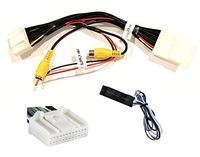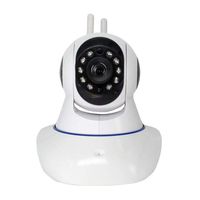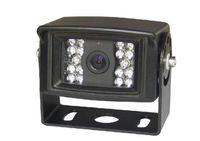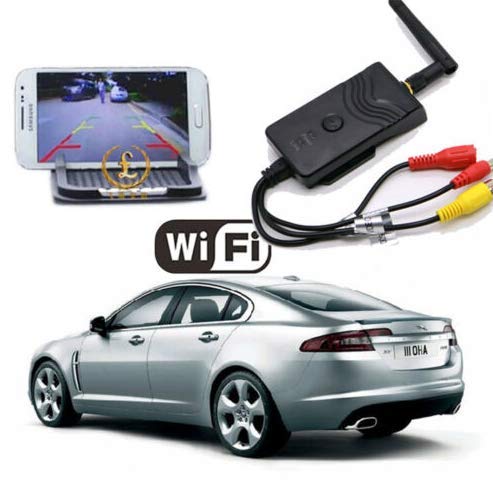
Description
Specifications
Transmitting frequency:2400MHz-2483.5MHz.
Modem mode:802.11b:DSSS(CCK,DQPSK,DBPSK). 802.11g/n:OFDM(BPSK,QPSK,16QAM,64QAM).
Distance:more than 100M.
Frame rate:30fps.
Video resolution:VGA.
Video compression:H.264.
Wireless protocols:IEEE 802.11b,IEEE 802.11g,IEEE 802.11n(1T1RModes).
Power supply:DC 9-30V.
Consumption current:150mA(Max).
Encryption mode:WPA2.
Rainproof:Yes.
Operations
1.for iPhone iPad (iOS) user, please Search "WIFIAV" (by kezhen zeng) software from your APP store and install it.
for android phone (like SAMSUNG, HTC, SONY, etc), please download from this link below and install
https://drive.google.com/open?id=0B23l6nxQIYlCNXlfYjJyOE1PSVU
2.Connect your phone with the camera by the WIFI named "WIFI AVIN"
3.Open the app "WIFI AVIN" to get the video
Notice
1.When the background is black or the image is still, please exit the app, and check whether the wifi connection is normal. Then click again the app icon to enter into the software interface.
2.User could press the RESET button of the transmitter to renew the default factory SSID and password.
4.Android user can down load app from
https://drive.google.com/open?id=0B23l6nxQIYlCNXlfYjJyOE1PSVU
Package
1x WIFI video transmitter
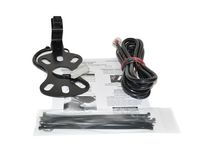
1x English User manual
1x Antenna
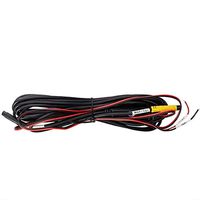
1x cable
2x 3M sticker
1x BNC to AV connector
Transmitting frequency:2400MHz-2483.5MHz.
Modem mode:802.11b:DSSS(CCK,DQPSK,DBPSK). 802.11g/n:OFDM(BPSK,QPSK,16QAM,64QAM).
Distance:more than 100M.
Frame rate:30fps.
Video resolution:VGA.
Video compression:H.264.
Wireless protocols:IEEE 802.11b,IEEE 802.11g,IEEE 802.11n(1T1RModes).
Power supply:DC 9-30V.
Consumption current:150mA(Max).
Encryption mode:WPA2.
Rainproof:Yes.
Operations
1.for iPhone iPad (iOS) user, please Search "WIFIAV" (by kezhen zeng) software from your APP store and install it.
for android phone (like SAMSUNG, HTC, SONY, etc), please download from this link below and install
https://drive.google.com/open?id=0B23l6nxQIYlCNXlfYjJyOE1PSVU
2.Connect your phone with the camera by the WIFI named "WIFI AVIN"
3.Open the app "WIFI AVIN" to get the video
Notice
1.When the background is black or the image is still, please exit the app, and check whether the wifi connection is normal. Then click again the app icon to enter into the software interface.
2.User could press the RESET button of the transmitter to renew the default factory SSID and password.
4.Android user can down load app from
https://drive.google.com/open?id=0B23l6nxQIYlCNXlfYjJyOE1PSVU
Package
1x WIFI video transmitter
1x English User manual
1x Antenna
1x cable
2x 3M sticker
1x BNC to AV connector
WiFi Backup Camera Realtime Video Transmitter Compatible with iPhone Android
Current Price
$49.99
Average
$49.99
Min Price
$49.99
Max Price
$49.99
Description
Specifications
Transmitting frequency:2400MHz-2483.5MHz.
Modem mode:802.11b:DSSS(CCK,DQPSK,DBPSK). 802.11g/n:OFDM(BPSK,QPSK,16QAM,64QAM).
Distance:more than 100M.
Frame rate:30fps.
Video resolution:VGA.
Video compression:H.264.
Wireless protocols:IEEE 802.11b,IEEE 802.11g,IEEE 802.11n(1T1RModes).
Power supply:DC 9-30V.
Consumption current:150mA(Max).
Encryption mode:WPA2.
Rainproof:Yes.
Operations
1.for iPhone iPad (iOS) user, please Search "WIFIAV" (by kezhen zeng) software from your APP store and install it.
for android phone (like SAMSUNG, HTC, SONY, etc), please download from this link below and install
https://drive.google.com/open?id=0B23l6nxQIYlCNXlfYjJyOE1PSVU
2.Connect your phone with the camera by the WIFI named "WIFI AVIN"
3.Open the app "WIFI AVIN" to get the video
Notice
1.When the background is black or the image is still, please exit the app, and check whether the wifi connection is normal. Then click again the app icon to enter into the software interface.
2.User could press the RESET button of the transmitter to renew the default factory SSID and password.
4.Android user can down load app from
https://drive.google.com/open?id=0B23l6nxQIYlCNXlfYjJyOE1PSVU
Package
1x WIFI video transmitter
1x English User manual
1x Antenna
1x cable
2x 3M sticker
1x BNC to AV connector
Transmitting frequency:2400MHz-2483.5MHz.
Modem mode:802.11b:DSSS(CCK,DQPSK,DBPSK). 802.11g/n:OFDM(BPSK,QPSK,16QAM,64QAM).
Distance:more than 100M.
Frame rate:30fps.
Video resolution:VGA.
Video compression:H.264.
Wireless protocols:IEEE 802.11b,IEEE 802.11g,IEEE 802.11n(1T1RModes).
Power supply:DC 9-30V.
Consumption current:150mA(Max).
Encryption mode:WPA2.
Rainproof:Yes.
Operations
1.for iPhone iPad (iOS) user, please Search "WIFIAV" (by kezhen zeng) software from your APP store and install it.
for android phone (like SAMSUNG, HTC, SONY, etc), please download from this link below and install
https://drive.google.com/open?id=0B23l6nxQIYlCNXlfYjJyOE1PSVU
2.Connect your phone with the camera by the WIFI named "WIFI AVIN"
3.Open the app "WIFI AVIN" to get the video
Notice
1.When the background is black or the image is still, please exit the app, and check whether the wifi connection is normal. Then click again the app icon to enter into the software interface.
2.User could press the RESET button of the transmitter to renew the default factory SSID and password.
4.Android user can down load app from
https://drive.google.com/open?id=0B23l6nxQIYlCNXlfYjJyOE1PSVU
Package
1x WIFI video transmitter
1x English User manual
1x Antenna
1x cable
2x 3M sticker
1x BNC to AV connector
Price will be lower
in next 2 weeks
in next 2 weeks
According to the data, price will be lower in next two weeks, so not waste your money and track better price!
Product review & video
[Music] everyone this is CLS ah one and I just purchased this Wi-Fi backup transmitter and what this does is it hooks up to any backup camera in your car and converts it to a Wi-Fi signal that you can view on an Android device or Apple device to hook this up in your car it's pretty simple you just see the backup lights as your power source and the Wi-Fi transmitter has both a video input and a powered output so you can hook the backup camera directly to the transmitter to use the backup transmitter you're going to have to download an app called Wi-Fi app in it's available on Google Play and on the Apple Store and there's actually two different versions Wi-Fi Evan and Wi-Fi Evan - on Google Play and neither one of these versions would work for me what would happen is I'd open up the app and I just get a black screen but I did find a solution I was reading a couple forums and I found this