- HomeElectronicsComputers & AccessoriesComputer Accessories & PeripheralsKeyboards, Mice & AccessoriesMice
Description
Extreme Comfort
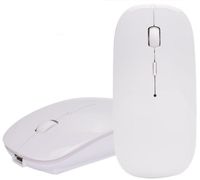
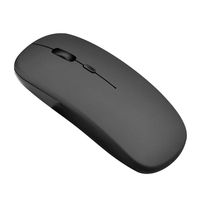
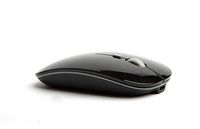
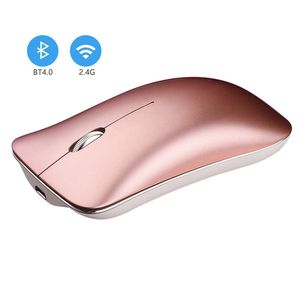
Slim ergonomic design and smooth frosted surface offer an incredible user experience; smooth move with 1600 DPI;The metal frosted surface makes it more high-end and especially suitable for business occasions.Also, It's ideal for work or entertainment in home and office.
Bluetooth + 2.4G dual mode
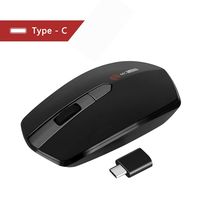
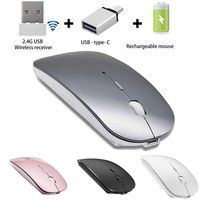
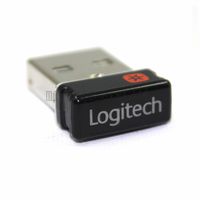
SUAVER mouse can be used as bluetooth mouse as well as a 2.4G wireless mouse. Compatible with Bluetooth-enabled devices and any device with USB port.
Specifications:
*Bluetooth Version: Bluetooth 4.0
*DPI Levels: 1600
*Battery: 400mAh
*Operating Range: Max.10m
*Dimension: 114mm*58mm*24mm
*Buttons: Left/right click,scroll wheel,on/off switch,Bluetooth connection button
*Support: Compatible with most system including Windows, Mac and Linux. Fit for Notebook,PC,Laptop,Computer,Macbook and other device.Note:NOT compatible with Apple iPhone,iPad
Package:
1x Bluetooth Mouse
1x Charging Cable
Operation instructions:
A>2.4G mode
Turn on the power switch(ON)at the bottom of the mouse and insert the receiver into the USB port of the computer. Press the bottom button of the mouse to make the indicator light show red(Note: The red light will go off after 3 seconds)
B>Bluetooth mode
1.Turn on the power switch at the bottom of the mouse(ON),and then press the switch button at the bottom of the mouse to make the indicator light show a long blue light, which is to enter the Bluetooth mode
2.If you need to pair,press the left mouse button/wheel button/right button at the same time and release it after 2 seconds. The blue light at the bottom turns to slow flashing and Bluetooth pairing is ready
3.Turn on your device's Bluetooth,search for"Bluetooth mouse",click on the pairing, when the connection is successful,the mouse can be used normally!
Slim ergonomic design and smooth frosted surface offer an incredible user experience; smooth move with 1600 DPI;The metal frosted surface makes it more high-end and especially suitable for business occasions.Also, It's ideal for work or entertainment in home and office.
Bluetooth + 2.4G dual mode
SUAVER mouse can be used as bluetooth mouse as well as a 2.4G wireless mouse. Compatible with Bluetooth-enabled devices and any device with USB port.
Specifications:
*Bluetooth Version: Bluetooth 4.0
*DPI Levels: 1600
*Battery: 400mAh
*Operating Range: Max.10m
*Dimension: 114mm*58mm*24mm
*Buttons: Left/right click,scroll wheel,on/off switch,Bluetooth connection button
*Support: Compatible with most system including Windows, Mac and Linux. Fit for Notebook,PC,Laptop,Computer,Macbook and other device.Note:NOT compatible with Apple iPhone,iPad
Package:
1x Bluetooth Mouse
1x Charging Cable
Operation instructions:
A>2.4G mode
Turn on the power switch(ON)at the bottom of the mouse and insert the receiver into the USB port of the computer. Press the bottom button of the mouse to make the indicator light show red(Note: The red light will go off after 3 seconds)
B>Bluetooth mode
1.Turn on the power switch at the bottom of the mouse(ON),and then press the switch button at the bottom of the mouse to make the indicator light show a long blue light, which is to enter the Bluetooth mode
2.If you need to pair,press the left mouse button/wheel button/right button at the same time and release it after 2 seconds. The blue light at the bottom turns to slow flashing and Bluetooth pairing is ready
3.Turn on your device's Bluetooth,search for"Bluetooth mouse",click on the pairing, when the connection is successful,the mouse can be used normally!
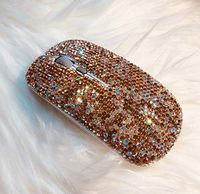
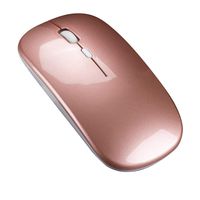
Wireless Bluetooth Mouse,MUEQU Silent Click 2.4GHz and Bluetooth Dual-Mode Mouse Rechargeable Mice 1600DPI Optical Mouse with USB Receiver for PC Laptop Computer Mac MacBook (Rose gold)
Current Price
$17.99
Average
$17.99
Min Price
$17.99
Max Price
$17.99
Description
Extreme Comfort
Slim ergonomic design and smooth frosted surface offer an incredible user experience; smooth move with 1600 DPI;The metal frosted surface makes it more high-end and especially suitable for business occasions.Also, It's ideal for work or entertainment in home and office.
Bluetooth + 2.4G dual mode
SUAVER mouse can be used as bluetooth mouse as well as a 2.4G wireless mouse. Compatible with Bluetooth-enabled devices and any device with USB port.
Specifications:
*Bluetooth Version: Bluetooth 4.0
*DPI Levels: 1600
*Battery: 400mAh
*Operating Range: Max.10m
*Dimension: 114mm*58mm*24mm
*Buttons: Left/right click,scroll wheel,on/off switch,Bluetooth connection button
*Support: Compatible with most system including Windows, Mac and Linux. Fit for Notebook,PC,Laptop,Computer,Macbook and other device.Note:NOT compatible with Apple iPhone,iPad
Package:
1x Bluetooth Mouse
1x Charging Cable
Operation instructions:
A>2.4G mode
Turn on the power switch(ON)at the bottom of the mouse and insert the receiver into the USB port of the computer. Press the bottom button of the mouse to make the indicator light show red(Note: The red light will go off after 3 seconds)
B>Bluetooth mode
1.Turn on the power switch at the bottom of the mouse(ON),and then press the switch button at the bottom of the mouse to make the indicator light show a long blue light, which is to enter the Bluetooth mode
2.If you need to pair,press the left mouse button/wheel button/right button at the same time and release it after 2 seconds. The blue light at the bottom turns to slow flashing and Bluetooth pairing is ready
3.Turn on your device's Bluetooth,search for"Bluetooth mouse",click on the pairing, when the connection is successful,the mouse can be used normally!
Slim ergonomic design and smooth frosted surface offer an incredible user experience; smooth move with 1600 DPI;The metal frosted surface makes it more high-end and especially suitable for business occasions.Also, It's ideal for work or entertainment in home and office.
Bluetooth + 2.4G dual mode
SUAVER mouse can be used as bluetooth mouse as well as a 2.4G wireless mouse. Compatible with Bluetooth-enabled devices and any device with USB port.
Specifications:
*Bluetooth Version: Bluetooth 4.0
*DPI Levels: 1600
*Battery: 400mAh
*Operating Range: Max.10m
*Dimension: 114mm*58mm*24mm
*Buttons: Left/right click,scroll wheel,on/off switch,Bluetooth connection button
*Support: Compatible with most system including Windows, Mac and Linux. Fit for Notebook,PC,Laptop,Computer,Macbook and other device.Note:NOT compatible with Apple iPhone,iPad
Package:
1x Bluetooth Mouse
1x Charging Cable
Operation instructions:
A>2.4G mode
Turn on the power switch(ON)at the bottom of the mouse and insert the receiver into the USB port of the computer. Press the bottom button of the mouse to make the indicator light show red(Note: The red light will go off after 3 seconds)
B>Bluetooth mode
1.Turn on the power switch at the bottom of the mouse(ON),and then press the switch button at the bottom of the mouse to make the indicator light show a long blue light, which is to enter the Bluetooth mode
2.If you need to pair,press the left mouse button/wheel button/right button at the same time and release it after 2 seconds. The blue light at the bottom turns to slow flashing and Bluetooth pairing is ready
3.Turn on your device's Bluetooth,search for"Bluetooth mouse",click on the pairing, when the connection is successful,the mouse can be used normally!
Price will be lower
in next 2 weeks
in next 2 weeks
According to the data, price will be lower in next two weeks, so not waste your money and track better price!

Similar products