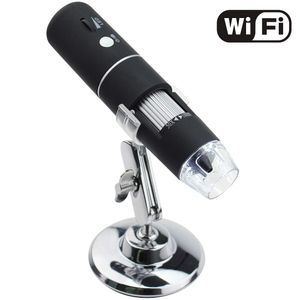
Description
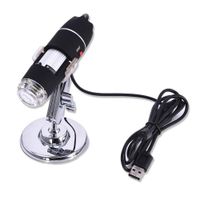
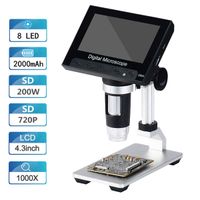
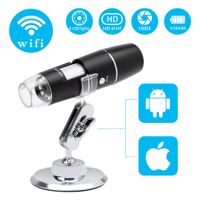
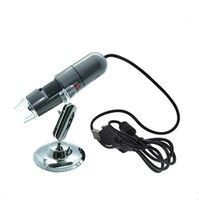
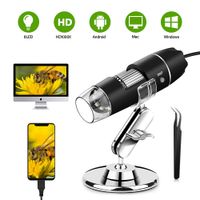
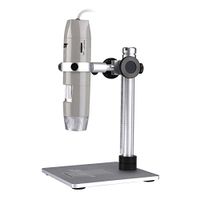
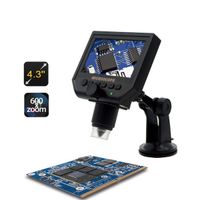
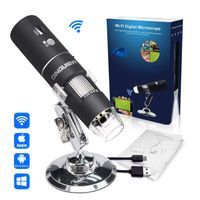
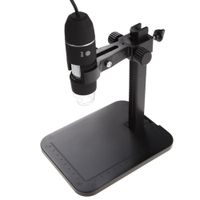
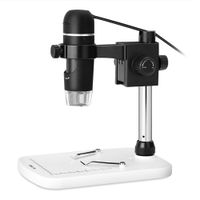
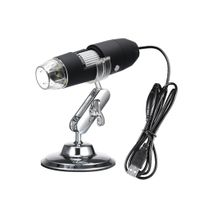
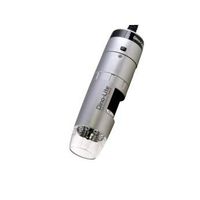
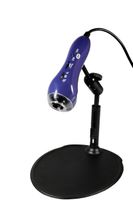
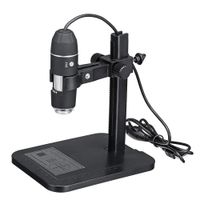
Handheld HD WIFI Wireless Digital Microscope USB 50X to 1000X Zoom Magnification Mini Endoscope Inspection Camera
Specifications:
√Pixels: 2,000,000 pixels
√Enlarge multiple: 50-1000X
√Video Pixels: 1920*1080P, 1280*720P, 640*480P
√Imaging distance: manual adjustment(3-60mm)
√WIFI connection: 10M(open environment)
√Image format: JPG
√USB Interface Type: USB2.0
√Power supply: USB (5V DC)
√Video Format: MP4/AVI
√Dynamic Frames: 15f/s under 600 LUX Brightness
How to use?
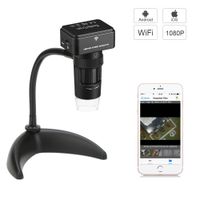
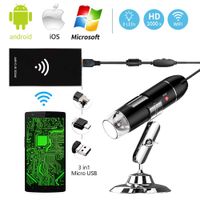
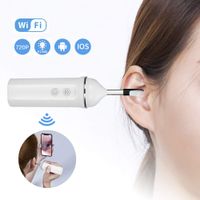
WIFI connection for Android and IOS;
1. Download the software "Max-see" from Google Play or APP Store;
2. Long press power button to turn on the microscope;
3. Connect the wifi "Max-see"(no password) which emits from the microscope;
4. Run the app and it is easy to use.
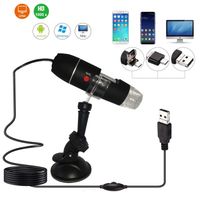
The USB connection on PC or Laptop
For Windows system
1. Download the app from link www.inskam.com/download/camera.zip, and install it in your PC;
2. Connect the microscope to your computer;
3. Long press the power button to turn on the microscope;
4. Run the app and it is ready to go.
For MAC system
1. Turn on the microscope and connect it to MAC terminal through the data cable;
2. Open the "Photo Booth" software in the Apple App;
3. Click on the Camera and select the GENERAL-UVC#2(default).
Specifications:
√Pixels: 2,000,000 pixels
√Enlarge multiple: 50-1000X
√Video Pixels: 1920*1080P, 1280*720P, 640*480P
√Imaging distance: manual adjustment(3-60mm)
√WIFI connection: 10M(open environment)
√Image format: JPG
√USB Interface Type: USB2.0
√Power supply: USB (5V DC)
√Video Format: MP4/AVI
√Dynamic Frames: 15f/s under 600 LUX Brightness
How to use?
WIFI connection for Android and IOS;
1. Download the software "Max-see" from Google Play or APP Store;
2. Long press power button to turn on the microscope;
3. Connect the wifi "Max-see"(no password) which emits from the microscope;
4. Run the app and it is easy to use.
The USB connection on PC or Laptop
For Windows system
1. Download the app from link www.inskam.com/download/camera.zip, and install it in your PC;
2. Connect the microscope to your computer;
3. Long press the power button to turn on the microscope;
4. Run the app and it is ready to go.
For MAC system
1. Turn on the microscope and connect it to MAC terminal through the data cable;
2. Open the "Photo Booth" software in the Apple App;
3. Click on the Camera and select the GENERAL-UVC#2(default).
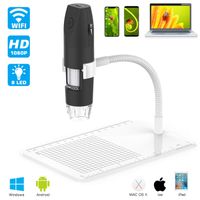
Wireless Digital WiFi USB Microscope 50X To 1000X Magnification Mini Handheld Endoscope Inspection Camera with 8 LEDs with Metal Stand, Compatible with iPhone, iPad, Android Smartphone, Mac, Windows
Current Price
$45.99
Average
$41.72
Min Price
$31.19
Max Price
$45.99
Price dynamics
9%
Description
Handheld HD WIFI Wireless Digital Microscope USB 50X to 1000X Zoom Magnification Mini Endoscope Inspection Camera
Specifications:
√Pixels: 2,000,000 pixels
√Enlarge multiple: 50-1000X
√Video Pixels: 1920*1080P, 1280*720P, 640*480P
√Imaging distance: manual adjustment(3-60mm)
√WIFI connection: 10M(open environment)
√Image format: JPG
√USB Interface Type: USB2.0
√Power supply: USB (5V DC)
√Video Format: MP4/AVI
√Dynamic Frames: 15f/s under 600 LUX Brightness
How to use?
WIFI connection for Android and IOS;
1. Download the software "Max-see" from Google Play or APP Store;
2. Long press power button to turn on the microscope;
3. Connect the wifi "Max-see"(no password) which emits from the microscope;
4. Run the app and it is easy to use.
The USB connection on PC or Laptop
For Windows system
1. Download the app from link www.inskam.com/download/camera.zip, and install it in your PC;
2. Connect the microscope to your computer;
3. Long press the power button to turn on the microscope;
4. Run the app and it is ready to go.
For MAC system
1. Turn on the microscope and connect it to MAC terminal through the data cable;
2. Open the "Photo Booth" software in the Apple App;
3. Click on the Camera and select the GENERAL-UVC#2(default).
Specifications:
√Pixels: 2,000,000 pixels
√Enlarge multiple: 50-1000X
√Video Pixels: 1920*1080P, 1280*720P, 640*480P
√Imaging distance: manual adjustment(3-60mm)
√WIFI connection: 10M(open environment)
√Image format: JPG
√USB Interface Type: USB2.0
√Power supply: USB (5V DC)
√Video Format: MP4/AVI
√Dynamic Frames: 15f/s under 600 LUX Brightness
How to use?
WIFI connection for Android and IOS;
1. Download the software "Max-see" from Google Play or APP Store;
2. Long press power button to turn on the microscope;
3. Connect the wifi "Max-see"(no password) which emits from the microscope;
4. Run the app and it is easy to use.
The USB connection on PC or Laptop
For Windows system
1. Download the app from link www.inskam.com/download/camera.zip, and install it in your PC;
2. Connect the microscope to your computer;
3. Long press the power button to turn on the microscope;
4. Run the app and it is ready to go.
For MAC system
1. Turn on the microscope and connect it to MAC terminal through the data cable;
2. Open the "Photo Booth" software in the Apple App;
3. Click on the Camera and select the GENERAL-UVC#2(default).
Price will be lower
in next 2 weeks
in next 2 weeks
According to the data, price will be lower in next two weeks, so not waste your money and track better price!
Product review & video
[Applause] digital wireless microscope USB Wi-Fi 50x to 1,000 times magnification mini handheld endoscope inspection camera with a tele delights compatible iPhone iPad Android smartphone Mac Windows computer 0 310 inches - 20 20 inches cost twelve dollars and thirty nine cents Amazon TT PS : / / www.amazon.com / GP / product / b08 1 RF w HT j /r f equals p PX underscore why o underscore d t underscore p underscore s and underscore title underscore o0 - underscore s 0 0 question mark across at f8 & % PS cycles one widely compatibility this Wi-Fi USB microscope compatible with iOS 8.0 or later Windows XP Vista July 8 2010 Mac OS X 10.8 and up Android 4.3 or later work for iPhone Samsung other smartphones windows computer macbook Wi-Fi and USB switch this microscope has a USB and Wi-Fi switch for all phone please download a PP ins come directly for Windows computer download a software via