NOTICE
1. Sole earbud model supports music and calls
2. Dual earbud model supports music. Only "R" earbud supports phone calls. "L" earbud does not..
3. Cons: about 96% people feel that the volumn is high enough; however 4% people feel that the volumn is not.
Pair to Phone:
Sole ear model:
1. Take one earbud out; Hold "MFB" Button for 5 seconds until the light flashes red and white
2. Activate phone's Bluetooth, Click "QCY Q29" to pair
Dual ear model:
R earphone is the main headphone and L earphone is the auxiliary
1. Let you phone know R earbud (if your phone has already known these earphones, this step is NOT necessary)
Take "R" earbud out from charge case to automatically initialize pairing, or press "MFB" button for 5 seconds until light flashes red and white
Activate phone's Bluetooth, click "QCY-Q29_R" to pair
2. Pair L and R earphones
Turn off "R" earbud (press button for 5 seconds)
Simultaneous turn on both earbuds and connect each other(long press button for 8 seconds until the light turns white), wait a moment for earbuds to connect
3. Active phone's Bluetooth and click "QCY-Q29_R" to earbud(R)
Bluetooth: Bluetooth 4.1
Operating Distance: Up to 10m/33ft.(open space)
Earphone Weight (single): 5.3g
Charge Port: Micro USB
Package:
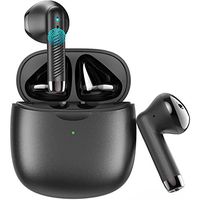
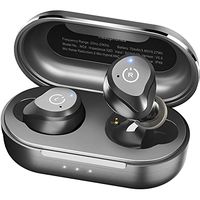
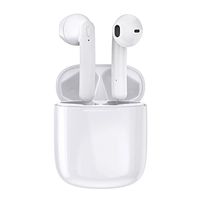
QCY Q29 Bluetooth Earbuds
Micro USB Charging Cable
3 Ear Tips
Charge case(220 mAH)
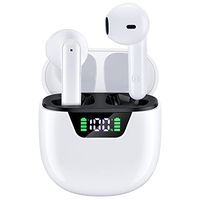
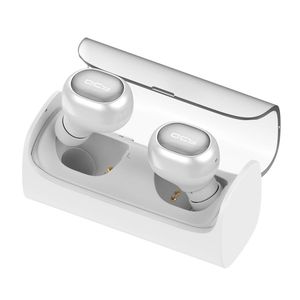
Wireless Earbud, Kinnara QCY Mini Dual Bluetooth V4.1 Headphones Earset with Mic, Portable Charge Case 12 Hours Stereo Music for iPhone 7 Samsung HTC Android Smartphone, for Calling & Driving (White)
NOTICE
1. Sole earbud model supports music and calls
2. Dual earbud model supports music. Only "R" earbud supports phone calls. "L" earbud does not..
3. Cons: about 96% people feel that the volumn is high enough; however 4% people feel that the volumn is not.
Pair to Phone:
Sole ear model:
1. Take one earbud out; Hold "MFB" Button for 5 seconds until the light flashes red and white
2. Activate phone's Bluetooth, Click "QCY Q29" to pair
Dual ear model:
R earphone is the main headphone and L earphone is the auxiliary
1. Let you phone know R earbud (if your phone has already known these earphones, this step is NOT necessary)
Take "R" earbud out from charge case to automatically initialize pairing, or press "MFB" button for 5 seconds until light flashes red and white
Activate phone's Bluetooth, click "QCY-Q29_R" to pair
2. Pair L and R earphones
Turn off "R" earbud (press button for 5 seconds)
Simultaneous turn on both earbuds and connect each other(long press button for 8 seconds until the light turns white), wait a moment for earbuds to connect
3. Active phone's Bluetooth and click "QCY-Q29_R" to earbud(R)
Bluetooth: Bluetooth 4.1
Operating Distance: Up to 10m/33ft.(open space)
Earphone Weight (single): 5.3g
Charge Port: Micro USB
Package:
QCY Q29 Bluetooth Earbuds
Micro USB Charging Cable
3 Ear Tips
Charge case(220 mAH)
in next 2 weeks