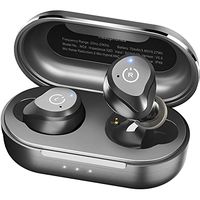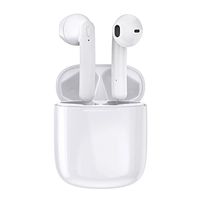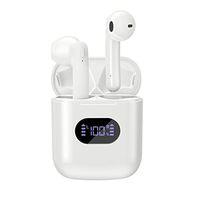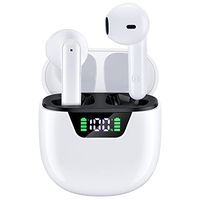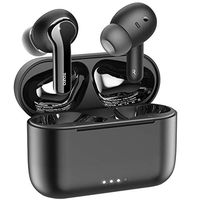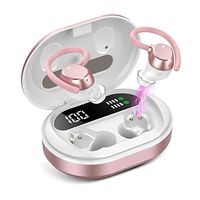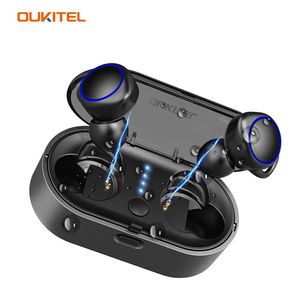
Description
How to solve the two problems of pairing
1. Press the buttons on both earbuds to turn them off simultaneously.
2. Press the two buttons for 20 seconds to clear all pairing records. The indicator will turn red and blue and the reset will be successful, indicating that the record has been successfully deleted.
3. Press the button to open both earbuds at the same time (make sure they are not connected to other devices) and you will hear "TWS Connected" to remind the earbuds that they have successfully paired.
Steps to link with your device
1. Remove the earbuds from the charging case. Press and hold the multi-function button (MFB) for 3 seconds to open the earbuds and release the MFB when the indicator light flashes blue.
2. Press and hold the R earbuds (main headphone) until the voice prompt reminds "pairing" (the indicator light flashes red and blue.), then press the L key shortly until the voice prompt reminds "power on" (the light is flashing) in the blue light. ).
3. The two earbuds will be paired automatically. Once the pairing is successful, the L earbuds (sub-headphones) will go out. Then the indicator light of the main earbuds will flash red and blue.
4. Search for and pair with "OK02-R" on your phone.
5. After the pairing is successful, the light will go out.
specification
Bluetooth version: 5.0.
Headphone battery capacity: 40mAh x 2.
Charge box battery capacity: 500mAh.
Headphone weight: about 0.18 ounces per piece.
Charging box weight: 1.58 ounces.
Working range: 49 feet.
Playing time: about 3.2 hours.
Call time: about 4 hours.
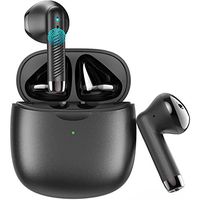
Standby time: 140 hours. Chaging Case Size: Approx. 2.95 * 1.38 * 0.98inch. What do you get? 1 pair of wireless earbuds. 2 pairs of earbuds large and small 1 USB charging cable. 1 x user manual.
1. Press the buttons on both earbuds to turn them off simultaneously.
2. Press the two buttons for 20 seconds to clear all pairing records. The indicator will turn red and blue and the reset will be successful, indicating that the record has been successfully deleted.
3. Press the button to open both earbuds at the same time (make sure they are not connected to other devices) and you will hear "TWS Connected" to remind the earbuds that they have successfully paired.
Steps to link with your device
1. Remove the earbuds from the charging case. Press and hold the multi-function button (MFB) for 3 seconds to open the earbuds and release the MFB when the indicator light flashes blue.
2. Press and hold the R earbuds (main headphone) until the voice prompt reminds "pairing" (the indicator light flashes red and blue.), then press the L key shortly until the voice prompt reminds "power on" (the light is flashing) in the blue light. ).
3. The two earbuds will be paired automatically. Once the pairing is successful, the L earbuds (sub-headphones) will go out. Then the indicator light of the main earbuds will flash red and blue.
4. Search for and pair with "OK02-R" on your phone.
5. After the pairing is successful, the light will go out.
specification
Bluetooth version: 5.0.
Headphone battery capacity: 40mAh x 2.
Charge box battery capacity: 500mAh.
Headphone weight: about 0.18 ounces per piece.
Charging box weight: 1.58 ounces.
Working range: 49 feet.
Playing time: about 3.2 hours.
Call time: about 4 hours.
Standby time: 140 hours. Chaging Case Size: Approx. 2.95 * 1.38 * 0.98inch. What do you get? 1 pair of wireless earbuds. 2 pairs of earbuds large and small 1 USB charging cable. 1 x user manual.
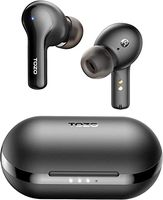
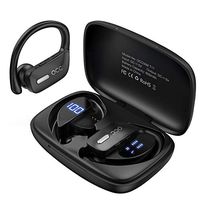
Wireless Earbuds Bluetooth 5.0,OUKITEL 02 True Wireless in-Ear Earbuds Stereo 3D Sound with CVC Noise Cancelling Headphones, Stable Connection Auto Paring with Charging Case, Built-in Microphone
Current Price
$49.99
Average
$39.69
Min Price
$22.7
Max Price
$49.99
Price dynamics
21%
Description
How to solve the two problems of pairing
1. Press the buttons on both earbuds to turn them off simultaneously.
2. Press the two buttons for 20 seconds to clear all pairing records. The indicator will turn red and blue and the reset will be successful, indicating that the record has been successfully deleted.
3. Press the button to open both earbuds at the same time (make sure they are not connected to other devices) and you will hear "TWS Connected" to remind the earbuds that they have successfully paired.
Steps to link with your device
1. Remove the earbuds from the charging case. Press and hold the multi-function button (MFB) for 3 seconds to open the earbuds and release the MFB when the indicator light flashes blue.
2. Press and hold the R earbuds (main headphone) until the voice prompt reminds "pairing" (the indicator light flashes red and blue.), then press the L key shortly until the voice prompt reminds "power on" (the light is flashing) in the blue light. ).
3. The two earbuds will be paired automatically. Once the pairing is successful, the L earbuds (sub-headphones) will go out. Then the indicator light of the main earbuds will flash red and blue.
4. Search for and pair with "OK02-R" on your phone.
5. After the pairing is successful, the light will go out.
specification
Bluetooth version: 5.0.
Headphone battery capacity: 40mAh x 2.
Charge box battery capacity: 500mAh.
Headphone weight: about 0.18 ounces per piece.
Charging box weight: 1.58 ounces.
Working range: 49 feet.
Playing time: about 3.2 hours.
Call time: about 4 hours.
Standby time: 140 hours. Chaging Case Size: Approx. 2.95 * 1.38 * 0.98inch. What do you get? 1 pair of wireless earbuds. 2 pairs of earbuds large and small 1 USB charging cable. 1 x user manual.
1. Press the buttons on both earbuds to turn them off simultaneously.
2. Press the two buttons for 20 seconds to clear all pairing records. The indicator will turn red and blue and the reset will be successful, indicating that the record has been successfully deleted.
3. Press the button to open both earbuds at the same time (make sure they are not connected to other devices) and you will hear "TWS Connected" to remind the earbuds that they have successfully paired.
Steps to link with your device
1. Remove the earbuds from the charging case. Press and hold the multi-function button (MFB) for 3 seconds to open the earbuds and release the MFB when the indicator light flashes blue.
2. Press and hold the R earbuds (main headphone) until the voice prompt reminds "pairing" (the indicator light flashes red and blue.), then press the L key shortly until the voice prompt reminds "power on" (the light is flashing) in the blue light. ).
3. The two earbuds will be paired automatically. Once the pairing is successful, the L earbuds (sub-headphones) will go out. Then the indicator light of the main earbuds will flash red and blue.
4. Search for and pair with "OK02-R" on your phone.
5. After the pairing is successful, the light will go out.
specification
Bluetooth version: 5.0.
Headphone battery capacity: 40mAh x 2.
Charge box battery capacity: 500mAh.
Headphone weight: about 0.18 ounces per piece.
Charging box weight: 1.58 ounces.
Working range: 49 feet.
Playing time: about 3.2 hours.
Call time: about 4 hours.
Standby time: 140 hours. Chaging Case Size: Approx. 2.95 * 1.38 * 0.98inch. What do you get? 1 pair of wireless earbuds. 2 pairs of earbuds large and small 1 USB charging cable. 1 x user manual.
Price will be lower
in next 2 weeks
in next 2 weeks
According to the data, price will be lower in next two weeks, so not waste your money and track better price!
Similar products