Description
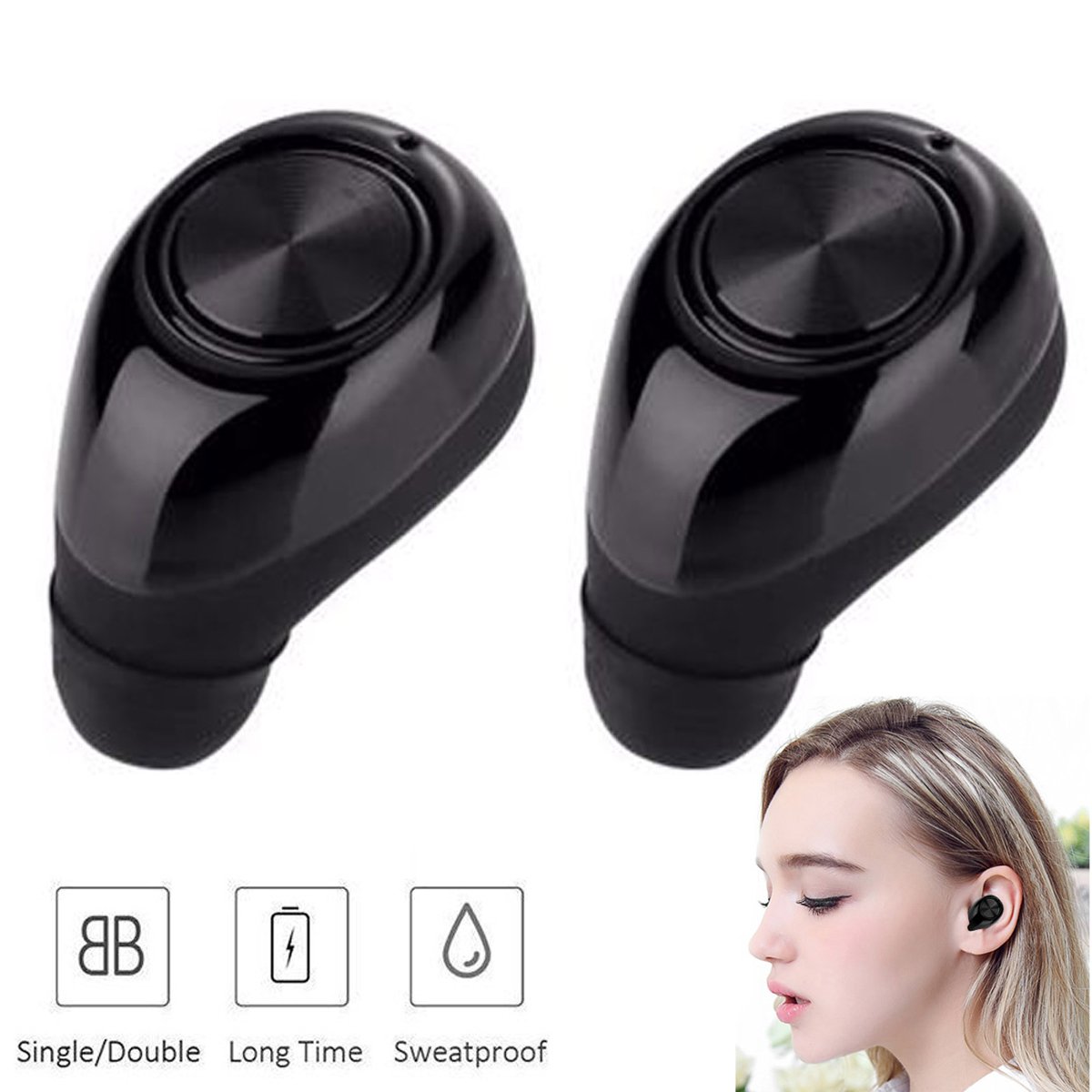
True Wiress Stereo mini bluetooth earphone with Mic support handsfree calling.Give yourself the gift of beautiful sound with True Wireless Stereo (TWS) technology.Take it wherever you go so that you can enjoy your favorite music anywhere and anytime.The best gift for yourself your families and your friends.Share your happyness anytime and anywhere.
FEATURES:
Bluetooth Version: 4.1
Voice prompt in English
Wireless range: about 10m.
Work time: one for 6 hours and a set for 3-4 hours .
Stand-by time: one for 120 hours and a set for 60 hours .
Charging time: about 1.5 hours .
Support A2DP1.3/HFP1.6/HSP1.2/AVRCP 1.6/DI1.3 Advanced CVC6.0 active noise-cancellation
Note:
1.When you use the headphones to make the calls,only the left channel headphone will work.When you use them to listen to the music,all of the 2 headphones will work at the same time.
2.When you use them as TWS,you just can connect the left channel headphone with your cellphone.
b.Wireless Stereo Connections(TWS)
1:Long Press the power button of the 2 headphones about 10 seconds at te same time untill the red and green lights flashing simultaneously.And then the 2 headphones will connect automatically.
2.After the 2 headphones connected,the headphones will report "connected" and the 2 headphones will report "left channel" and "right channel" respectively,and then turn the 2 headphones off.
3.Take the left channel headphone and long press the button till Red and Green LED indicator light flashing alternately to enter into pairing status.Enable the Bluetooth function of the device and search for available Bluetooth devices, then select "TWS 11" from the search results.
4.Take the right channel and turn it on.the right and the left channel headphones will connect automaticlly.Then you can use the 2 headphones on your cellphone at the same time.
FEATURES:
Bluetooth Version: 4.1
Voice prompt in English
Wireless range: about 10m.
Work time: one for 6 hours and a set for 3-4 hours .
Stand-by time: one for 120 hours and a set for 60 hours .
Charging time: about 1.5 hours .
Support A2DP1.3/HFP1.6/HSP1.2/AVRCP 1.6/DI1.3 Advanced CVC6.0 active noise-cancellation
Note:
1.When you use the headphones to make the calls,only the left channel headphone will work.When you use them to listen to the music,all of the 2 headphones will work at the same time.
2.When you use them as TWS,you just can connect the left channel headphone with your cellphone.
b.Wireless Stereo Connections(TWS)
1:Long Press the power button of the 2 headphones about 10 seconds at te same time untill the red and green lights flashing simultaneously.And then the 2 headphones will connect automatically.
2.After the 2 headphones connected,the headphones will report "connected" and the 2 headphones will report "left channel" and "right channel" respectively,and then turn the 2 headphones off.
3.Take the left channel headphone and long press the button till Red and Green LED indicator light flashing alternately to enter into pairing status.Enable the Bluetooth function of the device and search for available Bluetooth devices, then select "TWS 11" from the search results.
4.Take the right channel and turn it on.the right and the left channel headphones will connect automaticlly.Then you can use the 2 headphones on your cellphone at the same time.
Wireless Earbuds Bluetooth Stereo Sound True Wireless Headphones Built-in Mic Noise Cancelling Headsets Compatible with iPhone X 8 7 Plus 6S Samsung Galaxy S9 S8 Plus S7 S6 LG Motorola Huawei
Price is below average
Current Price
$32.99
Average
$35.74
Min Price
$29.99
Max Price
$39.99
Price dynamics
8%
Description
True Wiress Stereo mini bluetooth earphone with Mic support handsfree calling.Give yourself the gift of beautiful sound with True Wireless Stereo (TWS) technology.Take it wherever you go so that you can enjoy your favorite music anywhere and anytime.The best gift for yourself your families and your friends.Share your happyness anytime and anywhere.
FEATURES:
Bluetooth Version: 4.1
Voice prompt in English
Wireless range: about 10m.
Work time: one for 6 hours and a set for 3-4 hours .
Stand-by time: one for 120 hours and a set for 60 hours .
Charging time: about 1.5 hours .
Support A2DP1.3/HFP1.6/HSP1.2/AVRCP 1.6/DI1.3 Advanced CVC6.0 active noise-cancellation
Note:
1.When you use the headphones to make the calls,only the left channel headphone will work.When you use them to listen to the music,all of the 2 headphones will work at the same time.
2.When you use them as TWS,you just can connect the left channel headphone with your cellphone.
b.Wireless Stereo Connections(TWS)
1:Long Press the power button of the 2 headphones about 10 seconds at te same time untill the red and green lights flashing simultaneously.And then the 2 headphones will connect automatically.
2.After the 2 headphones connected,the headphones will report "connected" and the 2 headphones will report "left channel" and "right channel" respectively,and then turn the 2 headphones off.
3.Take the left channel headphone and long press the button till Red and Green LED indicator light flashing alternately to enter into pairing status.Enable the Bluetooth function of the device and search for available Bluetooth devices, then select "TWS 11" from the search results.
4.Take the right channel and turn it on.the right and the left channel headphones will connect automaticlly.Then you can use the 2 headphones on your cellphone at the same time.
FEATURES:
Bluetooth Version: 4.1
Voice prompt in English
Wireless range: about 10m.
Work time: one for 6 hours and a set for 3-4 hours .
Stand-by time: one for 120 hours and a set for 60 hours .
Charging time: about 1.5 hours .
Support A2DP1.3/HFP1.6/HSP1.2/AVRCP 1.6/DI1.3 Advanced CVC6.0 active noise-cancellation
Note:
1.When you use the headphones to make the calls,only the left channel headphone will work.When you use them to listen to the music,all of the 2 headphones will work at the same time.
2.When you use them as TWS,you just can connect the left channel headphone with your cellphone.
b.Wireless Stereo Connections(TWS)
1:Long Press the power button of the 2 headphones about 10 seconds at te same time untill the red and green lights flashing simultaneously.And then the 2 headphones will connect automatically.
2.After the 2 headphones connected,the headphones will report "connected" and the 2 headphones will report "left channel" and "right channel" respectively,and then turn the 2 headphones off.
3.Take the left channel headphone and long press the button till Red and Green LED indicator light flashing alternately to enter into pairing status.Enable the Bluetooth function of the device and search for available Bluetooth devices, then select "TWS 11" from the search results.
4.Take the right channel and turn it on.the right and the left channel headphones will connect automaticlly.Then you can use the 2 headphones on your cellphone at the same time.
Price will be lower
in next 2 weeks
in next 2 weeks
According to the data, price will be lower in next two weeks, so not waste your money and track better price!
Product review & video
well I just got these Bluetooth headphones in the mail they're a nice addition to any traveler if you're watching movies on your tablet I'm a huge traveler live I'll sit for my family also travel for work go on a trade shows now a lot of other things so this is nice you know you headphone earbuds are kind of annoying you got the cable you you know if you're on an airplane you know how that is bluetooth is a nice addition so I'm gonna test these out with that in mind as a core cutter traveling with tablets stuff to watch movies and see how they handle that but they they look nice but for one the packaging is very nice it's kind of pop this open test it out and see what we think of it all right so we got the manual um looks like the other what they call the idea USA I guess is what they call it Bob user manual pre thorough it does have an aux cable you can plug in the headset we'll cover



Similar products