Description
How to Get Two Earbuds Paired with Each Other again?
1.Take two earbuds out and please do not turn on your phone's Bluetooth function until the prompt reminds "power on, pairing mode, connected".
That means two earbuds are paired with each other successfully.
2. Turn on the Bluetooth function of your phone and earbuds will be paired automatically.
How to Reset Earbuds?
1.Long press the power button of either earphone for about 6s until the light flashes in red, and two earphones will power off together.
2.Press and hold buttons on two earbuds simultaneously for 10-12s.
The indicator will flash in red firstly, then flash in red and blue alternatively, and lastly, flash in red.
Then please release two buttons.
3.Put two earphones into charging case at the same time and get them charged for a while.
4.Take out both earbuds at the same time and wear them, and you could hear the voice "power on, pairing, Bluetooth connected". Then resetting is finished.
5.Clear the Bluetooth device list in your phone. Find and click Earteana to connect two earbuds with your phone.
Package List
1 Pair of Earbuds[Battery type: Li-Polymer battery].
1 Charging Case.
1 USB Charging Cable.
1 OTG Adapter.
3 Pairs of Ear Caps.
1 English User Manual.
TWS-i7 Specifications
Waterproofing Level: IPX 5.
Bluetooth Version: 5.0.
Transmission Distance: About 33 feet.
Music Playtime: 4 hours.
Talk Time: 4 hours.
Standby Time: 80 hours.
Earbuds Charging Time: 1 hour.
Storage Case Charging Time: 3-4 hours.
Storage Case Battery Capacity: 2000 mAh.
Frequency Range: 2402 ~ 2480 MHz.
Work Voltage: 3.7V.
1.Take two earbuds out and please do not turn on your phone's Bluetooth function until the prompt reminds "power on, pairing mode, connected".
That means two earbuds are paired with each other successfully.
2. Turn on the Bluetooth function of your phone and earbuds will be paired automatically.
How to Reset Earbuds?
1.Long press the power button of either earphone for about 6s until the light flashes in red, and two earphones will power off together.
2.Press and hold buttons on two earbuds simultaneously for 10-12s.
The indicator will flash in red firstly, then flash in red and blue alternatively, and lastly, flash in red.
Then please release two buttons.
3.Put two earphones into charging case at the same time and get them charged for a while.
4.Take out both earbuds at the same time and wear them, and you could hear the voice "power on, pairing, Bluetooth connected". Then resetting is finished.
5.Clear the Bluetooth device list in your phone. Find and click Earteana to connect two earbuds with your phone.
Package List
1 Pair of Earbuds[Battery type: Li-Polymer battery].
1 Charging Case.
1 USB Charging Cable.
1 OTG Adapter.
3 Pairs of Ear Caps.
1 English User Manual.
TWS-i7 Specifications
Waterproofing Level: IPX 5.
Bluetooth Version: 5.0.
Transmission Distance: About 33 feet.
Music Playtime: 4 hours.
Talk Time: 4 hours.
Standby Time: 80 hours.
Earbuds Charging Time: 1 hour.
Storage Case Charging Time: 3-4 hours.
Storage Case Battery Capacity: 2000 mAh.
Frequency Range: 2402 ~ 2480 MHz.
Work Voltage: 3.7V.
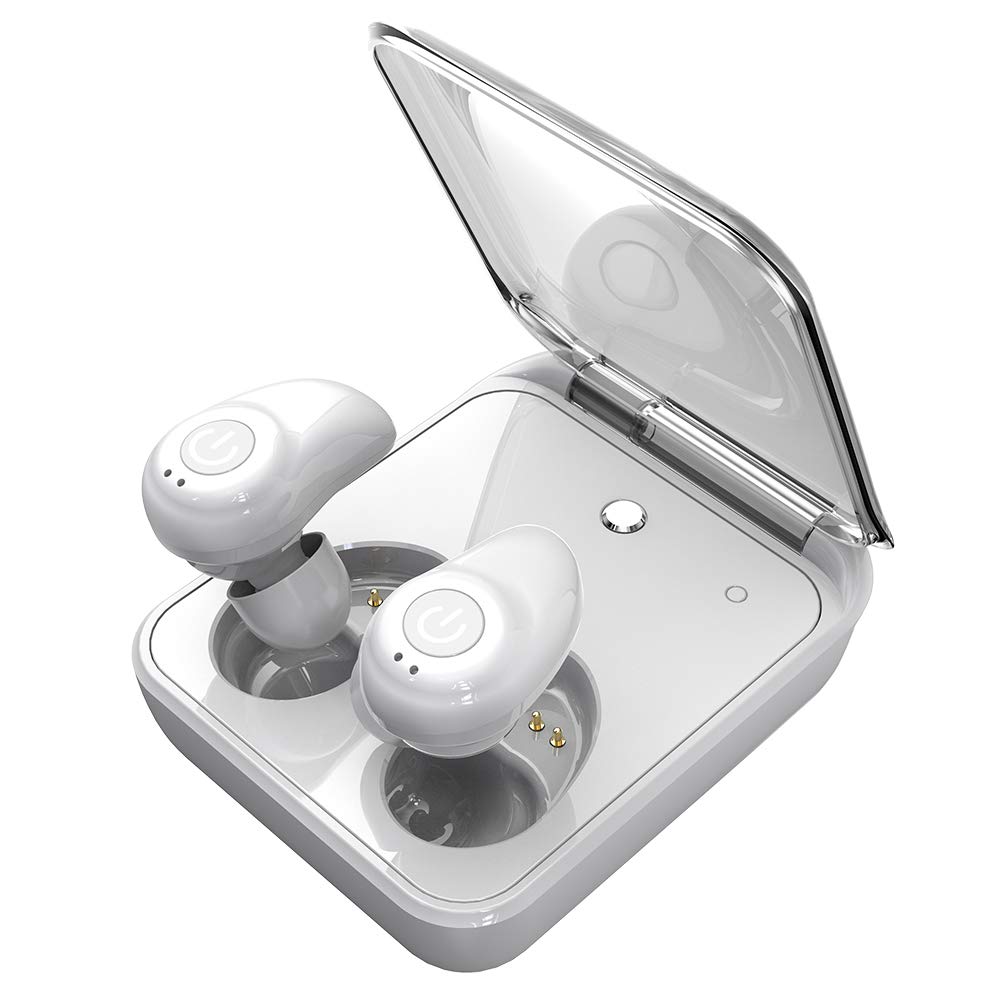
Wireless Earbuds for Android iPhone Bluetooth 5.0 Headphones with Mic 72 Hours Playtime Auto Pairing Cordless Wireless Earbuds Headset Noise Reduction Earphones with 2000 mAh Charging Case - White
Price is below average
Current Price
$29.99
Average
$35.98
Min Price
$19.99
Max Price
$39.99
Price dynamics
17%
Description
How to Get Two Earbuds Paired with Each Other again?
1.Take two earbuds out and please do not turn on your phone's Bluetooth function until the prompt reminds "power on, pairing mode, connected".
That means two earbuds are paired with each other successfully.
2. Turn on the Bluetooth function of your phone and earbuds will be paired automatically.
How to Reset Earbuds?
1.Long press the power button of either earphone for about 6s until the light flashes in red, and two earphones will power off together.
2.Press and hold buttons on two earbuds simultaneously for 10-12s.
The indicator will flash in red firstly, then flash in red and blue alternatively, and lastly, flash in red.
Then please release two buttons.
3.Put two earphones into charging case at the same time and get them charged for a while.
4.Take out both earbuds at the same time and wear them, and you could hear the voice "power on, pairing, Bluetooth connected". Then resetting is finished.
5.Clear the Bluetooth device list in your phone. Find and click Earteana to connect two earbuds with your phone.
Package List
1 Pair of Earbuds[Battery type: Li-Polymer battery].
1 Charging Case.
1 USB Charging Cable.
1 OTG Adapter.
3 Pairs of Ear Caps.
1 English User Manual.
TWS-i7 Specifications
Waterproofing Level: IPX 5.
Bluetooth Version: 5.0.
Transmission Distance: About 33 feet.
Music Playtime: 4 hours.
Talk Time: 4 hours.
Standby Time: 80 hours.
Earbuds Charging Time: 1 hour.
Storage Case Charging Time: 3-4 hours.
Storage Case Battery Capacity: 2000 mAh.
Frequency Range: 2402 ~ 2480 MHz.
Work Voltage: 3.7V.
1.Take two earbuds out and please do not turn on your phone's Bluetooth function until the prompt reminds "power on, pairing mode, connected".
That means two earbuds are paired with each other successfully.
2. Turn on the Bluetooth function of your phone and earbuds will be paired automatically.
How to Reset Earbuds?
1.Long press the power button of either earphone for about 6s until the light flashes in red, and two earphones will power off together.
2.Press and hold buttons on two earbuds simultaneously for 10-12s.
The indicator will flash in red firstly, then flash in red and blue alternatively, and lastly, flash in red.
Then please release two buttons.
3.Put two earphones into charging case at the same time and get them charged for a while.
4.Take out both earbuds at the same time and wear them, and you could hear the voice "power on, pairing, Bluetooth connected". Then resetting is finished.
5.Clear the Bluetooth device list in your phone. Find and click Earteana to connect two earbuds with your phone.
Package List
1 Pair of Earbuds[Battery type: Li-Polymer battery].
1 Charging Case.
1 USB Charging Cable.
1 OTG Adapter.
3 Pairs of Ear Caps.
1 English User Manual.
TWS-i7 Specifications
Waterproofing Level: IPX 5.
Bluetooth Version: 5.0.
Transmission Distance: About 33 feet.
Music Playtime: 4 hours.
Talk Time: 4 hours.
Standby Time: 80 hours.
Earbuds Charging Time: 1 hour.
Storage Case Charging Time: 3-4 hours.
Storage Case Battery Capacity: 2000 mAh.
Frequency Range: 2402 ~ 2480 MHz.
Work Voltage: 3.7V.
Price will be lower
in next 2 weeks
in next 2 weeks
According to the data, price will be lower in next two weeks, so not waste your money and track better price!
Product review & video
what's up everybody this is a review of these TW si7 I got from Amazon I got them listen it's right now and honestly they sound really good they got a really good highs which is usually the thing I love good highs and it's a pretty nice bass I switched the ear tips out and it has better bass he's a really good headphones and he sound really good one of my rights with a lot of headphones they just aren't allowed enough but these are thumping see and I got do as little adjustment by twisting them forward and they get even deeper I like this he's a nice definite thumbs up from for these uh twss Evans from Borneo sky definitely good purchase yeah oh good bass definitely good bass



Similar products