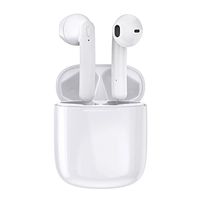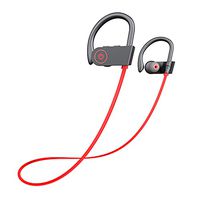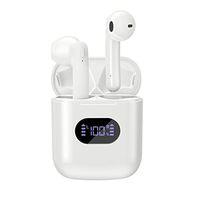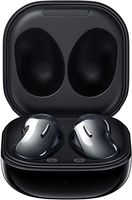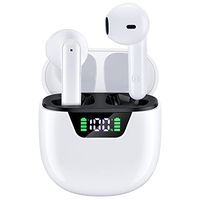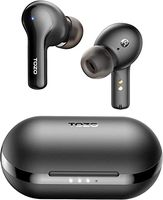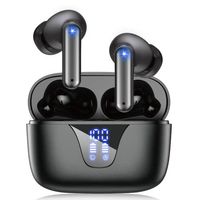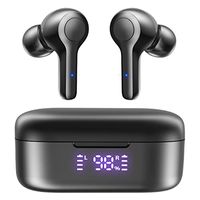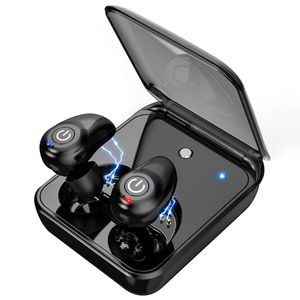
Description
How to Get Two Earbuds Paired with Each Other again?
1.Take two earbuds out and please do not turn on your phone's Bluetooth function until the prompt reminds "power on, pairing mode, connected".
That means two earbuds are paired with each other successfully.
2. Turn on the Bluetooth function of your phone and earbuds will be paired automatically.
How to Reset Earbuds?
1.Long press the power button of either earphone for about 6s until the light flashes in red, and two earphones will power off together.
2.Press and hold buttons on two earbuds simultaneously for 10-12s.
The indicator will flash in red firstly, then flash in red and blue alternatively, and lastly, flash in red.
Then please release two buttons.
3.Put two earphones into charging case at the same time and get them charged for a while.
4.Take out both earbuds at the same time and wear them, and you could hear the voice "power on, pairing, Bluetooth connected". Then resetting is finished.
5.Clear the Bluetooth device list in your phone. Find and click Earteana to connect two earbuds with your phone.
Package List
1 Pair of Earbuds.
1 Charging Case.
1 USB Charging Cable.
1 OTG Adapter.
3 Pairs of Ear Caps.
1 English User Manual.
TWS-i7 Specifications
Bluetooth Version: 5.0.
Transmission Distance: About 33 feet.
Music Playtime: 4 hours.
Talk Time: 4 hours.
Standby Time: 80 hours.
Earbuds Charging Time: 1 hour.
Storage Case Charging Time: 3-4 hours.
Storage Case Battery Capacity: 2000 mAh.
Frequency Range: 2402 ~ 2480 MHz.
Work Voltage: 3.7V.
1.Take two earbuds out and please do not turn on your phone's Bluetooth function until the prompt reminds "power on, pairing mode, connected".
That means two earbuds are paired with each other successfully.
2. Turn on the Bluetooth function of your phone and earbuds will be paired automatically.
How to Reset Earbuds?
1.Long press the power button of either earphone for about 6s until the light flashes in red, and two earphones will power off together.
2.Press and hold buttons on two earbuds simultaneously for 10-12s.
The indicator will flash in red firstly, then flash in red and blue alternatively, and lastly, flash in red.
Then please release two buttons.
3.Put two earphones into charging case at the same time and get them charged for a while.
4.Take out both earbuds at the same time and wear them, and you could hear the voice "power on, pairing, Bluetooth connected". Then resetting is finished.
5.Clear the Bluetooth device list in your phone. Find and click Earteana to connect two earbuds with your phone.
Package List
1 Pair of Earbuds.
1 Charging Case.
1 USB Charging Cable.
1 OTG Adapter.
3 Pairs of Ear Caps.
1 English User Manual.
TWS-i7 Specifications
Bluetooth Version: 5.0.
Transmission Distance: About 33 feet.
Music Playtime: 4 hours.
Talk Time: 4 hours.
Standby Time: 80 hours.
Earbuds Charging Time: 1 hour.
Storage Case Charging Time: 3-4 hours.
Storage Case Battery Capacity: 2000 mAh.
Frequency Range: 2402 ~ 2480 MHz.
Work Voltage: 3.7V.
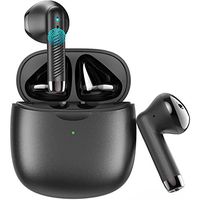
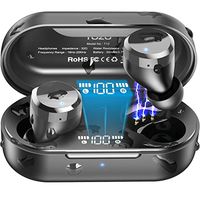
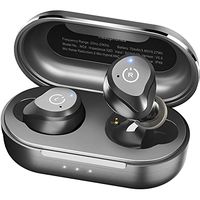
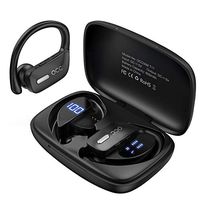
Wireless Earbuds for Android iPhone Bluetooth 5.0 Headphones with Mic 72 Hours Cycle Playtime Auto Pairing 3D Stereo Sound Cordless Wireless Earbuds Headset Earphones with 2000 mAh Charging Case
Current Price
$39.99
Average
$35.55
Min Price
$16.99
Max Price
$39.99
Price dynamics
11%
Description
How to Get Two Earbuds Paired with Each Other again?
1.Take two earbuds out and please do not turn on your phone's Bluetooth function until the prompt reminds "power on, pairing mode, connected".
That means two earbuds are paired with each other successfully.
2. Turn on the Bluetooth function of your phone and earbuds will be paired automatically.
How to Reset Earbuds?
1.Long press the power button of either earphone for about 6s until the light flashes in red, and two earphones will power off together.
2.Press and hold buttons on two earbuds simultaneously for 10-12s.
The indicator will flash in red firstly, then flash in red and blue alternatively, and lastly, flash in red.
Then please release two buttons.
3.Put two earphones into charging case at the same time and get them charged for a while.
4.Take out both earbuds at the same time and wear them, and you could hear the voice "power on, pairing, Bluetooth connected". Then resetting is finished.
5.Clear the Bluetooth device list in your phone. Find and click Earteana to connect two earbuds with your phone.
Package List
1 Pair of Earbuds.
1 Charging Case.
1 USB Charging Cable.
1 OTG Adapter.
3 Pairs of Ear Caps.
1 English User Manual.
TWS-i7 Specifications
Bluetooth Version: 5.0.
Transmission Distance: About 33 feet.
Music Playtime: 4 hours.
Talk Time: 4 hours.
Standby Time: 80 hours.
Earbuds Charging Time: 1 hour.
Storage Case Charging Time: 3-4 hours.
Storage Case Battery Capacity: 2000 mAh.
Frequency Range: 2402 ~ 2480 MHz.
Work Voltage: 3.7V.
1.Take two earbuds out and please do not turn on your phone's Bluetooth function until the prompt reminds "power on, pairing mode, connected".
That means two earbuds are paired with each other successfully.
2. Turn on the Bluetooth function of your phone and earbuds will be paired automatically.
How to Reset Earbuds?
1.Long press the power button of either earphone for about 6s until the light flashes in red, and two earphones will power off together.
2.Press and hold buttons on two earbuds simultaneously for 10-12s.
The indicator will flash in red firstly, then flash in red and blue alternatively, and lastly, flash in red.
Then please release two buttons.
3.Put two earphones into charging case at the same time and get them charged for a while.
4.Take out both earbuds at the same time and wear them, and you could hear the voice "power on, pairing, Bluetooth connected". Then resetting is finished.
5.Clear the Bluetooth device list in your phone. Find and click Earteana to connect two earbuds with your phone.
Package List
1 Pair of Earbuds.
1 Charging Case.
1 USB Charging Cable.
1 OTG Adapter.
3 Pairs of Ear Caps.
1 English User Manual.
TWS-i7 Specifications
Bluetooth Version: 5.0.
Transmission Distance: About 33 feet.
Music Playtime: 4 hours.
Talk Time: 4 hours.
Standby Time: 80 hours.
Earbuds Charging Time: 1 hour.
Storage Case Charging Time: 3-4 hours.
Storage Case Battery Capacity: 2000 mAh.
Frequency Range: 2402 ~ 2480 MHz.
Work Voltage: 3.7V.
Price will be lower
in next 2 weeks
in next 2 weeks
According to the data, price will be lower in next two weeks, so not waste your money and track better price!
Product review & video
I ordered two of this magnetic earbuds and I received this today this is the box and this is what it looks like inside and this is completely different than the one that I ordered and this is the box there's no name on it and and it's the same thing with the other box I haven't opened it yet so I guess I have to return it because there's nothing I can do and the one that I originally paid for it is completely different I am a little bit disappointed


Similar products