Description
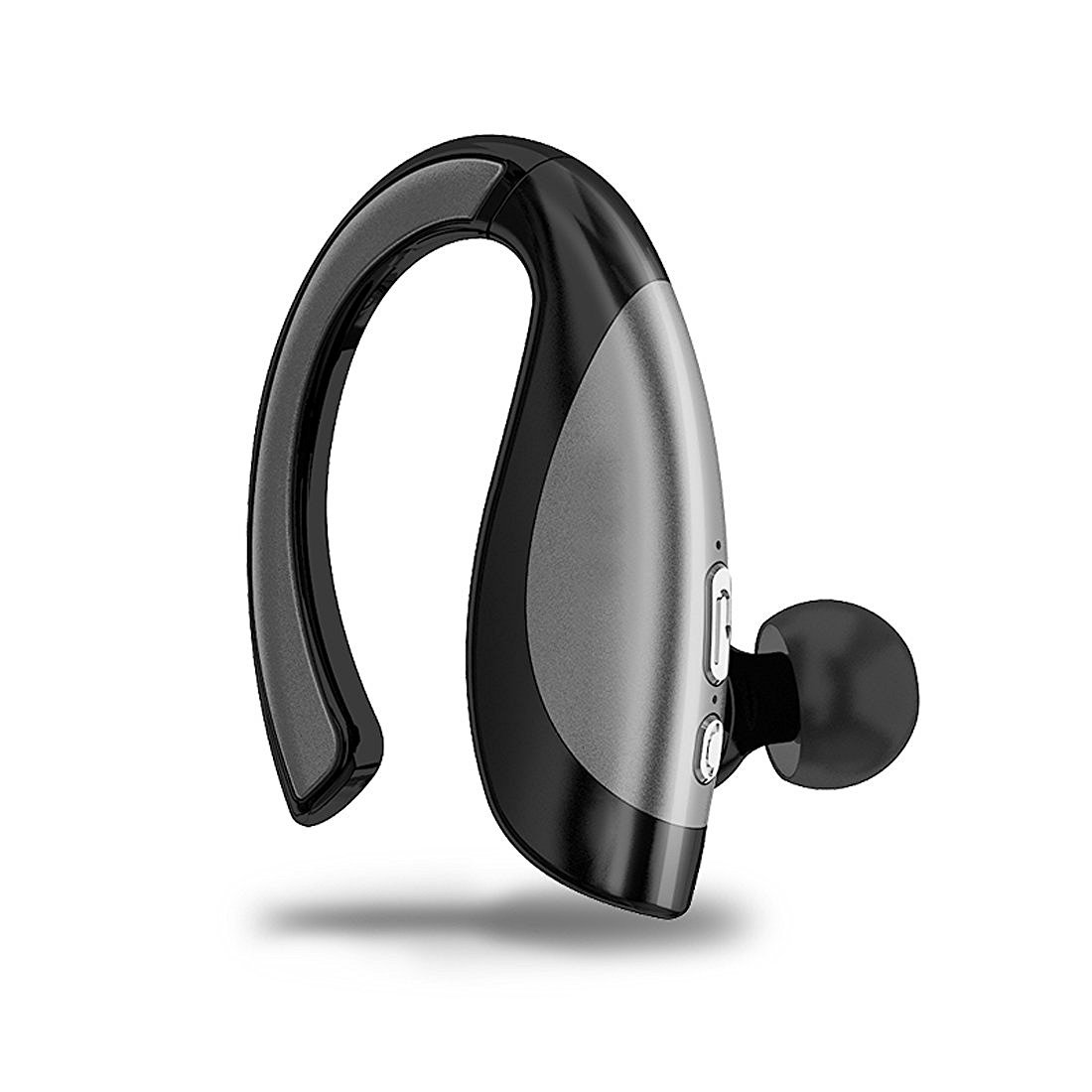
TechCode Wireless Bluetooth Headphone In-Ear Sport V4.1 Stereo Hands-free Headset Noise Cancelling Earbuds with Mic for Running Gym Workout, Compatible with all bluetooth-enabled devices, such as iPhone X / 8 / 8 Plus/ 7 / 7 Plus/ 6S / 6S Plus, Samsung Galaxy S9/ S9 Plus/ S8/ S8 Plus/ Note 8/ Note 8+/ S7 Edge,iPad,iPod touch, tablets, PC, Laptop, Mp3/mp4, most android and other system smartphones.
How To Pair with The Bluetooth Headset
1.Please long press MFB for 5 second long until you see the indicator light flashing RED and BLUE or hear beep sound when wearing with it.
2.Now it's under pairing mode, then go back to your smart devices, search and click " X16" in your Bluetooth list, then it will be paired and connected
How To Control The Bluetooth Headset?
The Bluetooth headphone control system is a very simple design. Just one button (Multi-Function Button) controls everything.
1. The single button controls power on/off and volume up/down. The same button controls the Bluetooth connection with your devices. Play and pause music by clicking the button one time.
2. A quick double click will dial your phone's last number. Answer a phone call or decline by saying, "Yes" or "No" into the Microphone.
3. Two clicks changes the volume level in 5 increments, from the lowest to the highest and back again to the lowest.
4. Next song track is controlled by one long press (1sec)
Value-added Design
18° Rotating and Adjustable
The bluetooth earbud are designed to rotate to multiple angles to precisely adjust the fit to your ears for maximum comfort.
Built-in Microphone
You can use Siri with a simple 'yes' or 'no' to answer or decline a phone call. The excellent sound quality allows you to hear calls clearly while avoiding cutting in and out.
Package include:
1 x X16 Bluetooth Headphone
1 x Micro USB Charging Cable
2 x Earbud tips
1 x User Manual
How To Pair with The Bluetooth Headset
1.Please long press MFB for 5 second long until you see the indicator light flashing RED and BLUE or hear beep sound when wearing with it.
2.Now it's under pairing mode, then go back to your smart devices, search and click " X16" in your Bluetooth list, then it will be paired and connected
How To Control The Bluetooth Headset?
The Bluetooth headphone control system is a very simple design. Just one button (Multi-Function Button) controls everything.
1. The single button controls power on/off and volume up/down. The same button controls the Bluetooth connection with your devices. Play and pause music by clicking the button one time.
2. A quick double click will dial your phone's last number. Answer a phone call or decline by saying, "Yes" or "No" into the Microphone.
3. Two clicks changes the volume level in 5 increments, from the lowest to the highest and back again to the lowest.
4. Next song track is controlled by one long press (1sec)
Value-added Design
18° Rotating and Adjustable
The bluetooth earbud are designed to rotate to multiple angles to precisely adjust the fit to your ears for maximum comfort.
Built-in Microphone
You can use Siri with a simple 'yes' or 'no' to answer or decline a phone call. The excellent sound quality allows you to hear calls clearly while avoiding cutting in and out.
Package include:
1 x X16 Bluetooth Headphone
1 x Micro USB Charging Cable
2 x Earbud tips
1 x User Manual
Wireless Earphone for Galaxy S9+, TechCode Wireless Bluetooth Headphone in-Ear Sport V4.1 Stereo Hands-Free Headset Noise Cancelling Earbuds with Mic for Running Gym Workout,Gray
Current Price
$34.99
Average
$34.99
Min Price
$34.99
Max Price
$34.99
Description
TechCode Wireless Bluetooth Headphone In-Ear Sport V4.1 Stereo Hands-free Headset Noise Cancelling Earbuds with Mic for Running Gym Workout, Compatible with all bluetooth-enabled devices, such as iPhone X / 8 / 8 Plus/ 7 / 7 Plus/ 6S / 6S Plus, Samsung Galaxy S9/ S9 Plus/ S8/ S8 Plus/ Note 8/ Note 8+/ S7 Edge,iPad,iPod touch, tablets, PC, Laptop, Mp3/mp4, most android and other system smartphones.
How To Pair with The Bluetooth Headset
1.Please long press MFB for 5 second long until you see the indicator light flashing RED and BLUE or hear beep sound when wearing with it.
2.Now it's under pairing mode, then go back to your smart devices, search and click " X16" in your Bluetooth list, then it will be paired and connected
How To Control The Bluetooth Headset?
The Bluetooth headphone control system is a very simple design. Just one button (Multi-Function Button) controls everything.
1. The single button controls power on/off and volume up/down. The same button controls the Bluetooth connection with your devices. Play and pause music by clicking the button one time.
2. A quick double click will dial your phone's last number. Answer a phone call or decline by saying, "Yes" or "No" into the Microphone.
3. Two clicks changes the volume level in 5 increments, from the lowest to the highest and back again to the lowest.
4. Next song track is controlled by one long press (1sec)
Value-added Design
18° Rotating and Adjustable
The bluetooth earbud are designed to rotate to multiple angles to precisely adjust the fit to your ears for maximum comfort.
Built-in Microphone
You can use Siri with a simple 'yes' or 'no' to answer or decline a phone call. The excellent sound quality allows you to hear calls clearly while avoiding cutting in and out.
Package include:
1 x X16 Bluetooth Headphone
1 x Micro USB Charging Cable
2 x Earbud tips
1 x User Manual
How To Pair with The Bluetooth Headset
1.Please long press MFB for 5 second long until you see the indicator light flashing RED and BLUE or hear beep sound when wearing with it.
2.Now it's under pairing mode, then go back to your smart devices, search and click " X16" in your Bluetooth list, then it will be paired and connected
How To Control The Bluetooth Headset?
The Bluetooth headphone control system is a very simple design. Just one button (Multi-Function Button) controls everything.
1. The single button controls power on/off and volume up/down. The same button controls the Bluetooth connection with your devices. Play and pause music by clicking the button one time.
2. A quick double click will dial your phone's last number. Answer a phone call or decline by saying, "Yes" or "No" into the Microphone.
3. Two clicks changes the volume level in 5 increments, from the lowest to the highest and back again to the lowest.
4. Next song track is controlled by one long press (1sec)
Value-added Design
18° Rotating and Adjustable
The bluetooth earbud are designed to rotate to multiple angles to precisely adjust the fit to your ears for maximum comfort.
Built-in Microphone
You can use Siri with a simple 'yes' or 'no' to answer or decline a phone call. The excellent sound quality allows you to hear calls clearly while avoiding cutting in and out.
Package include:
1 x X16 Bluetooth Headphone
1 x Micro USB Charging Cable
2 x Earbud tips
1 x User Manual
Price will be lower
in next 2 weeks
in next 2 weeks
According to the data, price will be lower in next two weeks, so not waste your money and track better price!

Similar products