Description
Main Features:
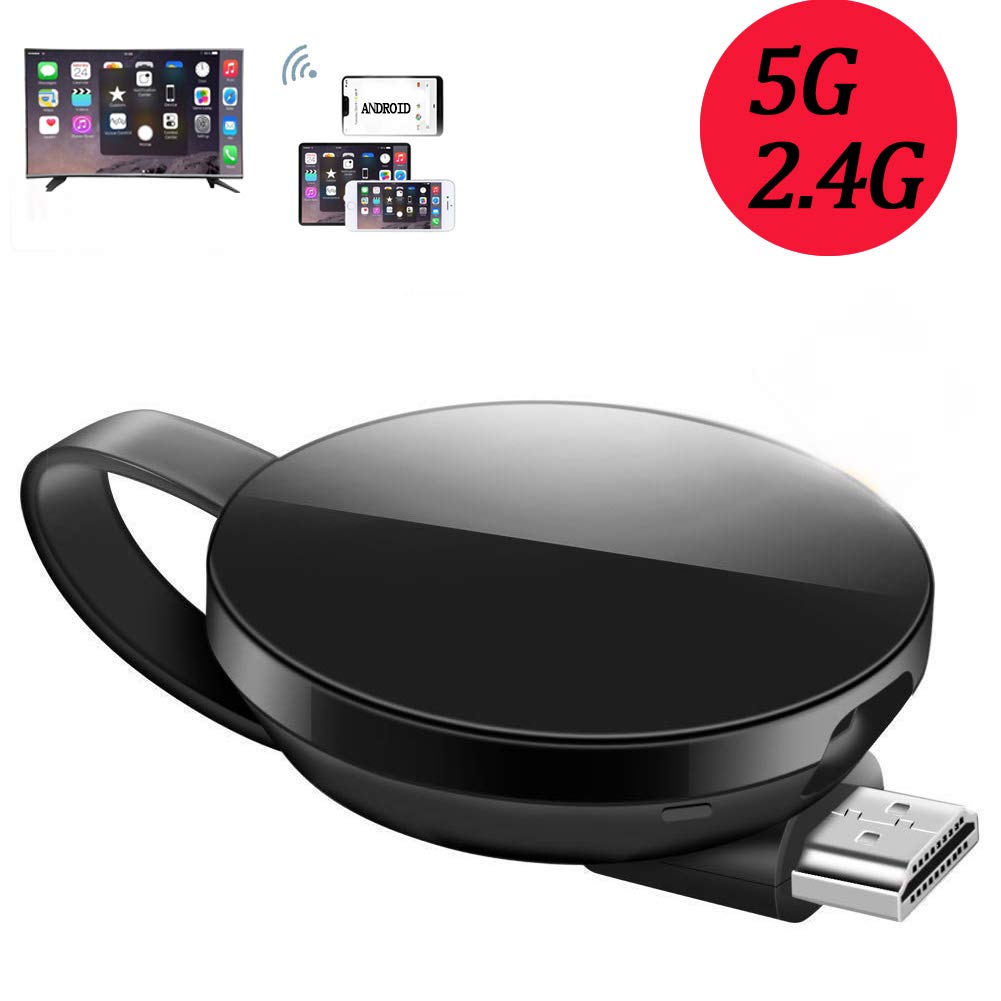
1.Support multi-screen interactive features like Airpaly/Miracast/DLNA/ Chrome Cast.
2.Compatible with Android 4.2+ / iOS 7+ / Mac OS /windows 8.1+
3. 5GHz / 2.4GHZ WiFi: compatible with the 802.11ac standard, 5GHz WiFi delivering speeds is almost three times as fast as 802.11n.
How to Use? (Any problems, please message us)
Plug: Connect the display dongle to the HD TV/ projector and power the dongle, adjust the TV video source to HDMI by TV remote control.
Connection: (Reoptimizing the operation makes the connection easier. )
For iPhone iPad
If it's iOS10+ system, please scan the QR code of the main interface by phone camera to connect the wifi dongle directly and perform WLAN network settings. Even a novice can use easily.
Manually perform WLAN Network Settings:
Launch brower>Input IP address(Show in TV,192.168.49.1) to Web setting page on iPhone >Choose your home wifi name and connect.
For Android Device
Turn on the screen projection mode of the Phone(Screen mirroring/Miracast/Smart View/Multi View).
Online Video Push
After the above connection, turn off the Screen Mirroring on phone
Open an Cast-enabled APP, pick a video, and tap the cast button to watch it on TV.
You can run app in background,the video will not stop.
Packing Content:
5GHz Wi-Fi display receiver 1pcs
External USB Wi-Fi Cable 1pcs
Instructions manual 1pcs
12-Months Warranty and friendly Services. Any questions, please message us.
1.Support multi-screen interactive features like Airpaly/Miracast/DLNA/ Chrome Cast.
2.Compatible with Android 4.2+ / iOS 7+ / Mac OS /windows 8.1+
3. 5GHz / 2.4GHZ WiFi: compatible with the 802.11ac standard, 5GHz WiFi delivering speeds is almost three times as fast as 802.11n.
How to Use? (Any problems, please message us)
Plug: Connect the display dongle to the HD TV/ projector and power the dongle, adjust the TV video source to HDMI by TV remote control.
Connection: (Reoptimizing the operation makes the connection easier. )
For iPhone iPad
If it's iOS10+ system, please scan the QR code of the main interface by phone camera to connect the wifi dongle directly and perform WLAN network settings. Even a novice can use easily.
Manually perform WLAN Network Settings:
Launch brower>Input IP address(Show in TV,192.168.49.1) to Web setting page on iPhone >Choose your home wifi name and connect.
For Android Device
Turn on the screen projection mode of the Phone(Screen mirroring/Miracast/Smart View/Multi View).
Online Video Push
After the above connection, turn off the Screen Mirroring on phone
Open an Cast-enabled APP, pick a video, and tap the cast button to watch it on TV.
You can run app in background,the video will not stop.
Packing Content:
5GHz Wi-Fi display receiver 1pcs
External USB Wi-Fi Cable 1pcs
Instructions manual 1pcs
12-Months Warranty and friendly Services. Any questions, please message us.
Wireless HDMI TV Adapter Besnock 5G 2.4G Portable Streaming Sticks, Airplay WiFi Display Dongles Receiver for Mobile Phones/PC, Support Miracast Mirror DLNA Chrome
Price is below average
Current Price
$31.99
Average
$32.6
Min Price
$31.99
Max Price
$35.68
Price dynamics
2%
Description
Main Features:
1.Support multi-screen interactive features like Airpaly/Miracast/DLNA/ Chrome Cast.
2.Compatible with Android 4.2+ / iOS 7+ / Mac OS /windows 8.1+
3. 5GHz / 2.4GHZ WiFi: compatible with the 802.11ac standard, 5GHz WiFi delivering speeds is almost three times as fast as 802.11n.
How to Use? (Any problems, please message us)
Plug: Connect the display dongle to the HD TV/ projector and power the dongle, adjust the TV video source to HDMI by TV remote control.
Connection: (Reoptimizing the operation makes the connection easier. )
For iPhone iPad
If it's iOS10+ system, please scan the QR code of the main interface by phone camera to connect the wifi dongle directly and perform WLAN network settings. Even a novice can use easily.
Manually perform WLAN Network Settings:
Launch brower>Input IP address(Show in TV,192.168.49.1) to Web setting page on iPhone >Choose your home wifi name and connect.
For Android Device
Turn on the screen projection mode of the Phone(Screen mirroring/Miracast/Smart View/Multi View).
Online Video Push
After the above connection, turn off the Screen Mirroring on phone
Open an Cast-enabled APP, pick a video, and tap the cast button to watch it on TV.
You can run app in background,the video will not stop.
Packing Content:
5GHz Wi-Fi display receiver 1pcs
External USB Wi-Fi Cable 1pcs
Instructions manual 1pcs
12-Months Warranty and friendly Services. Any questions, please message us.
1.Support multi-screen interactive features like Airpaly/Miracast/DLNA/ Chrome Cast.
2.Compatible with Android 4.2+ / iOS 7+ / Mac OS /windows 8.1+
3. 5GHz / 2.4GHZ WiFi: compatible with the 802.11ac standard, 5GHz WiFi delivering speeds is almost three times as fast as 802.11n.
How to Use? (Any problems, please message us)
Plug: Connect the display dongle to the HD TV/ projector and power the dongle, adjust the TV video source to HDMI by TV remote control.
Connection: (Reoptimizing the operation makes the connection easier. )
For iPhone iPad
If it's iOS10+ system, please scan the QR code of the main interface by phone camera to connect the wifi dongle directly and perform WLAN network settings. Even a novice can use easily.
Manually perform WLAN Network Settings:
Launch brower>Input IP address(Show in TV,192.168.49.1) to Web setting page on iPhone >Choose your home wifi name and connect.
For Android Device
Turn on the screen projection mode of the Phone(Screen mirroring/Miracast/Smart View/Multi View).
Online Video Push
After the above connection, turn off the Screen Mirroring on phone
Open an Cast-enabled APP, pick a video, and tap the cast button to watch it on TV.
You can run app in background,the video will not stop.
Packing Content:
5GHz Wi-Fi display receiver 1pcs
External USB Wi-Fi Cable 1pcs
Instructions manual 1pcs
12-Months Warranty and friendly Services. Any questions, please message us.
Price will be lower
in next 2 weeks
in next 2 weeks
According to the data, price will be lower in next two weeks, so not waste your money and track better price!

Similar products