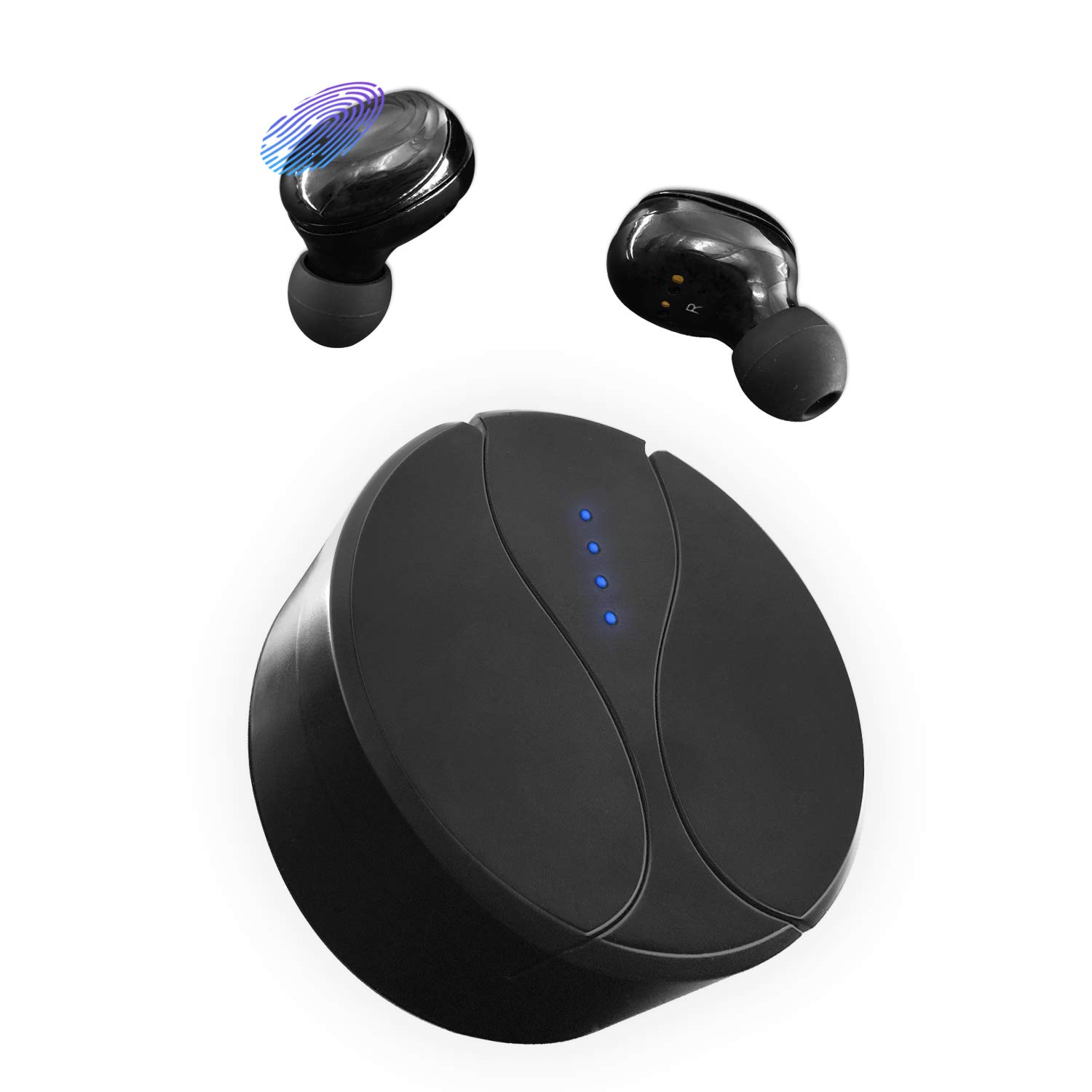
Description
Bluetooth 5.0 Wireless Earphones with 75H Playtime
Bluetooth V5.0 & Superior HD stereo music quality
One-step Paring Technology & Touch contorl
Ergonomic design & Single earphone weight: 5g
50 feet Bluetooth connection distance
CVC 6.0 noise reduction & IPX5 sweatproof
Connection steps
Automatic connection
The first connection requires the Bluetooth Headphones to enter the connection mode. Simply turn on the Bluetooth feature of the phone and unplug the left Bluetooth Earphone from the charging box (the device will turn on by itself). Then select "WTD01"
Once the mobile phone and Bluetooth Headphones have been properly paired, when you use it, just turn on the mobile phone's Bluetooth, take the Bluetooth Headphones out of the charging box and the Bluetooth Earphones will automatically connect to the phone.
Note:
If you could not find WTD on the mobile phone list, you could put the wireless bluetooth headphones in the case and pick them up again.
Reset to the original setting
Put the two earbuds back into the charging base, they will be in charging mode, press the multi-functional buttons of the two earbuds for around 15 seconds, and release the buttons when the indicators of the earbuds start to flash, then the earbud resetting is completed
3 VARIOUS SIZES OF EARTIPS
Comfortable ergonomic design Bluetooth earphones fits perfectly in your ear - no adjustment,without chafing, sliding or slipping around. Coming with 3 various sizes of eartips(most sellers only supply one eartip), it can considerately fit different ears.
TOHCH-CONTROL
By touching on the wireless bluetooth headphones,you can simply playback music and answer callings or access other functions no need to pick up your phone when it's a few feet away. Hassle-free wireless experience you've been looking for.
Bluetooth V5.0 & Superior HD stereo music quality
One-step Paring Technology & Touch contorl
Ergonomic design & Single earphone weight: 5g
50 feet Bluetooth connection distance
CVC 6.0 noise reduction & IPX5 sweatproof
Connection steps
Automatic connection
The first connection requires the Bluetooth Headphones to enter the connection mode. Simply turn on the Bluetooth feature of the phone and unplug the left Bluetooth Earphone from the charging box (the device will turn on by itself). Then select "WTD01"
Once the mobile phone and Bluetooth Headphones have been properly paired, when you use it, just turn on the mobile phone's Bluetooth, take the Bluetooth Headphones out of the charging box and the Bluetooth Earphones will automatically connect to the phone.
Note:
If you could not find WTD on the mobile phone list, you could put the wireless bluetooth headphones in the case and pick them up again.
Reset to the original setting
Put the two earbuds back into the charging base, they will be in charging mode, press the multi-functional buttons of the two earbuds for around 15 seconds, and release the buttons when the indicators of the earbuds start to flash, then the earbud resetting is completed
3 VARIOUS SIZES OF EARTIPS
Comfortable ergonomic design Bluetooth earphones fits perfectly in your ear - no adjustment,without chafing, sliding or slipping around. Coming with 3 various sizes of eartips(most sellers only supply one eartip), it can considerately fit different ears.
TOHCH-CONTROL
By touching on the wireless bluetooth headphones,you can simply playback music and answer callings or access other functions no need to pick up your phone when it's a few feet away. Hassle-free wireless experience you've been looking for.
Wireless Headphones, Bluetooth 5.0 Earbuds 75H Playtime and Noise Cancelling for Wireless in-Ear Earbuds, IPX4 Waterproof Bluetooth Headphones with 1800mAh Charging Case (Black)
Price is below average
Current Price
$25.99
Average
$33.87
Min Price
$25.99
Max Price
$49.99
Price dynamics
23%
Description
Bluetooth 5.0 Wireless Earphones with 75H Playtime
Bluetooth V5.0 & Superior HD stereo music quality
One-step Paring Technology & Touch contorl
Ergonomic design & Single earphone weight: 5g
50 feet Bluetooth connection distance
CVC 6.0 noise reduction & IPX5 sweatproof
Connection steps
Automatic connection
The first connection requires the Bluetooth Headphones to enter the connection mode. Simply turn on the Bluetooth feature of the phone and unplug the left Bluetooth Earphone from the charging box (the device will turn on by itself). Then select "WTD01"
Once the mobile phone and Bluetooth Headphones have been properly paired, when you use it, just turn on the mobile phone's Bluetooth, take the Bluetooth Headphones out of the charging box and the Bluetooth Earphones will automatically connect to the phone.
Note:
If you could not find WTD on the mobile phone list, you could put the wireless bluetooth headphones in the case and pick them up again.
Reset to the original setting
Put the two earbuds back into the charging base, they will be in charging mode, press the multi-functional buttons of the two earbuds for around 15 seconds, and release the buttons when the indicators of the earbuds start to flash, then the earbud resetting is completed
3 VARIOUS SIZES OF EARTIPS
Comfortable ergonomic design Bluetooth earphones fits perfectly in your ear - no adjustment,without chafing, sliding or slipping around. Coming with 3 various sizes of eartips(most sellers only supply one eartip), it can considerately fit different ears.
TOHCH-CONTROL
By touching on the wireless bluetooth headphones,you can simply playback music and answer callings or access other functions no need to pick up your phone when it's a few feet away. Hassle-free wireless experience you've been looking for.
Bluetooth V5.0 & Superior HD stereo music quality
One-step Paring Technology & Touch contorl
Ergonomic design & Single earphone weight: 5g
50 feet Bluetooth connection distance
CVC 6.0 noise reduction & IPX5 sweatproof
Connection steps
Automatic connection
The first connection requires the Bluetooth Headphones to enter the connection mode. Simply turn on the Bluetooth feature of the phone and unplug the left Bluetooth Earphone from the charging box (the device will turn on by itself). Then select "WTD01"
Once the mobile phone and Bluetooth Headphones have been properly paired, when you use it, just turn on the mobile phone's Bluetooth, take the Bluetooth Headphones out of the charging box and the Bluetooth Earphones will automatically connect to the phone.
Note:
If you could not find WTD on the mobile phone list, you could put the wireless bluetooth headphones in the case and pick them up again.
Reset to the original setting
Put the two earbuds back into the charging base, they will be in charging mode, press the multi-functional buttons of the two earbuds for around 15 seconds, and release the buttons when the indicators of the earbuds start to flash, then the earbud resetting is completed
3 VARIOUS SIZES OF EARTIPS
Comfortable ergonomic design Bluetooth earphones fits perfectly in your ear - no adjustment,without chafing, sliding or slipping around. Coming with 3 various sizes of eartips(most sellers only supply one eartip), it can considerately fit different ears.
TOHCH-CONTROL
By touching on the wireless bluetooth headphones,you can simply playback music and answer callings or access other functions no need to pick up your phone when it's a few feet away. Hassle-free wireless experience you've been looking for.
Price will be lower
in next 2 weeks
in next 2 weeks
According to the data, price will be lower in next two weeks, so not waste your money and track better price!
Product review & video
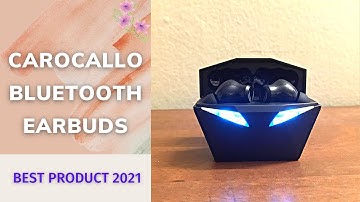
so quick little overview of the new bluetooth 5 wireless earbuds here as you can see it has a usbc in the back um look pretty cool with the led flashing lights i got the airbots pro here for comparison okay earbuds there then you have these here okay similar in size similar in weight so these when you open up they start flashing the leds here in the back and once they're connected they stop flashing so as you can see they connected pretty quickly to my phone and then just to take a look at the headphones side by side here you have the um these and then you have the airpods similar similar size similar look the exception of the these being black and these being white and then you have the leds on these uh pretty good um good value for the money for sure compare the airpods in terms of of sound quality they're very similar to the airpods i would say uh with the only exception is that thes


Similar products