Safety Warning
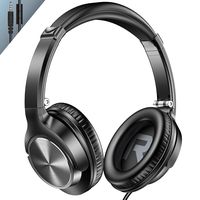
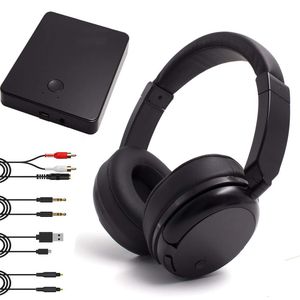
TV headphones can work wellwith TV or any other audio or video devices with RCA, 3.5mm, Optical(With an optical converter included)
Legal Disclaimer
How to use?
Step 1:Charge the headphone( Please don't forget to Switch OFF the headphone before charging,for the initial use, please charge the batteries for 7 hours.)
Step 2: Connect the power adapter to the charging base.
Step 3: Using the long RCA audio cable, plug red and white ends into the back of charging base, the other end into the audio out port of TV or set top box etc.
Step 4: Power on your headphones and it will pair with transmitter instantly. Wear the headphone to enjoy.
Troubleshooting
No Sound
Ensurethe AC/DC adaptor is fully inserted into the AC outlet and the power connectioninput on the transmitter.
Ensure the headphone is switched ON.
Headphone battery charge level may be too low, recharge the batteries fully.
Ensure the TV or the connected audio device is switched ON.
The volume of headphone may be too low, adjust the volume to a moderate level.
The audio signal input level is too low. Increase the volume of the audio source.
Distortion
Ensure the volume level of headphone is set to an approximate level.
The headphone is too far from the transmitter, move it closer.
The audio signal input level is too low. Increase the volume of the audio source.
Warranty: We provide 12-month warranty and friendly after-saleservice. If you have any questions about the wireless tv headphones, feel free to contact us.
![[2020 New] Avantree AS9PA aptX Low Latency Bluetooth 5.0 Over Ear Headphones for Computer TV Watching, Class 1 Long Range Wireless Wired Hi-FI Stereo Headset with Mic, for PC Cell Phones Tablets](https://use4coins.com/thumbs/unsafe/fit-in/200x200/https://images-na.ssl-images-amazon.com/images/I/71p0hiE%2BXAL.jpg)