Description
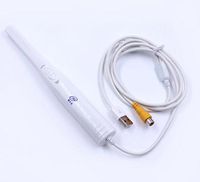
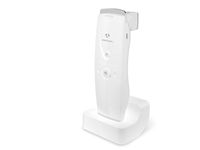
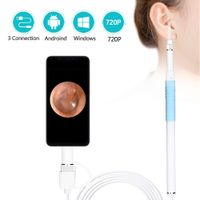
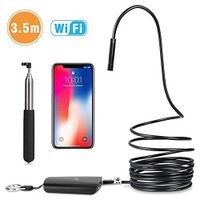
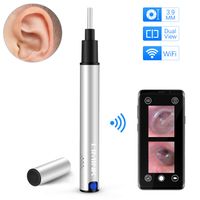
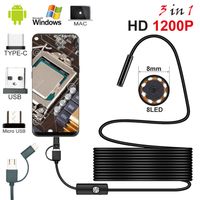
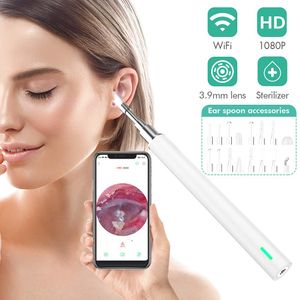
Wifi Otoscope is a very usefully video camera device for us in our daily life.We can watch live video on our smart phone, Desktop and Laptop.TONDOZEN wifi ear camera is A Perfect Personal Health care Tool.
Easy to Use
1.Search for "TIMESSION" on App Store or Google Play Store, download and install the app, you can download by the QR code on the user manual;
2. Remove the dust cover and then the wireless otoscope will turn on automatically ;
3.Find the phone WIFI switch and connect to the wifi "TIMESSION";
4.Open the APP, then you can start use now.
Features Light Sources: 6 pcs LEDs
Best Focal Distance: 1.5-2 cm
View Angle: 70 degree
Resolution: 2 Million Pixel
Easy to Use
1.Search for "TIMESSION" on App Store or Google Play Store, download and install the app, you can download by the QR code on the user manual;
2. Remove the dust cover and then the wireless otoscope will turn on automatically ;
3.Find the phone WIFI switch and connect to the wifi "TIMESSION";
4.Open the APP, then you can start use now.
Features Light Sources: 6 pcs LEDs
Best Focal Distance: 1.5-2 cm
View Angle: 70 degree
Resolution: 2 Million Pixel
Wireless Otoscope,TONDOZEN 3.9mm Ear Camera WiFi 1080P FHD Super Light Lens Ear Wax Removal Endoscope,Compatible with iPhone, iPad & Android Smartphone,Tablet
Current Price
$39.99
Average
$39.99
Min Price
$39.99
Max Price
$39.99
Description
Wifi Otoscope is a very usefully video camera device for us in our daily life.We can watch live video on our smart phone, Desktop and Laptop.TONDOZEN wifi ear camera is A Perfect Personal Health care Tool.
Easy to Use
1.Search for "TIMESSION" on App Store or Google Play Store, download and install the app, you can download by the QR code on the user manual;
2. Remove the dust cover and then the wireless otoscope will turn on automatically ;
3.Find the phone WIFI switch and connect to the wifi "TIMESSION";
4.Open the APP, then you can start use now.
Features Light Sources: 6 pcs LEDs
Best Focal Distance: 1.5-2 cm
View Angle: 70 degree
Resolution: 2 Million Pixel
Easy to Use
1.Search for "TIMESSION" on App Store or Google Play Store, download and install the app, you can download by the QR code on the user manual;
2. Remove the dust cover and then the wireless otoscope will turn on automatically ;
3.Find the phone WIFI switch and connect to the wifi "TIMESSION";
4.Open the APP, then you can start use now.
Features Light Sources: 6 pcs LEDs
Best Focal Distance: 1.5-2 cm
View Angle: 70 degree
Resolution: 2 Million Pixel
Price will be lower
in next 2 weeks
in next 2 weeks
According to the data, price will be lower in next two weeks, so not waste your money and track better price!
Similar products