Description
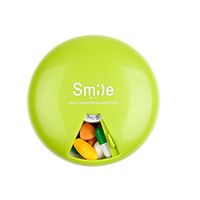
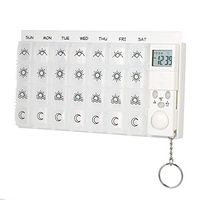
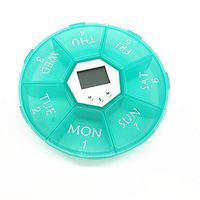
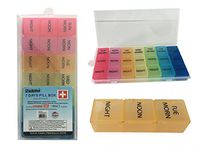
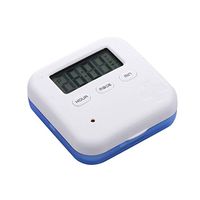
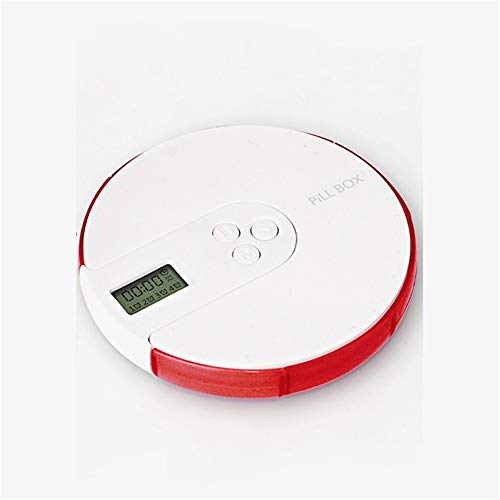
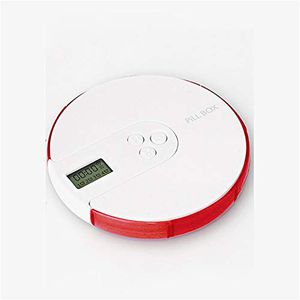
Product Name: Timed Smart Pill Box
Product size: 110mm*110mm*20mm
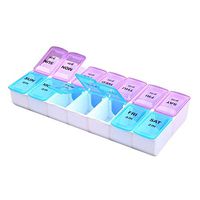
Color: colorful, red, orange, yellow, green, cyan, purple
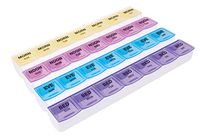
Features: timed reminder, seven grid design, health
Operation setting instructions:
1 switch machine design: long press S key to start, press 3 key to turn off;
2Power saving mode: enter the standby mode after 2 minutes of no operation, press any key to wake up the screen display;
312/24 hour switching: In the clock state, press H and M at the same time AM (AM) PM (PM).
Time design method:
1. Set the time interface by default after power on, in the upper right corner. The clock icon flashes.
2. Press H to set the hour, press M to set the minute, press S to confirm the setting and complete the clock setting.
3. To reset the clock, press the S key continuously to change the clock icon to flash, set the time.
Alarm clock design method:
1. Press the S key continuously to select the icon corresponding to the alarm in the 1-4 group.
2. Select one of the alarms to be set. When the icon is flashing, press H to set the hour, and press M to set the minute.
3. Press the S key to confirm the set time, and the corresponding alarm setting touch, up to 4 alarms can be set.
Product size: 110mm*110mm*20mm
Color: colorful, red, orange, yellow, green, cyan, purple
Features: timed reminder, seven grid design, health
Operation setting instructions:
1 switch machine design: long press S key to start, press 3 key to turn off;
2Power saving mode: enter the standby mode after 2 minutes of no operation, press any key to wake up the screen display;
312/24 hour switching: In the clock state, press H and M at the same time AM (AM) PM (PM).
Time design method:
1. Set the time interface by default after power on, in the upper right corner. The clock icon flashes.
2. Press H to set the hour, press M to set the minute, press S to confirm the setting and complete the clock setting.
3. To reset the clock, press the S key continuously to change the clock icon to flash, set the time.
Alarm clock design method:
1. Press the S key continuously to select the icon corresponding to the alarm in the 1-4 group.
2. Select one of the alarms to be set. When the icon is flashing, press H to set the hour, and press M to set the minute.
3. Press the S key to confirm the set time, and the corresponding alarm setting touch, up to 4 alarms can be set.
WLIXZ Portable Pill Box, Portable One-Week Reminder Pill Box, Travel Medication Container,1
Current Price
$55.82
Average
$55.82
Min Price
$55.82
Max Price
$55.82
Price dynamics
0%
Description
Product Name: Timed Smart Pill Box
Product size: 110mm*110mm*20mm
Color: colorful, red, orange, yellow, green, cyan, purple
Features: timed reminder, seven grid design, health
Operation setting instructions:
1 switch machine design: long press S key to start, press 3 key to turn off;
2Power saving mode: enter the standby mode after 2 minutes of no operation, press any key to wake up the screen display;
312/24 hour switching: In the clock state, press H and M at the same time AM (AM) PM (PM).
Time design method:
1. Set the time interface by default after power on, in the upper right corner. The clock icon flashes.
2. Press H to set the hour, press M to set the minute, press S to confirm the setting and complete the clock setting.
3. To reset the clock, press the S key continuously to change the clock icon to flash, set the time.
Alarm clock design method:
1. Press the S key continuously to select the icon corresponding to the alarm in the 1-4 group.
2. Select one of the alarms to be set. When the icon is flashing, press H to set the hour, and press M to set the minute.
3. Press the S key to confirm the set time, and the corresponding alarm setting touch, up to 4 alarms can be set.
Product size: 110mm*110mm*20mm
Color: colorful, red, orange, yellow, green, cyan, purple
Features: timed reminder, seven grid design, health
Operation setting instructions:
1 switch machine design: long press S key to start, press 3 key to turn off;
2Power saving mode: enter the standby mode after 2 minutes of no operation, press any key to wake up the screen display;
312/24 hour switching: In the clock state, press H and M at the same time AM (AM) PM (PM).
Time design method:
1. Set the time interface by default after power on, in the upper right corner. The clock icon flashes.
2. Press H to set the hour, press M to set the minute, press S to confirm the setting and complete the clock setting.
3. To reset the clock, press the S key continuously to change the clock icon to flash, set the time.
Alarm clock design method:
1. Press the S key continuously to select the icon corresponding to the alarm in the 1-4 group.
2. Select one of the alarms to be set. When the icon is flashing, press H to set the hour, and press M to set the minute.
3. Press the S key to confirm the set time, and the corresponding alarm setting touch, up to 4 alarms can be set.
Price will be lower
in next 2 weeks
in next 2 weeks
According to the data, price will be lower in next two weeks, so not waste your money and track better price!
Similar products