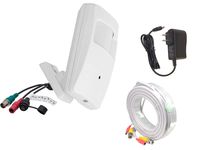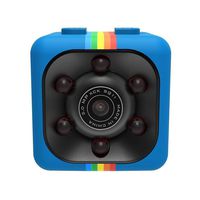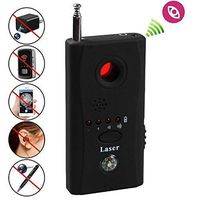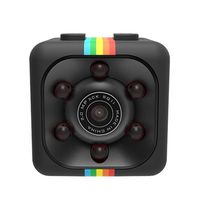
Description
Quick and Easy Set Up
1. Download "YYP2P" or "Yoosee" app from App store/Play store or the website. Also you can scan the QR code from the package box.
2. Connecting your cellphone to a wifi (Please make sure your connected wifi is 2.4G).
3. Power on your camera, the camera will test its rotation, and you will heard the sound "Di...Di...Di...".
4. Open the YYP2P APP on your phone, Register an account and then log in.
5. Click the adding button "+" on the top right corner of the device. Choose the "Smartlink" in "+" menu. The APP will automatically identity the WIFI SSID connected. Input your Wi-Fi password and click `"next"'. Once the camera is connected with Wi-Fi, the Cam ID pops up automatically, input the default camera password (under the bottom of the camera).
6. If you are the first time to use the Camera, the app will prompt you to change the default password to your own one for safety concern. Now you are ready to start monitor and control the camera wherever you are.
The included manual has the detailed introduction and picture to show how to configure your phone.
If you have connection problem, please press the "RESET" button under the camera until you hear the "Ding" sound. Then power off and power one again, and retry the connection.
To make full screen, please double click the screen.
Specifications:
Support 1 way H.264 video stream and 1 way MJPEG video stream simultaneously. Adopt mega pexeis CMOS sensor, support 720 (1280*720) video resolution.
Resolution: HD 1280 x 720 (720P)
Lens pixel: 1.0 megapixel
Focal Length: f=3.6mm
Lens Type: Glass Lens
Audio: support two way audio monitoring
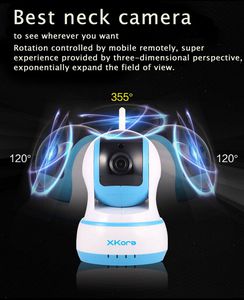
Pan/Tilt Angle: 355°/120°
Night vision distance: 40ft
Memory: Supports up to 64GB TF card (SD HC card)
This IP/wireless camera only supports 2.4 GHz network only. If your Wi-Fi is 5.0 GHz-network, please see whether your router can switch to 2.4 GHz.
1. Download "YYP2P" or "Yoosee" app from App store/Play store or the website. Also you can scan the QR code from the package box.
2. Connecting your cellphone to a wifi (Please make sure your connected wifi is 2.4G).
3. Power on your camera, the camera will test its rotation, and you will heard the sound "Di...Di...Di...".
4. Open the YYP2P APP on your phone, Register an account and then log in.
5. Click the adding button "+" on the top right corner of the device. Choose the "Smartlink" in "+" menu. The APP will automatically identity the WIFI SSID connected. Input your Wi-Fi password and click `"next"'. Once the camera is connected with Wi-Fi, the Cam ID pops up automatically, input the default camera password (under the bottom of the camera).
6. If you are the first time to use the Camera, the app will prompt you to change the default password to your own one for safety concern. Now you are ready to start monitor and control the camera wherever you are.
The included manual has the detailed introduction and picture to show how to configure your phone.
If you have connection problem, please press the "RESET" button under the camera until you hear the "Ding" sound. Then power off and power one again, and retry the connection.
To make full screen, please double click the screen.
Specifications:
Support 1 way H.264 video stream and 1 way MJPEG video stream simultaneously. Adopt mega pexeis CMOS sensor, support 720 (1280*720) video resolution.
Resolution: HD 1280 x 720 (720P)
Lens pixel: 1.0 megapixel
Focal Length: f=3.6mm
Lens Type: Glass Lens
Audio: support two way audio monitoring
Pan/Tilt Angle: 355°/120°
Night vision distance: 40ft
Memory: Supports up to 64GB TF card (SD HC card)
This IP/wireless camera only supports 2.4 GHz network only. If your Wi-Fi is 5.0 GHz-network, please see whether your router can switch to 2.4 GHz.
Xkora 720 HD Pan & Tilt WIFI/Network Wireless/Wired IP Camera with Night Vision,Surveillance , Video Record and Smart Motion Detection for Baby, Business, Home Security Via Remote Control (Blue)
Price is below average
Current Price
$32.99
Average
$46.99
Min Price
$32.99
Max Price
$59.99
Price dynamics
30%
Description
Quick and Easy Set Up
1. Download "YYP2P" or "Yoosee" app from App store/Play store or the website. Also you can scan the QR code from the package box.
2. Connecting your cellphone to a wifi (Please make sure your connected wifi is 2.4G).
3. Power on your camera, the camera will test its rotation, and you will heard the sound "Di...Di...Di...".
4. Open the YYP2P APP on your phone, Register an account and then log in.
5. Click the adding button "+" on the top right corner of the device. Choose the "Smartlink" in "+" menu. The APP will automatically identity the WIFI SSID connected. Input your Wi-Fi password and click `"next"'. Once the camera is connected with Wi-Fi, the Cam ID pops up automatically, input the default camera password (under the bottom of the camera).
6. If you are the first time to use the Camera, the app will prompt you to change the default password to your own one for safety concern. Now you are ready to start monitor and control the camera wherever you are.
The included manual has the detailed introduction and picture to show how to configure your phone.
If you have connection problem, please press the "RESET" button under the camera until you hear the "Ding" sound. Then power off and power one again, and retry the connection.
To make full screen, please double click the screen.
Specifications:
Support 1 way H.264 video stream and 1 way MJPEG video stream simultaneously. Adopt mega pexeis CMOS sensor, support 720 (1280*720) video resolution.
Resolution: HD 1280 x 720 (720P)
Lens pixel: 1.0 megapixel
Focal Length: f=3.6mm
Lens Type: Glass Lens
Audio: support two way audio monitoring
Pan/Tilt Angle: 355°/120°
Night vision distance: 40ft
Memory: Supports up to 64GB TF card (SD HC card)
This IP/wireless camera only supports 2.4 GHz network only. If your Wi-Fi is 5.0 GHz-network, please see whether your router can switch to 2.4 GHz.
1. Download "YYP2P" or "Yoosee" app from App store/Play store or the website. Also you can scan the QR code from the package box.
2. Connecting your cellphone to a wifi (Please make sure your connected wifi is 2.4G).
3. Power on your camera, the camera will test its rotation, and you will heard the sound "Di...Di...Di...".
4. Open the YYP2P APP on your phone, Register an account and then log in.
5. Click the adding button "+" on the top right corner of the device. Choose the "Smartlink" in "+" menu. The APP will automatically identity the WIFI SSID connected. Input your Wi-Fi password and click `"next"'. Once the camera is connected with Wi-Fi, the Cam ID pops up automatically, input the default camera password (under the bottom of the camera).
6. If you are the first time to use the Camera, the app will prompt you to change the default password to your own one for safety concern. Now you are ready to start monitor and control the camera wherever you are.
The included manual has the detailed introduction and picture to show how to configure your phone.
If you have connection problem, please press the "RESET" button under the camera until you hear the "Ding" sound. Then power off and power one again, and retry the connection.
To make full screen, please double click the screen.
Specifications:
Support 1 way H.264 video stream and 1 way MJPEG video stream simultaneously. Adopt mega pexeis CMOS sensor, support 720 (1280*720) video resolution.
Resolution: HD 1280 x 720 (720P)
Lens pixel: 1.0 megapixel
Focal Length: f=3.6mm
Lens Type: Glass Lens
Audio: support two way audio monitoring
Pan/Tilt Angle: 355°/120°
Night vision distance: 40ft
Memory: Supports up to 64GB TF card (SD HC card)
This IP/wireless camera only supports 2.4 GHz network only. If your Wi-Fi is 5.0 GHz-network, please see whether your router can switch to 2.4 GHz.
Price will be lower
in next 2 weeks
in next 2 weeks
According to the data, price will be lower in next two weeks, so not waste your money and track better price!
Product review & video
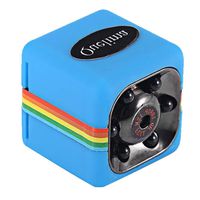
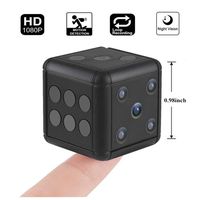
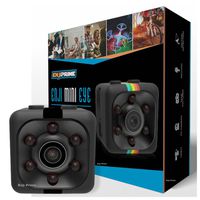
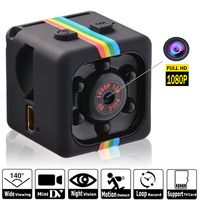
hey guys welcome back to another video today we're gonna be looking at a very tiny camera so they call this a sports camera but it is more like a spy camera so let's check this thing out so it comes in this pack here that looks pretty simple so here is some of the features it can do it is a 1080p so supposed to be pretty good quality here are some of the information about it and here are the specifications alright guys so let's open it up and see what it looks like it definitely looks promising all right so we have instruction user manual and here it is guys this thing is tiny okay so it's definitely smaller than I thought it was gonna be it's a very small cube look at my thumb and the camera so yeah that's pretty young person a little let us see okay so we get some kind of clips here I guess these are mounts okay so that I camera mounts on here so you can clip it onto something and the


Similar products