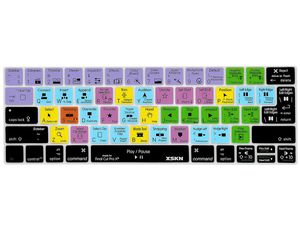
Description
Compatible ONLY with(otherwise not compatible):
- for MacBook Pro 13-inch with Touch Bar Model: A1706, A1989 -- Released 2016+
- for MacBook Pro 15-inch with Touch Bar Model: A1707, A1990 -- Released 2016+
Fit for both US and EU Layout Macbook keyboard
US Layout: "Enter" key is a rectangle.
EU Layout: "Enter" key looks like "7"
Caution:
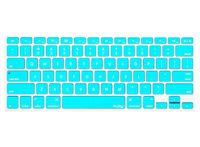
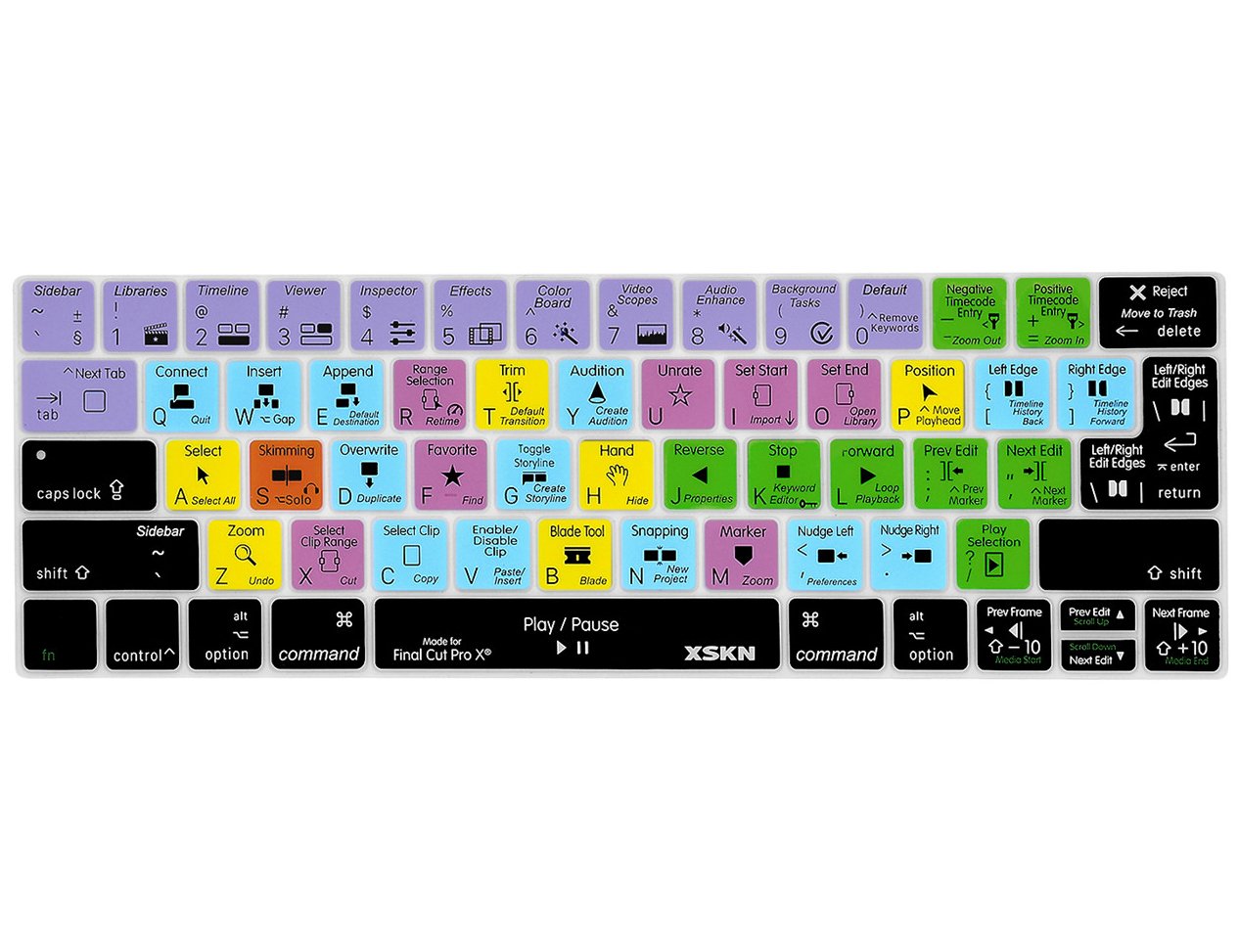
XSKN US&EU Layout keyboard skin fits both US version and EU version keyboard, product looks exactly same as photo display,
main difference is the"Enter/Return" key, it covered 2 nearby keys, do not affect normal use, printing on it will show you where to press.
Model Guide for Macbook: Turn your laptop upside down,
underneath, locate the Model Number in small print that start with "A****"
Features:
-Clean by placing in boiling water and or washing with soapy water
-Strong and durable
-Easy to apply
-Fits every contour of your keyboard
-Reduces the sound from typing
-Unique thinness gives excellent fell
-Upper side adopted rubber coating, gives you a comfortable soft touch feeling and ensure long lasting durability
-Lower side is shiny surface, make the keyboard cover fit perfectly without any sticker/glue, will not slip or slide
Special notes:
-Color coding generally indicate for how the grouping of tools is on workspace
-XSKN assure every product provided with excellent quality
-To maximize its functional character, the cover is fully printed with instructive letters and icons, thus unable to support back-light
-Camera's Focus Mode will make focused part pretty clear and unfocused part fuzzy, but real product will be nice and clear
Package Content:
- 1 x Silicone Keyboard Skin
- for MacBook Pro 13-inch with Touch Bar Model: A1706, A1989 -- Released 2016+
- for MacBook Pro 15-inch with Touch Bar Model: A1707, A1990 -- Released 2016+
Fit for both US and EU Layout Macbook keyboard
US Layout: "Enter" key is a rectangle.
EU Layout: "Enter" key looks like "7"
Caution:
XSKN US&EU Layout keyboard skin fits both US version and EU version keyboard, product looks exactly same as photo display,
main difference is the"Enter/Return" key, it covered 2 nearby keys, do not affect normal use, printing on it will show you where to press.
Model Guide for Macbook: Turn your laptop upside down,
underneath, locate the Model Number in small print that start with "A****"
Features:
-Clean by placing in boiling water and or washing with soapy water
-Strong and durable
-Easy to apply
-Fits every contour of your keyboard
-Reduces the sound from typing
-Unique thinness gives excellent fell
-Upper side adopted rubber coating, gives you a comfortable soft touch feeling and ensure long lasting durability
-Lower side is shiny surface, make the keyboard cover fit perfectly without any sticker/glue, will not slip or slide
Special notes:
-Color coding generally indicate for how the grouping of tools is on workspace
-XSKN assure every product provided with excellent quality
-To maximize its functional character, the cover is fully printed with instructive letters and icons, thus unable to support back-light
-Camera's Focus Mode will make focused part pretty clear and unfocused part fuzzy, but real product will be nice and clear
Package Content:
- 1 x Silicone Keyboard Skin
XSKN Final Cut Pro X 10 Keyboard Cover Skin for Touch Bar Models MacBook Pro 13 (A1706) and MacBook Pro 15 (A1707), Shortcut Design Silicone Keyboard Protector
Current Price
$13.99
Average
$13.99
Min Price
$13.99
Max Price
$13.99
Price dynamics
0%
Description
Compatible ONLY with(otherwise not compatible):
- for MacBook Pro 13-inch with Touch Bar Model: A1706, A1989 -- Released 2016+
- for MacBook Pro 15-inch with Touch Bar Model: A1707, A1990 -- Released 2016+
Fit for both US and EU Layout Macbook keyboard
US Layout: "Enter" key is a rectangle.
EU Layout: "Enter" key looks like "7"
Caution:
XSKN US&EU Layout keyboard skin fits both US version and EU version keyboard, product looks exactly same as photo display,
main difference is the"Enter/Return" key, it covered 2 nearby keys, do not affect normal use, printing on it will show you where to press.
Model Guide for Macbook: Turn your laptop upside down,
underneath, locate the Model Number in small print that start with "A****"
Features:
-Clean by placing in boiling water and or washing with soapy water
-Strong and durable
-Easy to apply
-Fits every contour of your keyboard
-Reduces the sound from typing
-Unique thinness gives excellent fell
-Upper side adopted rubber coating, gives you a comfortable soft touch feeling and ensure long lasting durability
-Lower side is shiny surface, make the keyboard cover fit perfectly without any sticker/glue, will not slip or slide
Special notes:
-Color coding generally indicate for how the grouping of tools is on workspace
-XSKN assure every product provided with excellent quality
-To maximize its functional character, the cover is fully printed with instructive letters and icons, thus unable to support back-light
-Camera's Focus Mode will make focused part pretty clear and unfocused part fuzzy, but real product will be nice and clear
Package Content:
- 1 x Silicone Keyboard Skin
- for MacBook Pro 13-inch with Touch Bar Model: A1706, A1989 -- Released 2016+
- for MacBook Pro 15-inch with Touch Bar Model: A1707, A1990 -- Released 2016+
Fit for both US and EU Layout Macbook keyboard
US Layout: "Enter" key is a rectangle.
EU Layout: "Enter" key looks like "7"
Caution:
XSKN US&EU Layout keyboard skin fits both US version and EU version keyboard, product looks exactly same as photo display,
main difference is the"Enter/Return" key, it covered 2 nearby keys, do not affect normal use, printing on it will show you where to press.
Model Guide for Macbook: Turn your laptop upside down,
underneath, locate the Model Number in small print that start with "A****"
Features:
-Clean by placing in boiling water and or washing with soapy water
-Strong and durable
-Easy to apply
-Fits every contour of your keyboard
-Reduces the sound from typing
-Unique thinness gives excellent fell
-Upper side adopted rubber coating, gives you a comfortable soft touch feeling and ensure long lasting durability
-Lower side is shiny surface, make the keyboard cover fit perfectly without any sticker/glue, will not slip or slide
Special notes:
-Color coding generally indicate for how the grouping of tools is on workspace
-XSKN assure every product provided with excellent quality
-To maximize its functional character, the cover is fully printed with instructive letters and icons, thus unable to support back-light
-Camera's Focus Mode will make focused part pretty clear and unfocused part fuzzy, but real product will be nice and clear
Package Content:
- 1 x Silicone Keyboard Skin
Price will be lower
in next 2 weeks
in next 2 weeks
According to the data, price will be lower in next two weeks, so not waste your money and track better price!
Product review & video
in this video we discussed 15 touch bar Tips & Tricks the first tip is an obvious one how to show your function keys on the touch bar to do so all you need to do is hold the function key in the bottom left hand corner of the hardware keyboard and that will reveal the function keys in the touch bar now what if you always want to display function keys for a particular app just go to System Preferences keyboard shortcuts and then click the function keys section and then click the plus button to add an app and once you select your app you're going to notice that the function keys are displayed in the touch bar instead of anything else alright so we're going to select terminal here and then click Add and now we'll open up the terminal app and watch what happens you see that it displays the 12 function keys in the touch bar and if you hold the function key on your keyboard the touch bar will


Similar products