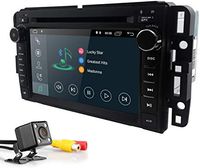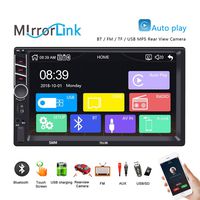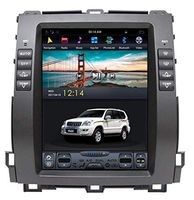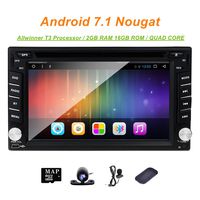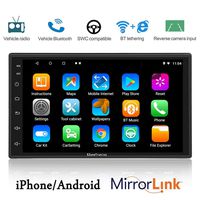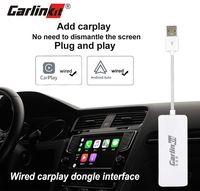
Description
Note: This dongle only compatible with Android Car Stereo with Android 7.1 and above.
Simply Connected and Go
Before connection, please download and install "AutoKit" app to your Android car stereo and open it: https://1drv.ms/u/s!Am70h7RvIcDI4XfDzjT8v8u4aEKO
For iPhone
1.Connect CP02 to the car stereo USB port.
2.Connect iOS device to CP02, Connection Completed
For Android Phone
1.Connect your phone with car stereo via Bluetooth.
2.Connect CP02 to the car stereo USB port.
3.Connect android device to CP02.
4.Download and install "Android Auto" app in the android device as per notification.
Package Includes:
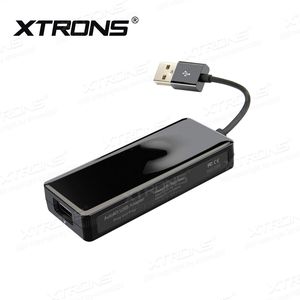
1 x USB Dongle
1 x User Manual
Simply Connected and Go
Before connection, please download and install "AutoKit" app to your Android car stereo and open it: https://1drv.ms/u/s!Am70h7RvIcDI4XfDzjT8v8u4aEKO
For iPhone
1.Connect CP02 to the car stereo USB port.
2.Connect iOS device to CP02, Connection Completed
For Android Phone
1.Connect your phone with car stereo via Bluetooth.
2.Connect CP02 to the car stereo USB port.
3.Connect android device to CP02.
4.Download and install "Android Auto" app in the android device as per notification.
Package Includes:
1 x USB Dongle
1 x User Manual
XTRONS Car Auto Play Mini Dongle USB Android Auto Receiver Adapter for iPhone & Android Smartphone Work with Android Car Stereo GPS Navigation DVD Radio Player
Current Price
$41.99
Average
$41.99
Min Price
$41.99
Max Price
$41.99
Description
Note: This dongle only compatible with Android Car Stereo with Android 7.1 and above.
Simply Connected and Go
Before connection, please download and install "AutoKit" app to your Android car stereo and open it: https://1drv.ms/u/s!Am70h7RvIcDI4XfDzjT8v8u4aEKO
For iPhone
1.Connect CP02 to the car stereo USB port.
2.Connect iOS device to CP02, Connection Completed
For Android Phone
1.Connect your phone with car stereo via Bluetooth.
2.Connect CP02 to the car stereo USB port.
3.Connect android device to CP02.
4.Download and install "Android Auto" app in the android device as per notification.
Package Includes:
1 x USB Dongle
1 x User Manual
Simply Connected and Go
Before connection, please download and install "AutoKit" app to your Android car stereo and open it: https://1drv.ms/u/s!Am70h7RvIcDI4XfDzjT8v8u4aEKO
For iPhone
1.Connect CP02 to the car stereo USB port.
2.Connect iOS device to CP02, Connection Completed
For Android Phone
1.Connect your phone with car stereo via Bluetooth.
2.Connect CP02 to the car stereo USB port.
3.Connect android device to CP02.
4.Download and install "Android Auto" app in the android device as per notification.
Package Includes:
1 x USB Dongle
1 x User Manual
Price will be lower
in next 2 weeks
in next 2 weeks
According to the data, price will be lower in next two weeks, so not waste your money and track better price!
Product review & video
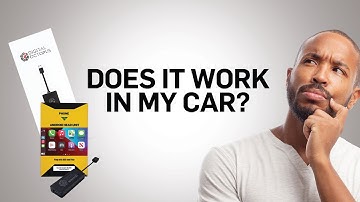
hi guys max perez here today we're going to go over these two items the digital octopus wireless pro and the wired pro both great systems to convert your android head unit into apple carplay or android auto so the first thing we're gonna do is identify your system make sure that you have android installed just because your car has a screen a touch screen does not mean it's android uh the first the best way to tell if it's android-based is by going into your main menu on the on your head unit and see if you have either google chrome the google app or the play store so these are three uh giveaways that would that would tell you that this is a google-based phone uh you will need the google chrome because uh we need a web browser so we can go ahead and download the app that needs to go on the system you will not find this in the google store or any other store it has to be downloaded from t

Similar products