- HomeElectronicsComputers & AccessoriesComputer Accessories & PeripheralsMemory Card AccessoriesMemory Card Readers
Description
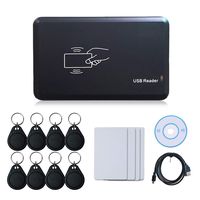
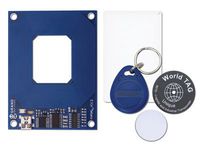
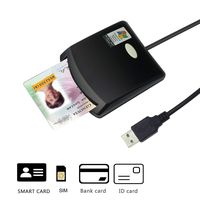
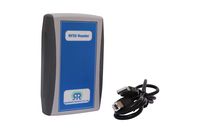
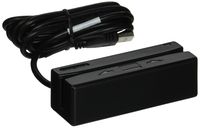
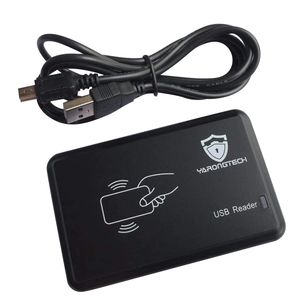
1.MIFARE card reader.
2.read first 10 digits.
3.13.56mhz.
4.USB interface.
5.no need driver.
6.please choose the right output format,see below:
10D: such as "0040856688"
10H: Such as "01026f6c9a"
8D: Such as "07802202"
8H: Such as "026f6c8a"
MIFARE and MIFARE Classic are trademarks of NXP B.V.
Installation Instructions
First: Connect the usb cable with the card reader to the computer USB port.
Second: The reader will 'drip' sound and flash about that power successfully, and then half a second after the 'drip' sound and flash about that device self-test successfully, without Install any drivers, windows will automatically recognize it.
Third: Open one EXCEL or WORD ,the card number would be input by self
2.read first 10 digits.
3.13.56mhz.
4.USB interface.
5.no need driver.
6.please choose the right output format,see below:
10D: such as "0040856688"
10H: Such as "01026f6c9a"
8D: Such as "07802202"
8H: Such as "026f6c8a"
MIFARE and MIFARE Classic are trademarks of NXP B.V.
Installation Instructions
First: Connect the usb cable with the card reader to the computer USB port.
Second: The reader will 'drip' sound and flash about that power successfully, and then half a second after the 'drip' sound and flash about that device self-test successfully, without Install any drivers, windows will automatically recognize it.
Third: Open one EXCEL or WORD ,the card number would be input by self
YARONGTECH rfid MIFARE Card Reader 13.56mhz USB
Price is below average
Current Price
$16.88
Average
$19.89
Min Price
$16.88
Max Price
$22.89
Price dynamics
15%
Description
1.MIFARE card reader.
2.read first 10 digits.
3.13.56mhz.
4.USB interface.
5.no need driver.
6.please choose the right output format,see below:
10D: such as "0040856688"
10H: Such as "01026f6c9a"
8D: Such as "07802202"
8H: Such as "026f6c8a"
MIFARE and MIFARE Classic are trademarks of NXP B.V.
Installation Instructions
First: Connect the usb cable with the card reader to the computer USB port.
Second: The reader will 'drip' sound and flash about that power successfully, and then half a second after the 'drip' sound and flash about that device self-test successfully, without Install any drivers, windows will automatically recognize it.
Third: Open one EXCEL or WORD ,the card number would be input by self
2.read first 10 digits.
3.13.56mhz.
4.USB interface.
5.no need driver.
6.please choose the right output format,see below:
10D: such as "0040856688"
10H: Such as "01026f6c9a"
8D: Such as "07802202"
8H: Such as "026f6c8a"
MIFARE and MIFARE Classic are trademarks of NXP B.V.
Installation Instructions
First: Connect the usb cable with the card reader to the computer USB port.
Second: The reader will 'drip' sound and flash about that power successfully, and then half a second after the 'drip' sound and flash about that device self-test successfully, without Install any drivers, windows will automatically recognize it.
Third: Open one EXCEL or WORD ,the card number would be input by self
Price will be lower
in next 2 weeks
in next 2 weeks
According to the data, price will be lower in next two weeks, so not waste your money and track better price!
Similar products