Description
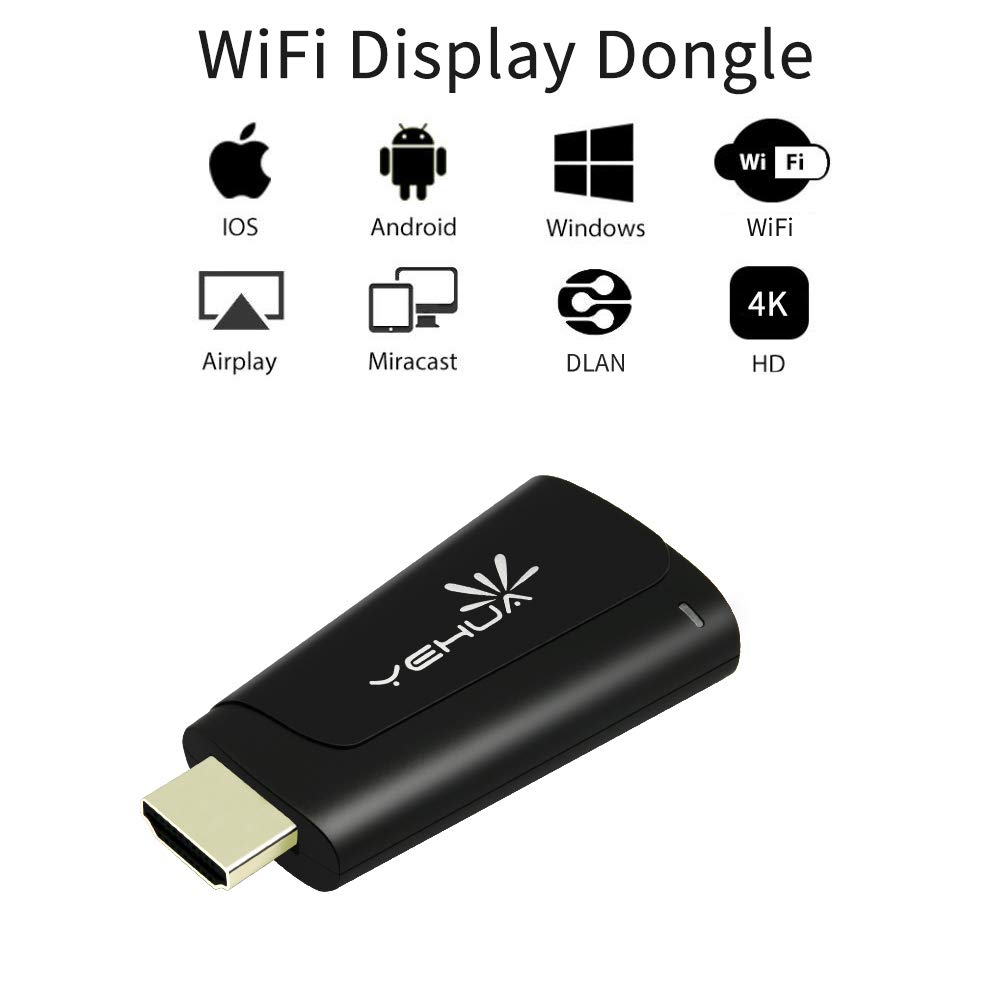
The YEHUA miracast dongle wireless display stick and multimedia display receiver (Airplay, WLAN, DLNA) can transfer your pictures, audio files and videos from your iPhone, Android Smartphone / Tablet to a HD TV, monitor or beamer via a WLAN connection. WIFI dongle is perfect for office and stions (Powerpoint, Excel, Word, PDF and images from the smartchool presentaphone, tablet to HD TV or beamer).
How to use:
For ios: https://www.youtube.com/watch?v=0xxQpNGTZc4
For Android: https://www.youtube.com/watch?v=rkah5JuDIyc
Android device: Find miracast feature (screen share) and connect signal, your phone will display to screen.
IOS device(iphone): Connect to SSID in network →input IP address in browser → Dongle connect to WIFI in settig page. → Device and dongle connect to same WIFI. → Open "airplay" and connect signal.
Laptop Windows 8.1 10: click "Windows +P ", input PSK, your laptop will display to TV.
Google home app: Sure your dongle and phone connect to same WIFI, find "Mirror device" in google home and connect it.
If you watch Youtube meet some question ,no picture or other question ,change Mirroring + streaming to Mirroring only in setting page and restart dongle.
If your question not be solved ,contact us please,we will help you forever. (support@lemorele.com)
Main features:
1. Supports 3 different transmission paths (Miracast, DLNA, Airplay) Airplay for iOS 6.0 and later Miracast for Android 5.0 and later
2. Supports the streaming of movies, videos, audio, TV, webcast and web browsing
3. Mirror your smartphone / tablet screen (photo, video, music, Word, Excel, Powerpoint, PDF, WebTV, Internet) to a large HDTV (up to 1080p)
4. Easy setup: simply plug the stick into your HD TV and connect it to your WLAN.
YEHUA 5G/2.4G WiFi Display Dongle Wireless HDMI Airplay adapter for iOS/Android/iPad/iphone Screen Cast Support DLNA/Airplay/ 4K Miracast/Ezcast
Price is below average
Current Price
$29.99
Average
$32.16
Min Price
$29.99
Max Price
$32.99
Price dynamics
7%
Description
The YEHUA miracast dongle wireless display stick and multimedia display receiver (Airplay, WLAN, DLNA) can transfer your pictures, audio files and videos from your iPhone, Android Smartphone / Tablet to a HD TV, monitor or beamer via a WLAN connection. WIFI dongle is perfect for office and stions (Powerpoint, Excel, Word, PDF and images from the smartchool presentaphone, tablet to HD TV or beamer).
How to use:
For ios: https://www.youtube.com/watch?v=0xxQpNGTZc4
For Android: https://www.youtube.com/watch?v=rkah5JuDIyc
Android device: Find miracast feature (screen share) and connect signal, your phone will display to screen.
IOS device(iphone): Connect to SSID in network →input IP address in browser → Dongle connect to WIFI in settig page. → Device and dongle connect to same WIFI. → Open "airplay" and connect signal.
Laptop Windows 8.1 10: click "Windows +P ", input PSK, your laptop will display to TV.
Google home app: Sure your dongle and phone connect to same WIFI, find "Mirror device" in google home and connect it.
If you watch Youtube meet some question ,no picture or other question ,change Mirroring + streaming to Mirroring only in setting page and restart dongle.
If your question not be solved ,contact us please,we will help you forever. (support@lemorele.com)
Main features:
1. Supports 3 different transmission paths (Miracast, DLNA, Airplay) Airplay for iOS 6.0 and later Miracast for Android 5.0 and later
2. Supports the streaming of movies, videos, audio, TV, webcast and web browsing
3. Mirror your smartphone / tablet screen (photo, video, music, Word, Excel, Powerpoint, PDF, WebTV, Internet) to a large HDTV (up to 1080p)
4. Easy setup: simply plug the stick into your HD TV and connect it to your WLAN.
Price will be lower
in next 2 weeks
in next 2 weeks
According to the data, price will be lower in next two weeks, so not waste your money and track better price!

Similar products