Description
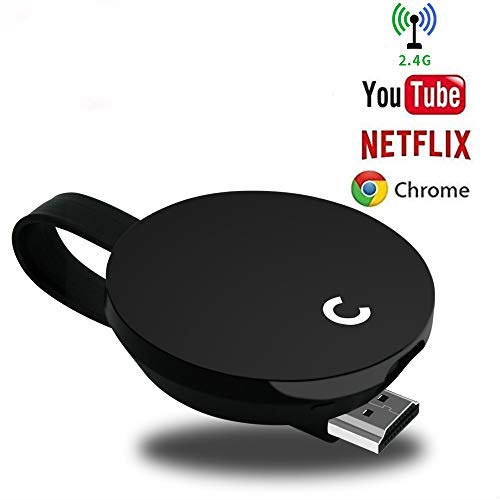
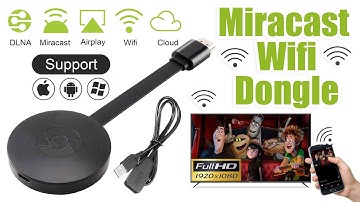
Miracast dongle wireless display stick and multimedia display receiver (Airplay, WLAN, DLNA,Miracast ) can transfer your pictures, audio files and videos from your iPhone, Android Smartphone / Tablet to a HD TV, monitor or beamer via a WLAN connection. With this product, you can easily share high-resolution media files with friends and family. The stick is perfect for office and school presentations (Powerpoint, Excel, Word, PDF and images from the smartphone, tablet to HD TV or beamer).
Attention:
a) The hardware key must be powered by a 5V / 1A AC adapter.
b) it is not compatible with DRM video applications (Netflix, Amazon VOD, HBO go, HULU, Honda engine, DIRECTV, hulu, crunchyroll, etc.)
c) compatible with Windows 7,Windows8.1 and Windows10,not to compatible XP.
d) Check if your compatibility with Miracast for Android / Windows (note that Android / Windows devices incompatible with Miracast may not work with AnyCast) .
System Requirements:
For iOS: compatible with iOS 7.0 and later. For Android: Supports Android 4.2 and later.
For Mac OS: support for Mac OS 10 and later. For Windows: support for Windows 8.1 and later.
How to use:
YouTube channel: Yehua, https://www.youtube.com/watch?v=hAcGttuMJus (google home for android)
Setting Vedio: Yehua ,https://www.youtube.com/watch?v=psjU6Dq7XgM (use video)
Package content:
1 x MiraScreen dongle
1 x WiFi antenna cable
1 x user manual
Guarantee without problems:
-12 months product warranty without worries.
- Professional technical assistance and customer service are always satisfied.
Attention:
a) The hardware key must be powered by a 5V / 1A AC adapter.
b) it is not compatible with DRM video applications (Netflix, Amazon VOD, HBO go, HULU, Honda engine, DIRECTV, hulu, crunchyroll, etc.)
c) compatible with Windows 7,Windows8.1 and Windows10,not to compatible XP.
d) Check if your compatibility with Miracast for Android / Windows (note that Android / Windows devices incompatible with Miracast may not work with AnyCast) .
System Requirements:
For iOS: compatible with iOS 7.0 and later. For Android: Supports Android 4.2 and later.
For Mac OS: support for Mac OS 10 and later. For Windows: support for Windows 8.1 and later.
How to use:
YouTube channel: Yehua, https://www.youtube.com/watch?v=hAcGttuMJus (google home for android)
Setting Vedio: Yehua ,https://www.youtube.com/watch?v=psjU6Dq7XgM (use video)
Package content:
1 x MiraScreen dongle
1 x WiFi antenna cable
1 x user manual
Guarantee without problems:
-12 months product warranty without worries.
- Professional technical assistance and customer service are always satisfied.
Yehua WiFi Display Dongle Wireless 1080P 2.4G HD TV Stick Support Miracast/AirPlay/DLNA for Google/Projector/iOS/Android/Windows/Mac
Price is below average
Current Price
$18.99
Average
$19.19
Min Price
$17.99
Max Price
$19.99
Price dynamics
1%
Description
Miracast dongle wireless display stick and multimedia display receiver (Airplay, WLAN, DLNA,Miracast ) can transfer your pictures, audio files and videos from your iPhone, Android Smartphone / Tablet to a HD TV, monitor or beamer via a WLAN connection. With this product, you can easily share high-resolution media files with friends and family. The stick is perfect for office and school presentations (Powerpoint, Excel, Word, PDF and images from the smartphone, tablet to HD TV or beamer).
Attention:
a) The hardware key must be powered by a 5V / 1A AC adapter.
b) it is not compatible with DRM video applications (Netflix, Amazon VOD, HBO go, HULU, Honda engine, DIRECTV, hulu, crunchyroll, etc.)
c) compatible with Windows 7,Windows8.1 and Windows10,not to compatible XP.
d) Check if your compatibility with Miracast for Android / Windows (note that Android / Windows devices incompatible with Miracast may not work with AnyCast) .
System Requirements:
For iOS: compatible with iOS 7.0 and later. For Android: Supports Android 4.2 and later.
For Mac OS: support for Mac OS 10 and later. For Windows: support for Windows 8.1 and later.
How to use:
YouTube channel: Yehua, https://www.youtube.com/watch?v=hAcGttuMJus (google home for android)
Setting Vedio: Yehua ,https://www.youtube.com/watch?v=psjU6Dq7XgM (use video)
Package content:
1 x MiraScreen dongle
1 x WiFi antenna cable
1 x user manual
Guarantee without problems:
-12 months product warranty without worries.
- Professional technical assistance and customer service are always satisfied.
Attention:
a) The hardware key must be powered by a 5V / 1A AC adapter.
b) it is not compatible with DRM video applications (Netflix, Amazon VOD, HBO go, HULU, Honda engine, DIRECTV, hulu, crunchyroll, etc.)
c) compatible with Windows 7,Windows8.1 and Windows10,not to compatible XP.
d) Check if your compatibility with Miracast for Android / Windows (note that Android / Windows devices incompatible with Miracast may not work with AnyCast) .
System Requirements:
For iOS: compatible with iOS 7.0 and later. For Android: Supports Android 4.2 and later.
For Mac OS: support for Mac OS 10 and later. For Windows: support for Windows 8.1 and later.
How to use:
YouTube channel: Yehua, https://www.youtube.com/watch?v=hAcGttuMJus (google home for android)
Setting Vedio: Yehua ,https://www.youtube.com/watch?v=psjU6Dq7XgM (use video)
Package content:
1 x MiraScreen dongle
1 x WiFi antenna cable
1 x user manual
Guarantee without problems:
-12 months product warranty without worries.
- Professional technical assistance and customer service are always satisfied.
Price will be lower
in next 2 weeks
in next 2 weeks
According to the data, price will be lower in next two weeks, so not waste your money and track better price!
Product review & video
[Music] hello guys uh we are back with one of our new product and today we are going to check this ez chromecast it's a mirror cast device you can easily mirror with your phone to your tv wireless so let's see what we get inside first of all user manual we have main device it's uh actually my phone over here here you can see there is a power port and a reset button and here we can get one wireless receiver power adapter micro usb and usb port you can plug back to your tv or you can use uh adapter 5 volt adapter so it will be easy to get constant 5 for 5.0 volt power you can use this kind of adapter over here just plug it this way it's easy and connect this device to your easier cast and this one goes back to your tv and you can mirror from your phone directly to your tv okay guys so here we have a hdmi cable from back to our tv okay so what we're going to do we just connect it this devi


Similar products