Description
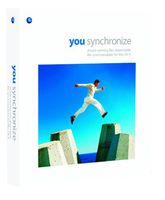
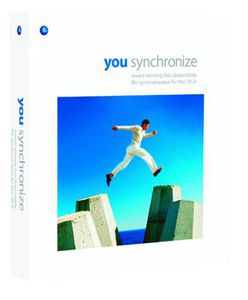
Award-winning fast dependable filesynchronization for Mac OS XProduct InformationYou Synchronize is a state of the art approach to file synchronization that letsyou quickly easily accurately and safely synchronize files and folders acrossnotebooks desktops and servers. Designed for Mac OS X users who keepfiles in more than one location and need to synchronize those files on a regularbasis. With You Synchronize you can work on files in multiplelocations without hesitation confident that your changes will be replicatedwithout data loss. Superior TAS (Time And State) synchronization technique - You Synchronizeuses a reliable uniquely accurate Time And State (TAS) sync technique thatstores and pares sophisticated checksums over time looking for the mostrecent substantive change sot your files and folders.Works with the same software systems and servers you do - YouSynchronize supports synchronizing files to Mac OS Microsoft Windows NTwindows 2000 and Windows.NET servers running Microsoft Services for Macintosh.Product Features Advanced Time and State Synchronization - More reliable than simple modification date parison. Eliminates creating duplicate files. CRC 32-bit Checksum - Compares 35 different file attributes to identify changes between two files being synchronized. Create multiple custom synchronization projects - Customize projects for specific synchronization needs. Scheduled Synchronizations - Set recurring synchronizations to fit your schedule. File Inspector - Shows you 40 different file attributes giving you an in-depth analysis of your files. File Extension Helper - Quickly identify which program uses specific files and the type of information contained in each file. Nearly 11000 file extensions used by different operating systems and hundreds of applications are identified. File Comparison - Shows you true differences between files based on analyzing and paring 35 attributes. Synchroniz
You Synchronize (Mac)
Price is below average
Current Price
$1.36
Average
$5.1
Min Price
$1.17
Max Price
$32.99
Price dynamics
73%
Description
Award-winning fast dependable filesynchronization for Mac OS XProduct InformationYou Synchronize is a state of the art approach to file synchronization that letsyou quickly easily accurately and safely synchronize files and folders acrossnotebooks desktops and servers. Designed for Mac OS X users who keepfiles in more than one location and need to synchronize those files on a regularbasis. With You Synchronize you can work on files in multiplelocations without hesitation confident that your changes will be replicatedwithout data loss. Superior TAS (Time And State) synchronization technique - You Synchronizeuses a reliable uniquely accurate Time And State (TAS) sync technique thatstores and pares sophisticated checksums over time looking for the mostrecent substantive change sot your files and folders.Works with the same software systems and servers you do - YouSynchronize supports synchronizing files to Mac OS Microsoft Windows NTwindows 2000 and Windows.NET servers running Microsoft Services for Macintosh.Product Features Advanced Time and State Synchronization - More reliable than simple modification date parison. Eliminates creating duplicate files. CRC 32-bit Checksum - Compares 35 different file attributes to identify changes between two files being synchronized. Create multiple custom synchronization projects - Customize projects for specific synchronization needs. Scheduled Synchronizations - Set recurring synchronizations to fit your schedule. File Inspector - Shows you 40 different file attributes giving you an in-depth analysis of your files. File Extension Helper - Quickly identify which program uses specific files and the type of information contained in each file. Nearly 11000 file extensions used by different operating systems and hundreds of applications are identified. File Comparison - Shows you true differences between files based on analyzing and paring 35 attributes. Synchroniz
Price will be lower
in next 2 weeks
in next 2 weeks
According to the data, price will be lower in next two weeks, so not waste your money and track better price!
Product review & video
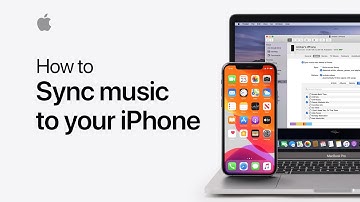
Starting in MacOS Catalina, you can use the Finder
to sync music and playlists from your Mac
to your iOS device. Here's how. If you're
an Apple Music subscriber, your entire music library syncs across all your devices
automatically. For anything not in Apple Music,
you can sync with your Mac. To start synching your music
using the Finder, you'll need to plug your device
into your Mac. Next, open a Finder window and click your device name
in the sidebar under Locations. Now, click the Music tab
at the top of this window and then click the check box
to sync music to your device. Here you can select
either your entire music library to sync to your device, or you can select specific
artists, albums, genres, or playlists. We'll select a few playlists. ♪ Music playing ♪ Next, click Apply. If you've done this
at least once already, this button
will say Sync instead. If you have any movies,
TV

Similar products