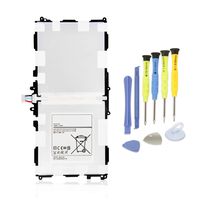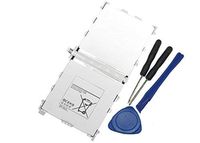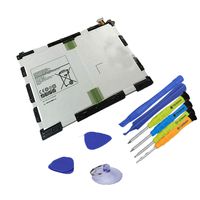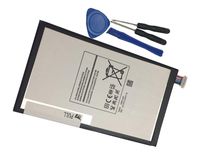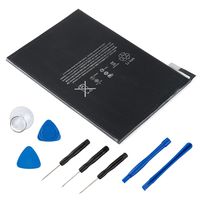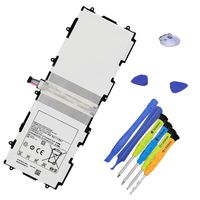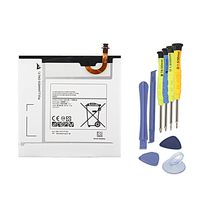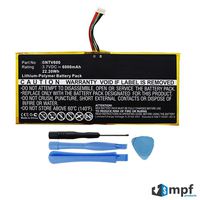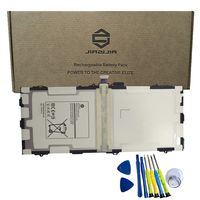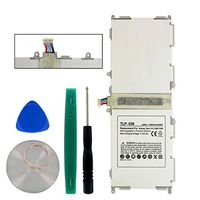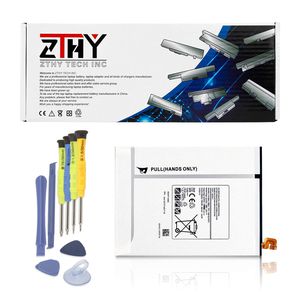
Description
Specifications:
Battery Type: Li-ion
Voltage: 3.85V
Capacity: 4000mAh/15.4Wh
Certificate: CE,RoHS,FCC
Condition: 100% New from Manufacturer, Grade A Cell
Compatible with Part Numbers:
EB-BT710ABE EB-BT710ABC EB-BT710ABA GH43-04449B GH43-04449A
Fit Laptop Machine Models:
Samsung Galaxy Tab S2 8.0 Series Tablet
Samsung T710 Galaxy Tab S2 8.0 WiFi
Samsung T715 Galaxy Tab S2 8.0 3G/LTE
Samsung T719 Galaxy Tab S2 8.0 3G/LTE 2016
Samsung T719N Galaxy Tab S2 8.0
Samsung Galaxy Tab S2 Plus 8.0 Series Tablet
SM-T710 SM-T713 SM-T715 SM-T715C SM-T715N0 SM-T715Y SM-T719 SM-T719C SM-T719Y
Please Pay Attention:
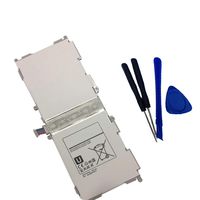
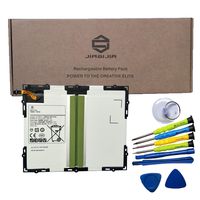
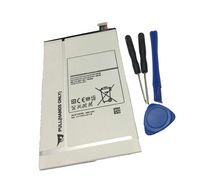
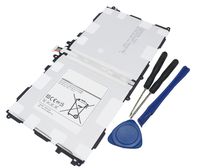
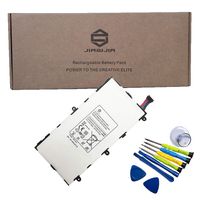
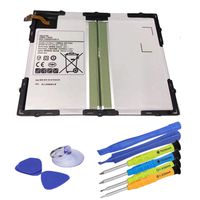
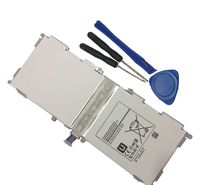
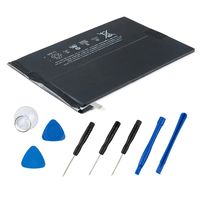
Tools are included,but there are no installation instructions attached with the Samsung battery. Please search the relevant installation guidence on YouTube.Such as "How to replace Samsung Galaxy Tab S2 8.0 battery"
To fix the Samsung battery problem of not working or charging:
1,Disconnect charger
2,Hold power button and volume up button for 30 seconds
3,Keep holding buttons while plugging in charger
4,Hold buttons for another 30 secs
5,Release power button keeping volume button pressed
6,Tab starts to charge
Battery Type: Li-ion
Voltage: 3.85V
Capacity: 4000mAh/15.4Wh
Certificate: CE,RoHS,FCC
Condition: 100% New from Manufacturer, Grade A Cell
Compatible with Part Numbers:
EB-BT710ABE EB-BT710ABC EB-BT710ABA GH43-04449B GH43-04449A
Fit Laptop Machine Models:
Samsung Galaxy Tab S2 8.0 Series Tablet
Samsung T710 Galaxy Tab S2 8.0 WiFi
Samsung T715 Galaxy Tab S2 8.0 3G/LTE
Samsung T719 Galaxy Tab S2 8.0 3G/LTE 2016
Samsung T719N Galaxy Tab S2 8.0
Samsung Galaxy Tab S2 Plus 8.0 Series Tablet
SM-T710 SM-T713 SM-T715 SM-T715C SM-T715N0 SM-T715Y SM-T719 SM-T719C SM-T719Y
Please Pay Attention:
Tools are included,but there are no installation instructions attached with the Samsung battery. Please search the relevant installation guidence on YouTube.Such as "How to replace Samsung Galaxy Tab S2 8.0 battery"
To fix the Samsung battery problem of not working or charging:
1,Disconnect charger
2,Hold power button and volume up button for 30 seconds
3,Keep holding buttons while plugging in charger
4,Hold buttons for another 30 secs
5,Release power button keeping volume button pressed
6,Tab starts to charge
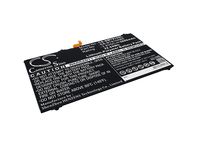
ZTHY New EB-BT710ABE Battery Replacement for Samsung Galaxy Tab S2 8.0 LTE-A SM-T710 SM-T713 SM-T715 SM-T715C SM-T715N0 SM-T715Y SM-T719 SM-T719C SM-T719Y EB-BT710ABA EB-BT710ABC 4000mAh
Current Price
$18.99
Average
$17.74
Min Price
$15.66
Max Price
$18.99
Price dynamics
7%
Description
Specifications:
Battery Type: Li-ion
Voltage: 3.85V
Capacity: 4000mAh/15.4Wh
Certificate: CE,RoHS,FCC
Condition: 100% New from Manufacturer, Grade A Cell
Compatible with Part Numbers:
EB-BT710ABE EB-BT710ABC EB-BT710ABA GH43-04449B GH43-04449A
Fit Laptop Machine Models:
Samsung Galaxy Tab S2 8.0 Series Tablet
Samsung T710 Galaxy Tab S2 8.0 WiFi
Samsung T715 Galaxy Tab S2 8.0 3G/LTE
Samsung T719 Galaxy Tab S2 8.0 3G/LTE 2016
Samsung T719N Galaxy Tab S2 8.0
Samsung Galaxy Tab S2 Plus 8.0 Series Tablet
SM-T710 SM-T713 SM-T715 SM-T715C SM-T715N0 SM-T715Y SM-T719 SM-T719C SM-T719Y
Please Pay Attention:
Tools are included,but there are no installation instructions attached with the Samsung battery. Please search the relevant installation guidence on YouTube.Such as "How to replace Samsung Galaxy Tab S2 8.0 battery"
To fix the Samsung battery problem of not working or charging:
1,Disconnect charger
2,Hold power button and volume up button for 30 seconds
3,Keep holding buttons while plugging in charger
4,Hold buttons for another 30 secs
5,Release power button keeping volume button pressed
6,Tab starts to charge
Battery Type: Li-ion
Voltage: 3.85V
Capacity: 4000mAh/15.4Wh
Certificate: CE,RoHS,FCC
Condition: 100% New from Manufacturer, Grade A Cell
Compatible with Part Numbers:
EB-BT710ABE EB-BT710ABC EB-BT710ABA GH43-04449B GH43-04449A
Fit Laptop Machine Models:
Samsung Galaxy Tab S2 8.0 Series Tablet
Samsung T710 Galaxy Tab S2 8.0 WiFi
Samsung T715 Galaxy Tab S2 8.0 3G/LTE
Samsung T719 Galaxy Tab S2 8.0 3G/LTE 2016
Samsung T719N Galaxy Tab S2 8.0
Samsung Galaxy Tab S2 Plus 8.0 Series Tablet
SM-T710 SM-T713 SM-T715 SM-T715C SM-T715N0 SM-T715Y SM-T719 SM-T719C SM-T719Y
Please Pay Attention:
Tools are included,but there are no installation instructions attached with the Samsung battery. Please search the relevant installation guidence on YouTube.Such as "How to replace Samsung Galaxy Tab S2 8.0 battery"
To fix the Samsung battery problem of not working or charging:
1,Disconnect charger
2,Hold power button and volume up button for 30 seconds
3,Keep holding buttons while plugging in charger
4,Hold buttons for another 30 secs
5,Release power button keeping volume button pressed
6,Tab starts to charge
Price will be lower
in next 2 weeks
in next 2 weeks
According to the data, price will be lower in next two weeks, so not waste your money and track better price!
Similar products