
Description
This home security camera, integrate the Simple and noble appearance, a strong human design, Powerful functions. It's the best choice of the security monitor.
★Warm Tips:
1. This wifi camera only supports 2.4Ghz,not supports 5Ghz router.
2. The Camera is not including the micro SD but you can preview the video on your phone.If you want to record and playback the video,you need to install the micro SD card (Max up to 128GB) Or buy cloud storage. You can also access camera via web browser or download for PC client
3.Before using this security camera, please power the camera and Reset it (Reset button), download the APP(MIPC), then follow the prompt tone to do step by step.
4.Our product gets 12 months Quality Warranty and Lifetime Tech Support, any questions, welcome to contact us directly, we will try our best to help you resolve it to make you satisfied within 24 hours during working days.
QA:If the security camera can't be connected to WIFI, steps as follows:
a. please try to connect to Ethernet cable firstly
b.After it works,access to settings interface
c. Click WIFI icon
d. Choose your home WIFI from the Wi-Fi list, enter the password and save
e. Unplug the Ethernet cable after the status showing connected
f. Wait for a while until the camera automatically connected to the configured WIFI.(Note:The camera will be off line after you unplug the cable)
Use this way ,you can switch to WIFI after you connect with Ethernet cable successfully
Package List:
1×1080P Camera
1×5V 2A Power Adapter (2M)
1×Ethernet Cable(1.5M)
1×Mount
1×Screws bag
1×User Manual
★Warm Tips:
1. This wifi camera only supports 2.4Ghz,not supports 5Ghz router.
2. The Camera is not including the micro SD but you can preview the video on your phone.If you want to record and playback the video,you need to install the micro SD card (Max up to 128GB) Or buy cloud storage. You can also access camera via web browser or download for PC client
3.Before using this security camera, please power the camera and Reset it (Reset button), download the APP(MIPC), then follow the prompt tone to do step by step.
4.Our product gets 12 months Quality Warranty and Lifetime Tech Support, any questions, welcome to contact us directly, we will try our best to help you resolve it to make you satisfied within 24 hours during working days.
QA:If the security camera can't be connected to WIFI, steps as follows:
a. please try to connect to Ethernet cable firstly
b.After it works,access to settings interface
c. Click WIFI icon
d. Choose your home WIFI from the Wi-Fi list, enter the password and save
e. Unplug the Ethernet cable after the status showing connected
f. Wait for a while until the camera automatically connected to the configured WIFI.(Note:The camera will be off line after you unplug the cable)
Use this way ,you can switch to WIFI after you connect with Ethernet cable successfully
Package List:
1×1080P Camera
1×5V 2A Power Adapter (2M)
1×Ethernet Cable(1.5M)
1×Mount
1×Screws bag
1×User Manual
1080P Home Security Camera 2MP HD WiFi IP Camera Wireless Surveillance Camera System Great As A Baby/Pet Monitor with Two Way Audio Remote Access Night Vision and Motion Detection Alerts
Price is below average
Current Price
$50.99
Average
$57.74
Min Price
$49.99
Max Price
$69.99
Price dynamics
12%
Description
This home security camera, integrate the Simple and noble appearance, a strong human design, Powerful functions. It's the best choice of the security monitor.
★Warm Tips:
1. This wifi camera only supports 2.4Ghz,not supports 5Ghz router.
2. The Camera is not including the micro SD but you can preview the video on your phone.If you want to record and playback the video,you need to install the micro SD card (Max up to 128GB) Or buy cloud storage. You can also access camera via web browser or download for PC client
3.Before using this security camera, please power the camera and Reset it (Reset button), download the APP(MIPC), then follow the prompt tone to do step by step.
4.Our product gets 12 months Quality Warranty and Lifetime Tech Support, any questions, welcome to contact us directly, we will try our best to help you resolve it to make you satisfied within 24 hours during working days.
QA:If the security camera can't be connected to WIFI, steps as follows:
a. please try to connect to Ethernet cable firstly
b.After it works,access to settings interface
c. Click WIFI icon
d. Choose your home WIFI from the Wi-Fi list, enter the password and save
e. Unplug the Ethernet cable after the status showing connected
f. Wait for a while until the camera automatically connected to the configured WIFI.(Note:The camera will be off line after you unplug the cable)
Use this way ,you can switch to WIFI after you connect with Ethernet cable successfully
Package List:
1×1080P Camera
1×5V 2A Power Adapter (2M)
1×Ethernet Cable(1.5M)
1×Mount
1×Screws bag
1×User Manual
★Warm Tips:
1. This wifi camera only supports 2.4Ghz,not supports 5Ghz router.
2. The Camera is not including the micro SD but you can preview the video on your phone.If you want to record and playback the video,you need to install the micro SD card (Max up to 128GB) Or buy cloud storage. You can also access camera via web browser or download for PC client
3.Before using this security camera, please power the camera and Reset it (Reset button), download the APP(MIPC), then follow the prompt tone to do step by step.
4.Our product gets 12 months Quality Warranty and Lifetime Tech Support, any questions, welcome to contact us directly, we will try our best to help you resolve it to make you satisfied within 24 hours during working days.
QA:If the security camera can't be connected to WIFI, steps as follows:
a. please try to connect to Ethernet cable firstly
b.After it works,access to settings interface
c. Click WIFI icon
d. Choose your home WIFI from the Wi-Fi list, enter the password and save
e. Unplug the Ethernet cable after the status showing connected
f. Wait for a while until the camera automatically connected to the configured WIFI.(Note:The camera will be off line after you unplug the cable)
Use this way ,you can switch to WIFI after you connect with Ethernet cable successfully
Package List:
1×1080P Camera
1×5V 2A Power Adapter (2M)
1×Ethernet Cable(1.5M)
1×Mount
1×Screws bag
1×User Manual
Price will be lower
in next 2 weeks
in next 2 weeks
According to the data, price will be lower in next two weeks, so not waste your money and track better price!
Product review & video
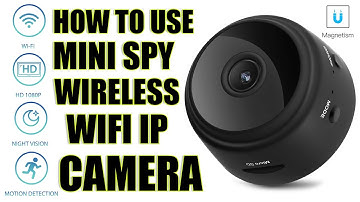
hi guys uh we have one new product it's called mini wireless camera you can use as a spy or hidden camera so so let's see what we have inside in envelope first of all we have a user manual then we have one usb charging camera with micro usb port and we have a camera and it's a stand for the camera okay so let's see what we have in this camera first of all over here we have a on off button we have power light indicator we have mic over here and this is more button you can reset the camera password over here we have sd card slot over here we have charging port you can just click plug micro usb cable over here and charge it from with the help of your usb on back side we have a camera unique id mentioned with the qr code and below that we have a magnetic um small magnetic install in the camera so with the help of this tab with the help of this magnet you can just put your camera on stand li


Similar products