Description
Specification:
*APP: LiveHome
*Free 7 days Cloud storage, overwrite every 7 days for the record. No need SD card
* Low power consumption,(2 × 18650 Batteries)
* PIR motion sensor with 120° detection angle , accurate motion detection
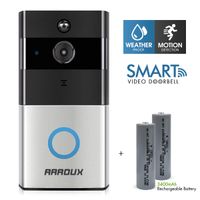
*Smart Visual Wireless WiFi Video Doorbell 1080P HD
Steps for connecting the doorbell and Chime:
*Connect the doorbell to the cellphone via App called "LiveHome", the App adapt to IOS/Android
*Be sure your Doorbell has connect to the "LiveHome" App, then Chime plug in the outlet
*Press and hold the volume button for 5-8 seconds until the blue indicator light flashed
*Presss the doorbell emits a Ding sound.Press it again, then the Chime will automatically play the tune.
Steps for reset the Chime:
*Take out the Chime, long push the volume button, then plug in the outlet
*Don't move the hand away while plug in untill the blue indicator light flshed,then press the doorbell, move the hand away. Then the chime has been reset.
Package:
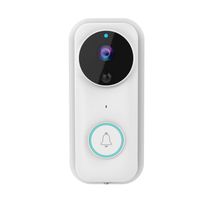
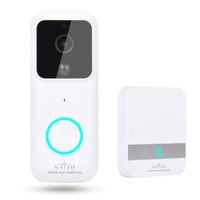
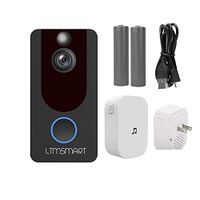
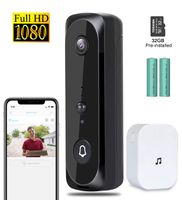
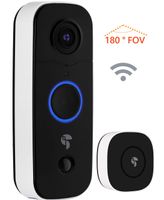
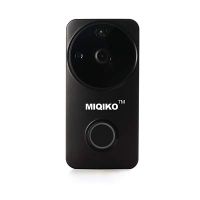
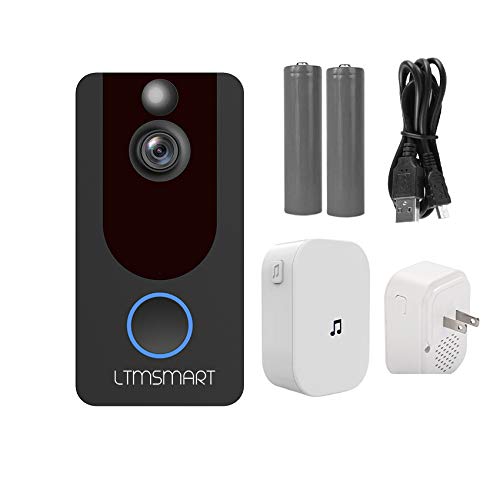
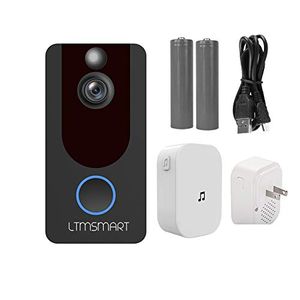
--1 * WIFI Video Doorbell
--1 * Chime
--1* User Manual
--2* 18650 batteries
--1* USB Cable
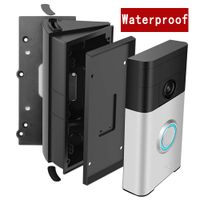
--4* Mounting brackets
--4*Mounting screws
--1*Giftbox
*APP: LiveHome
*Free 7 days Cloud storage, overwrite every 7 days for the record. No need SD card
* Low power consumption,(2 × 18650 Batteries)
* PIR motion sensor with 120° detection angle , accurate motion detection
*Smart Visual Wireless WiFi Video Doorbell 1080P HD
Steps for connecting the doorbell and Chime:
*Connect the doorbell to the cellphone via App called "LiveHome", the App adapt to IOS/Android
*Be sure your Doorbell has connect to the "LiveHome" App, then Chime plug in the outlet
*Press and hold the volume button for 5-8 seconds until the blue indicator light flashed
*Presss the doorbell emits a Ding sound.Press it again, then the Chime will automatically play the tune.
Steps for reset the Chime:
*Take out the Chime, long push the volume button, then plug in the outlet
*Don't move the hand away while plug in untill the blue indicator light flshed,then press the doorbell, move the hand away. Then the chime has been reset.
Package:
--1 * WIFI Video Doorbell
--1 * Chime
--1* User Manual
--2* 18650 batteries
--1* USB Cable
--4* Mounting brackets
--4*Mounting screws
--1*Giftbox
1080P Wireless Smart Video Doorbell,LTMSMART WiFi Doorbell Camera, PIR Motion Detection, Night Vision, with Free Indoor Chime USB Cable 2pcs Batteries
Current Price
$52.98
Average
$52.98
Min Price
$52.98
Max Price
$52.98
Description
Specification:
*APP: LiveHome
*Free 7 days Cloud storage, overwrite every 7 days for the record. No need SD card
* Low power consumption,(2 × 18650 Batteries)
* PIR motion sensor with 120° detection angle , accurate motion detection
*Smart Visual Wireless WiFi Video Doorbell 1080P HD
Steps for connecting the doorbell and Chime:
*Connect the doorbell to the cellphone via App called "LiveHome", the App adapt to IOS/Android
*Be sure your Doorbell has connect to the "LiveHome" App, then Chime plug in the outlet
*Press and hold the volume button for 5-8 seconds until the blue indicator light flashed
*Presss the doorbell emits a Ding sound.Press it again, then the Chime will automatically play the tune.
Steps for reset the Chime:
*Take out the Chime, long push the volume button, then plug in the outlet
*Don't move the hand away while plug in untill the blue indicator light flshed,then press the doorbell, move the hand away. Then the chime has been reset.
Package:
--1 * WIFI Video Doorbell
--1 * Chime
--1* User Manual
--2* 18650 batteries
--1* USB Cable
--4* Mounting brackets
--4*Mounting screws
--1*Giftbox
*APP: LiveHome
*Free 7 days Cloud storage, overwrite every 7 days for the record. No need SD card
* Low power consumption,(2 × 18650 Batteries)
* PIR motion sensor with 120° detection angle , accurate motion detection
*Smart Visual Wireless WiFi Video Doorbell 1080P HD
Steps for connecting the doorbell and Chime:
*Connect the doorbell to the cellphone via App called "LiveHome", the App adapt to IOS/Android
*Be sure your Doorbell has connect to the "LiveHome" App, then Chime plug in the outlet
*Press and hold the volume button for 5-8 seconds until the blue indicator light flashed
*Presss the doorbell emits a Ding sound.Press it again, then the Chime will automatically play the tune.
Steps for reset the Chime:
*Take out the Chime, long push the volume button, then plug in the outlet
*Don't move the hand away while plug in untill the blue indicator light flshed,then press the doorbell, move the hand away. Then the chime has been reset.
Package:
--1 * WIFI Video Doorbell
--1 * Chime
--1* User Manual
--2* 18650 batteries
--1* USB Cable
--4* Mounting brackets
--4*Mounting screws
--1*Giftbox
Price will be lower
in next 2 weeks
in next 2 weeks
According to the data, price will be lower in next two weeks, so not waste your money and track better price!
Similar products