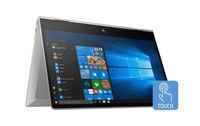
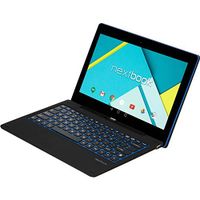
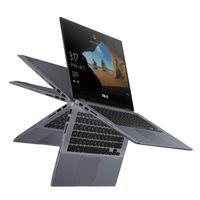
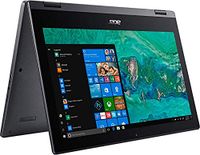
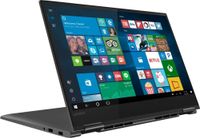
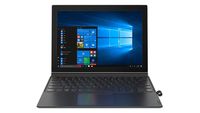
12.3 in Full HD WUXGA+ touchscreen (1920 x 1280), 10-finger multi-touch support
Processor
Qualcomm Snapdragon 835 (MSM8998)@ 2.21 GHz up to 2.45GHz
Memory
4GB LPDDR4 1866 MHz
Hard drive
128GB SSD
Operating system
Windows 10 S
Optical drive
None
Media drive
4-in-1 card reader
Audio
Dolby Atmos
Video
Integrated Qualcomm Adreno 540
Ports
1 USB Type-C (DisplayPort 1.2) Stereo headphone/mic jack combo
Battery
3-cell 48 WHr lithium-polymer (up to 20 hours)
Camera
5MP front, 13MP rear webcam
Wireless
802.11ac + LTE and Bluetooth 4.1
Dimensions
11.53 x 8.26 x 0.28 in
Weight
3.1 lbs With keyboard/ 1.7 lbs Without keyboard
Color
Iron Gray
Other
Cortana Windows Hello Active pen support Backlit keyboard 3.2 mm keyboard travel 25ms response time
Switching out of S mode in Windows 10
- On your PC running Windows 10 in S mode, open Settings > Update & Security > Activation.
- In the Switch to Windows 10 Home or Switch to Windows 10 Pro section, select Go to the Store. (If you also see an "Upgrade your edition of Windows" section, be careful not to click the "Go to the Store" link that appears there.)
- On the Switch out of S mode (or similar) page that appears in the Microsoft Store, select the Get button. After you see a confirmation message on the page, you'll be able to install apps from outside of the Microsoft Store.
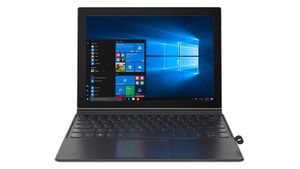
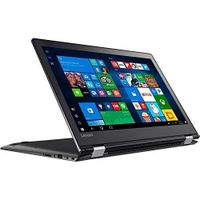
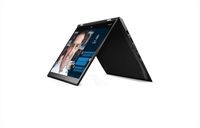
2019 Lenovo Miix 630 12.3" FHD Thin & Light Touchscreen 2-in-1 Laptop Computer, Qualcomm Snapdragon 835 Octa-Core Up to 2.45GHz, 4GB DDR4 RAM, 128GB SSD, 802.11ac WiFi, Active Pen, Windows 10 Home
12.3 in Full HD WUXGA+ touchscreen (1920 x 1280), 10-finger multi-touch support
Processor
Qualcomm Snapdragon 835 (MSM8998)@ 2.21 GHz up to 2.45GHz
Memory
4GB LPDDR4 1866 MHz
Hard drive
128GB SSD
Operating system
Windows 10 S
Optical drive
None
Media drive
4-in-1 card reader
Audio
Dolby Atmos
Video
Integrated Qualcomm Adreno 540
Ports
1 USB Type-C (DisplayPort 1.2) Stereo headphone/mic jack combo
Battery
3-cell 48 WHr lithium-polymer (up to 20 hours)
Camera
5MP front, 13MP rear webcam
Wireless
802.11ac + LTE and Bluetooth 4.1
Dimensions
11.53 x 8.26 x 0.28 in
Weight
3.1 lbs With keyboard/ 1.7 lbs Without keyboard
Color
Iron Gray
Other
Cortana Windows Hello Active pen support Backlit keyboard 3.2 mm keyboard travel 25ms response time
Switching out of S mode in Windows 10
- On your PC running Windows 10 in S mode, open Settings > Update & Security > Activation.
- In the Switch to Windows 10 Home or Switch to Windows 10 Pro section, select Go to the Store. (If you also see an "Upgrade your edition of Windows" section, be careful not to click the "Go to the Store" link that appears there.)
- On the Switch out of S mode (or similar) page that appears in the Microsoft Store, select the Get button. After you see a confirmation message on the page, you'll be able to install apps from outside of the Microsoft Store.
in next 2 weeks