Description
Synchronize Microsoft Outlook data using Sync2 for Microsoft Outlook software for Windows. Sync Outlook between multiple PCs either with Google Calendar, Gmail Contacts or Tasks. Quick and easy way of synchronizing Microsoft Outlook folders' data on two or more PCs or with Google Calendar, Tasks and Gmail Contacts service. Install Sync2 on your computers running Outlook 2003, 2007, 2010, 2013, 2016 and/or on computers of your teammates, and after a few steps you will be ready to have fully synchronized Outlook folders that will look the same on all synchronized computers. All changes will automatically propagate to the synchronized folders after each synchronization, even without opening Microsoft Outlook, and can be scheduled or made manually. Select one-way synchronization in order to transfer changes from Outlook to Google or from Google to Outlook only. The synchronization is made via transportable files that allow you to use a wide array of USB storage devices or shared network folders. Sync2 is the perfect tool to synchronize your Microsoft Outlook desktop software with iPhone or Android smartphones or tablet.
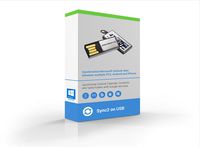
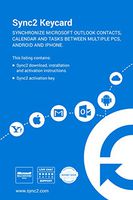
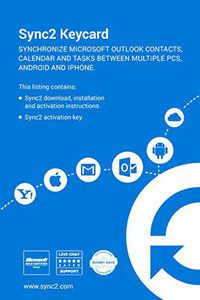
You will receive 1 Sync2 license, a download link and activation code via email within 24 hours after your purchase of Sync2, including weekends and holidays. We will also send to you an envelope with a Key Activation Card in which you will find Instructions on how to download, install and activate 1 license of Sync2. One software license is required per a single user account, per one personal computer. If you want synchronize more than 1 computer or user account, you need to buy additional licenses.
Try a free trial version of Sync2 and make sure that the full version of the product will meet your needs @http://sync2.com/Download.aspx.
If you have any issues, contact our free 5-star support. It will guide you through every step of using Sync2.
You will receive 1 Sync2 license, a download link and activation code via email within 24 hours after your purchase of Sync2, including weekends and holidays. We will also send to you an envelope with a Key Activation Card in which you will find Instructions on how to download, install and activate 1 license of Sync2. One software license is required per a single user account, per one personal computer. If you want synchronize more than 1 computer or user account, you need to buy additional licenses.
Try a free trial version of Sync2 and make sure that the full version of the product will meet your needs @http://sync2.com/Download.aspx.
If you have any issues, contact our free 5-star support. It will guide you through every step of using Sync2.
4Team Corporation Sync2 for Microsoft Outlook | PC Key Activation Card
Current Price
$39.95
Average
$39.95
Min Price
$39.95
Max Price
$39.95
Description
Synchronize Microsoft Outlook data using Sync2 for Microsoft Outlook software for Windows. Sync Outlook between multiple PCs either with Google Calendar, Gmail Contacts or Tasks. Quick and easy way of synchronizing Microsoft Outlook folders' data on two or more PCs or with Google Calendar, Tasks and Gmail Contacts service. Install Sync2 on your computers running Outlook 2003, 2007, 2010, 2013, 2016 and/or on computers of your teammates, and after a few steps you will be ready to have fully synchronized Outlook folders that will look the same on all synchronized computers. All changes will automatically propagate to the synchronized folders after each synchronization, even without opening Microsoft Outlook, and can be scheduled or made manually. Select one-way synchronization in order to transfer changes from Outlook to Google or from Google to Outlook only. The synchronization is made via transportable files that allow you to use a wide array of USB storage devices or shared network folders. Sync2 is the perfect tool to synchronize your Microsoft Outlook desktop software with iPhone or Android smartphones or tablet.
You will receive 1 Sync2 license, a download link and activation code via email within 24 hours after your purchase of Sync2, including weekends and holidays. We will also send to you an envelope with a Key Activation Card in which you will find Instructions on how to download, install and activate 1 license of Sync2. One software license is required per a single user account, per one personal computer. If you want synchronize more than 1 computer or user account, you need to buy additional licenses.
Try a free trial version of Sync2 and make sure that the full version of the product will meet your needs @http://sync2.com/Download.aspx.
If you have any issues, contact our free 5-star support. It will guide you through every step of using Sync2.
You will receive 1 Sync2 license, a download link and activation code via email within 24 hours after your purchase of Sync2, including weekends and holidays. We will also send to you an envelope with a Key Activation Card in which you will find Instructions on how to download, install and activate 1 license of Sync2. One software license is required per a single user account, per one personal computer. If you want synchronize more than 1 computer or user account, you need to buy additional licenses.
Try a free trial version of Sync2 and make sure that the full version of the product will meet your needs @http://sync2.com/Download.aspx.
If you have any issues, contact our free 5-star support. It will guide you through every step of using Sync2.
Price will be lower
in next 2 weeks
in next 2 weeks
According to the data, price will be lower in next two weeks, so not waste your money and track better price!

Similar products