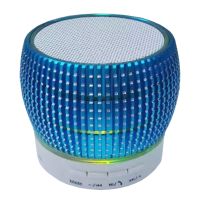
Power Button Function
1. Turn On/Turn Off, long press the Power Button to turn On/Off
2. Turn on the speaker, LED lighting is flashing frequently that shows the speaker is in searching and matching status. And in the same time speaker automatically playback the 8 famous Christmas songs.
3. Turn on your mobile phone's Bluetooth, search "LED TWS Tree Tunes", click to pair. The speaker is connected successfully when there's sound prompt "DING-DONG" and the Blue indicator light stay lit on.
4. Play/Pause: Short press once the power button to Play or Pause the music.
5. Hands-Free Function, when there has an incoming call, short press the Power Button once to answer the call and press once again to end the call.
TWS Bluetooth Connection only available when you have 2pcs speakers.
1.Turn on the 2pcs LED Ball Speaker in same time
2.Fast press the button 2 times on any one speaker, the 2 speakers will match with each other automatically.
3.When sound prompt" DINGDONG", it shows the 2pcs speaker already matched with each other and the Blue indicator light stay lit on.
4. Turn on your mobile phone's Bluetooth, search "LED TWS Tree Tunes", click to pair. The speaker is connected successfully when there's sound prompt "DINGDONG".
Notice
Do not hit or beat the product.
Do not use in very humid and high temperature environments.Product performance will decrease when it is used in cold regions.
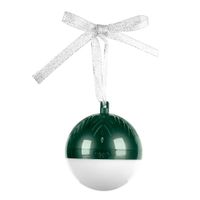
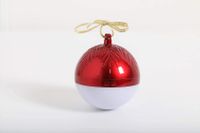
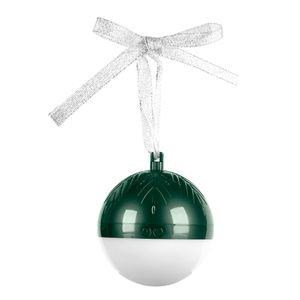
Fudostar Decorative Portable Bluetooth Speakers with LED Lighting, TWS True Wireless Stereo, Piano Lacquer Process, Great for Party, and Home Decoration (Green)
Power Button Function
1. Turn On/Turn Off, long press the Power Button to turn On/Off
2. Turn on the speaker, LED lighting is flashing frequently that shows the speaker is in searching and matching status. And in the same time speaker automatically playback the 8 famous Christmas songs.
3. Turn on your mobile phone's Bluetooth, search "LED TWS Tree Tunes", click to pair. The speaker is connected successfully when there's sound prompt "DING-DONG" and the Blue indicator light stay lit on.
4. Play/Pause: Short press once the power button to Play or Pause the music.
5. Hands-Free Function, when there has an incoming call, short press the Power Button once to answer the call and press once again to end the call.
TWS Bluetooth Connection only available when you have 2pcs speakers.
1.Turn on the 2pcs LED Ball Speaker in same time
2.Fast press the button 2 times on any one speaker, the 2 speakers will match with each other automatically.
3.When sound prompt" DINGDONG", it shows the 2pcs speaker already matched with each other and the Blue indicator light stay lit on.
4. Turn on your mobile phone's Bluetooth, search "LED TWS Tree Tunes", click to pair. The speaker is connected successfully when there's sound prompt "DINGDONG".
Notice
Do not hit or beat the product.
Do not use in very humid and high temperature environments.Product performance will decrease when it is used in cold regions.
in next 2 weeks