SPECIFICATIONS
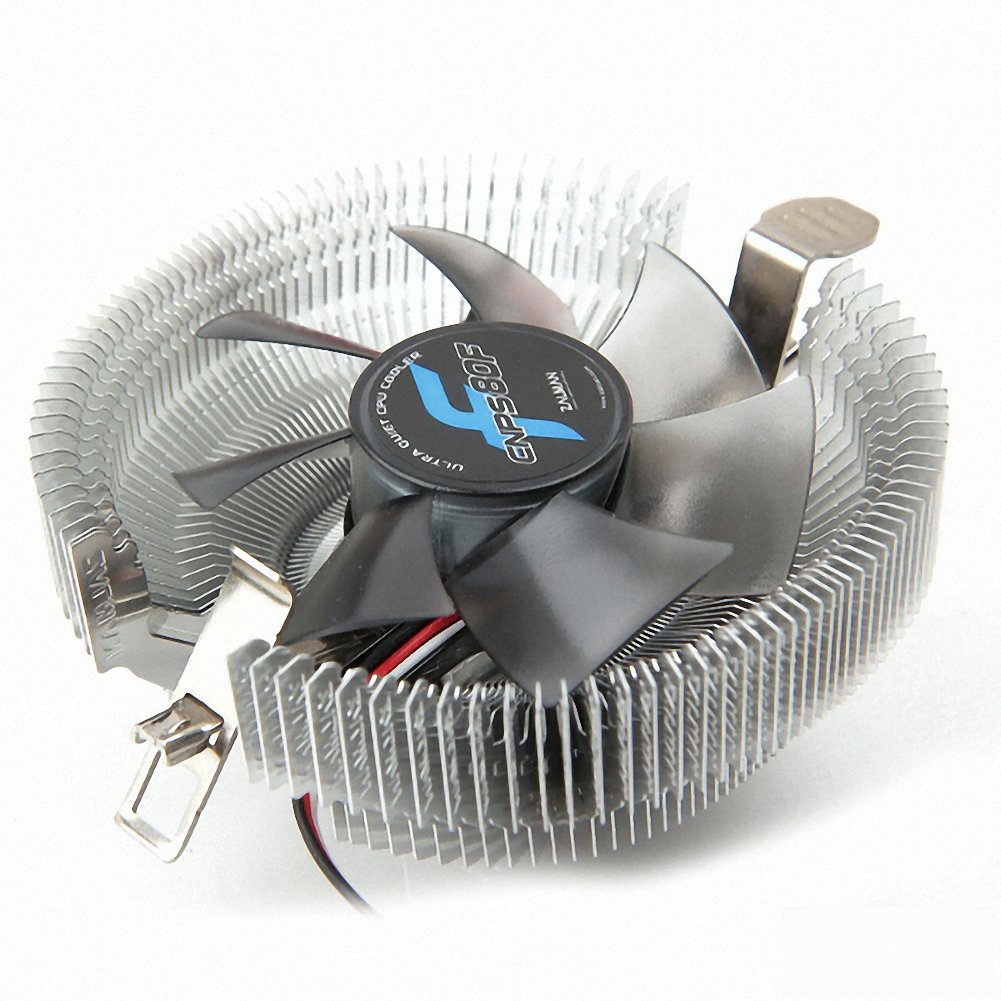
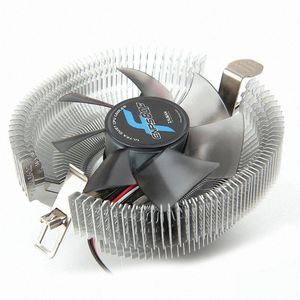
Dimensions : 102.5(L) x 98.7(W) x 48.4(H)mm
Weight:198g
Base Material: Pure Aluminum
Fan Size:80mm
Bearing Type :FSB (Fluid Sheild Bearing)
Fan RPM:2500rpm ±10%
Fan Noise:23.8dBA
Connecter:3-Pin
CAUTIONARY NOTES
The computer system may automatically shut down when booting the computer after the system monitoring program outputs a warning stating that the CPU fan is rotating slowly. In such a case, fully turn the Speed Control Knob in the clockwise direction before rebooting to disable the 'CPU Fan Detected' option in BIOS, or set the CPU fan's rotational speed to 1,350rpm or lower in the system monitoring program. Some motherboards fail to boot if the rotational speed of the CPU fan is below a certain rpm. However, booting can be possible even at low fan rpm if the BIOS settings are updated. For more information on updating the BIOS, please refer to the website of the motherboard's manufacturer. There are motherboards which fail to detect the rpm while operating the cooler in Silent Mode, but this does not affect computing performance.
Excessive force exerted on the fan may damage the fan, resulting in damage to the system.
Zalman Tech Co., Ltd. is not responsible for any damages resulting from CPU Overclocking.
Liquid metal thermal grease unlike the normal thermal grease it contains electrical conductivity and causes aluminum cooler to rust therefore please avoid using it. Corrosion and short circuits caused by using aluminum cooler are users' responsibility, so please read this carefully before using. (EX: Liquid Pro, Liquid Ultra etcs)













![MARETRON Temperature Sensor Module NMEA 2000 [MRTN-TMP100-01]](https://use4coins.com/thumbs/unsafe/fit-in/200x200/https://images-na.ssl-images-amazon.com/images/I/5160IOlm9lL.jpg)