- HomeElectronicsCar & Vehicle ElectronicsVehicle Electronics AccessoriesAudio & Video AccessoriesBluetooth Car Kits
Description
How to Use:
1.Power on/off
(1). Power on: Press and hold the on/off button for 3 seconds until the blue LED light begins flashing.
(2). Power off: Press and hold the on/off button for 5 seconds. The red LED will light up, and then turn off.
Note: Read the user guide of your transmitter or mobile phone to find out how to turn on/off Bluetooth wireless technology.
2.Pairing
If this is the first time you use this device, please pair this device first.
(1). To enter pairing mode, press and hold the on/off button (button1) for 5seconds until both red and blue LEDS flash.
(2). Search for the music receiver on your mobile phone or compatible transmitter. Touch and hold one button to power on and it will automatically search for a compatible transmitter; No andy codes to enter if connect with Apple or Android device, LED lights beneath the button indicate device and charging status.
(3). The devices should now recognize each other and pair. The LED on the music receiver will slowly flash blue after successful paring.
(4). To complete pairing some devices require a pass key or code, please enter "0000".
(5). Once successfully paired, the devices can be powered off. To re-connect simply power them both on, no need to pair again.
Note: If you wish to use the music receiver with another transmitter you must restart the pairing process with the new devices from step one. After pairing the new transmitter, the old transmitter will no longer be paired to the music receiver, you can have only one device connected at a time.
1.Power on/off
(1). Power on: Press and hold the on/off button for 3 seconds until the blue LED light begins flashing.
(2). Power off: Press and hold the on/off button for 5 seconds. The red LED will light up, and then turn off.
Note: Read the user guide of your transmitter or mobile phone to find out how to turn on/off Bluetooth wireless technology.
2.Pairing
If this is the first time you use this device, please pair this device first.
(1). To enter pairing mode, press and hold the on/off button (button1) for 5seconds until both red and blue LEDS flash.
(2). Search for the music receiver on your mobile phone or compatible transmitter. Touch and hold one button to power on and it will automatically search for a compatible transmitter; No andy codes to enter if connect with Apple or Android device, LED lights beneath the button indicate device and charging status.
(3). The devices should now recognize each other and pair. The LED on the music receiver will slowly flash blue after successful paring.
(4). To complete pairing some devices require a pass key or code, please enter "0000".
(5). Once successfully paired, the devices can be powered off. To re-connect simply power them both on, no need to pair again.
Note: If you wish to use the music receiver with another transmitter you must restart the pairing process with the new devices from step one. After pairing the new transmitter, the old transmitter will no longer be paired to the music receiver, you can have only one device connected at a time.
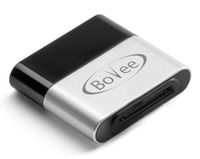
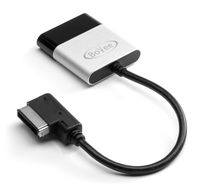
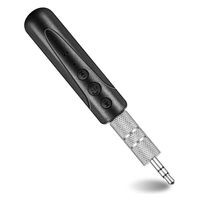
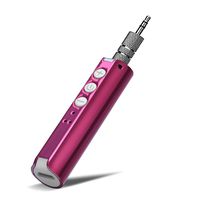
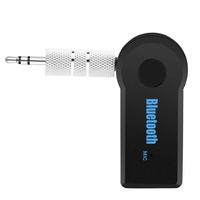
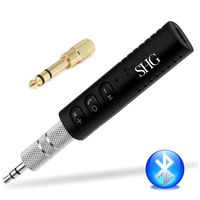
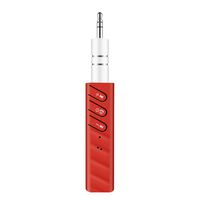
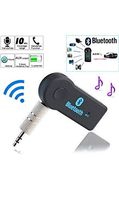
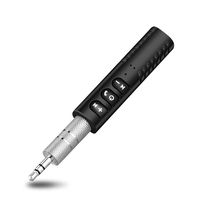
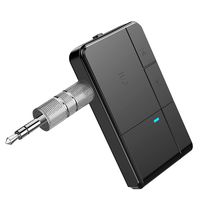
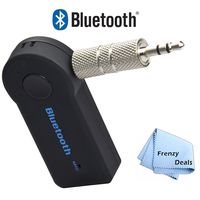
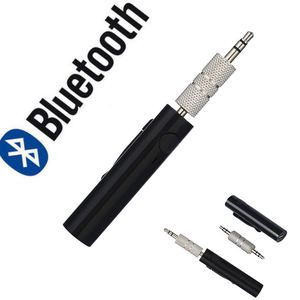
Reasoncool Mini Wireless Bluetooth Car Kit Hands Free 3.5mm Jack AUX Audio Receiver Adapter
Current Price
$5.99
Average
$3.39
Min Price
$0.99
Max Price
$5.99
Price dynamics
43%
Description
How to Use:
1.Power on/off
(1). Power on: Press and hold the on/off button for 3 seconds until the blue LED light begins flashing.
(2). Power off: Press and hold the on/off button for 5 seconds. The red LED will light up, and then turn off.
Note: Read the user guide of your transmitter or mobile phone to find out how to turn on/off Bluetooth wireless technology.
2.Pairing
If this is the first time you use this device, please pair this device first.
(1). To enter pairing mode, press and hold the on/off button (button1) for 5seconds until both red and blue LEDS flash.
(2). Search for the music receiver on your mobile phone or compatible transmitter. Touch and hold one button to power on and it will automatically search for a compatible transmitter; No andy codes to enter if connect with Apple or Android device, LED lights beneath the button indicate device and charging status.
(3). The devices should now recognize each other and pair. The LED on the music receiver will slowly flash blue after successful paring.
(4). To complete pairing some devices require a pass key or code, please enter "0000".
(5). Once successfully paired, the devices can be powered off. To re-connect simply power them both on, no need to pair again.
Note: If you wish to use the music receiver with another transmitter you must restart the pairing process with the new devices from step one. After pairing the new transmitter, the old transmitter will no longer be paired to the music receiver, you can have only one device connected at a time.
1.Power on/off
(1). Power on: Press and hold the on/off button for 3 seconds until the blue LED light begins flashing.
(2). Power off: Press and hold the on/off button for 5 seconds. The red LED will light up, and then turn off.
Note: Read the user guide of your transmitter or mobile phone to find out how to turn on/off Bluetooth wireless technology.
2.Pairing
If this is the first time you use this device, please pair this device first.
(1). To enter pairing mode, press and hold the on/off button (button1) for 5seconds until both red and blue LEDS flash.
(2). Search for the music receiver on your mobile phone or compatible transmitter. Touch and hold one button to power on and it will automatically search for a compatible transmitter; No andy codes to enter if connect with Apple or Android device, LED lights beneath the button indicate device and charging status.
(3). The devices should now recognize each other and pair. The LED on the music receiver will slowly flash blue after successful paring.
(4). To complete pairing some devices require a pass key or code, please enter "0000".
(5). Once successfully paired, the devices can be powered off. To re-connect simply power them both on, no need to pair again.
Note: If you wish to use the music receiver with another transmitter you must restart the pairing process with the new devices from step one. After pairing the new transmitter, the old transmitter will no longer be paired to the music receiver, you can have only one device connected at a time.
Price will be lower
in next 2 weeks
in next 2 weeks
According to the data, price will be lower in next two weeks, so not waste your money and track better price!
Similar products