Description
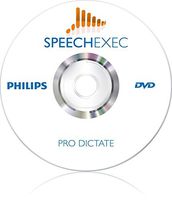
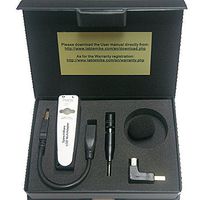
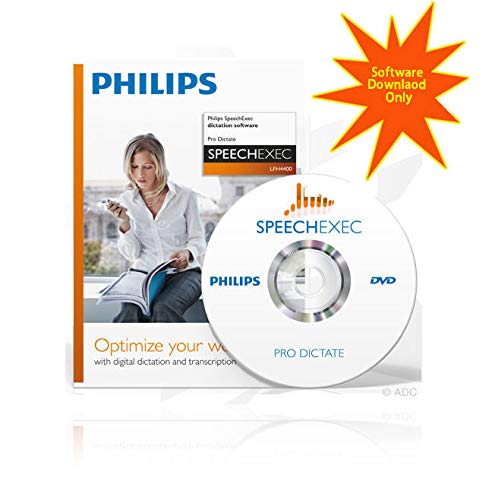
*** Upon completing your purchase you will receive a link to download the software and license key *** *** INCLUDES SPEECH RECOGNITION MODULE *** Overview: Optimize your workflow with digital dictation and transcription SpeechExec Pro Dictate provides you with a dictation management platform that unites voice recording, file routing, as well as speech recognition interfacing in one seamless solution. The dictation software provides you with easy-to-use functionality for organizing recordings clearly and transparently. Dictation files and documents can be automatically transferred via a company network, sent by email or uploaded onto an FTP server, depending on your requirements. Features: Professional operation Efficient handling of sound files and documents from dictation to archiving makes job retrieval simple and fast Job status information allows you to track work in progress The complete dictation process, speech recognition and document workflow is mapped within one simple application Advanced functions Spoken instructions improve Communications with the transcriptionist Automation of tasks boosts your efficiency and reduces document turnaround time Data protection allows only authorized persons to access your documents Designed around you SpeechExec Pro and Philips Hardware encompass all possible dictation scenarios Short familiarization process thanks to the clearly structured user interface Specifications: Processor: Intel Pentium 4, 1.0 GHz or equivalent processor RAM memory: 1 GB (2 GB recommended) Hard disk space: 100 MB hard-disk space for SpeechExec, 850 MB (32-bit) / 2 GB (64-bit) harddisk space for Microsoft .NET Framework 4 Operating system: Windows 7 (32/64-bit) / Vista (32/64-bit) / XP (32-bit) DirectX-compliant graphics card with hardware acceleration recommended Windows-compatible sound device Supported email programs: Microsoft
YBS Philips SpeechExec Pro Dictation Software with Speech Recognition Module Electronic Download
Current Price
$99
Average
$99
Min Price
$99
Max Price
$99
Price dynamics
0%
Description
*** Upon completing your purchase you will receive a link to download the software and license key *** *** INCLUDES SPEECH RECOGNITION MODULE *** Overview: Optimize your workflow with digital dictation and transcription SpeechExec Pro Dictate provides you with a dictation management platform that unites voice recording, file routing, as well as speech recognition interfacing in one seamless solution. The dictation software provides you with easy-to-use functionality for organizing recordings clearly and transparently. Dictation files and documents can be automatically transferred via a company network, sent by email or uploaded onto an FTP server, depending on your requirements. Features: Professional operation Efficient handling of sound files and documents from dictation to archiving makes job retrieval simple and fast Job status information allows you to track work in progress The complete dictation process, speech recognition and document workflow is mapped within one simple application Advanced functions Spoken instructions improve Communications with the transcriptionist Automation of tasks boosts your efficiency and reduces document turnaround time Data protection allows only authorized persons to access your documents Designed around you SpeechExec Pro and Philips Hardware encompass all possible dictation scenarios Short familiarization process thanks to the clearly structured user interface Specifications: Processor: Intel Pentium 4, 1.0 GHz or equivalent processor RAM memory: 1 GB (2 GB recommended) Hard disk space: 100 MB hard-disk space for SpeechExec, 850 MB (32-bit) / 2 GB (64-bit) harddisk space for Microsoft .NET Framework 4 Operating system: Windows 7 (32/64-bit) / Vista (32/64-bit) / XP (32-bit) DirectX-compliant graphics card with hardware acceleration recommended Windows-compatible sound device Supported email programs: Microsoft
Price will be lower
in next 2 weeks
in next 2 weeks
According to the data, price will be lower in next two weeks, so not waste your money and track better price!
Product review & video
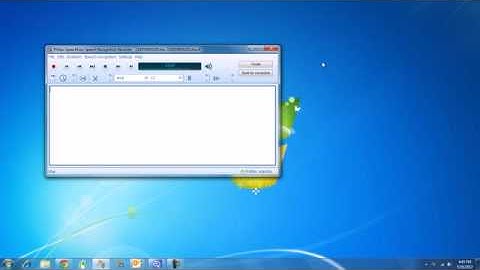
speech recognition demo setup i will go through best practices for using philips speech exec with dragon naturally speaking first i will cover the optimal settings for the software and then i will give a sample demonstration what is needed is a digital recorder a philips speech mic a mobile device with the philips recorder app enabled dragon naturally speaking professional version 11.5 is preferred and philips speech exec software both dictate and transcribe for my demonstration i will be using the professional version however setup is the same in enterprise as well the first step is to open dragon naturally speaking i currently have my speech mic connected next we will go to profile and open user profile to verify the correct sources are available when you first install dragon you need to create a profile which is one name for yourself and then have multiple sources for that same name