Description
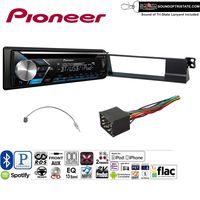
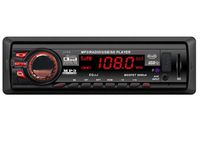
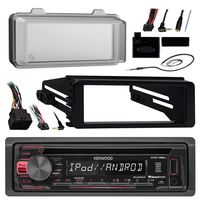
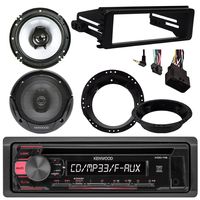
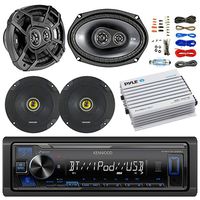
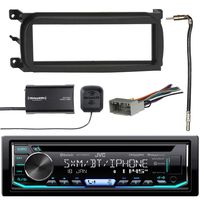
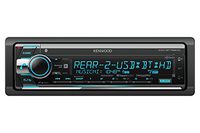
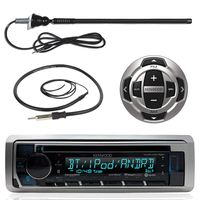
Kenwood Receiver with AM/FM tuner with Bluetooth
- Built In Bluetooth
- Removable theft-deterrent faceplate
- Digital media receiver with built-in Bluetooth
- Built-in MOSFET amplifier (22 watts RMS/50 peak x 4 channels)
- Android Open Accessory protocol (AOA) lets you control phone-based content
- Siri Eyes Free control with select iPhones
- Plays MP3, WAV, and WMA music files
- 1.5 line LCD display with variable-color illumination
- Shallow Chassis 4" mounting depth.
- iPod/iPhone direct connection with optional cable
- Control and charging of select Android devices using the USB connection
- Pandora and iHeartRadio Internet radio control with iPhone and Android
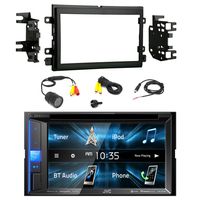
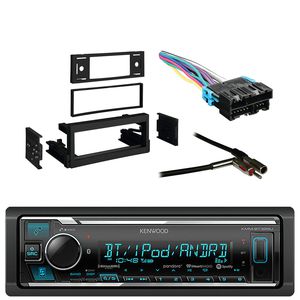
Metra Dash Kit For GM Truck And Van 95-05
- Designed for ISO Mount radio with ISO Trim ring
- Quick Conversion From Din To 2-Shaft With Snap-In Style Shaft Supports
- Includes A Recessed Din Opening
- 1995 - 2005 Cadillac/Chevrolet/GMC Truck Single Din Installation Multi Kit
- Side Arm Support System Provides Radio Side Support
- High-Grade Abs Plastic, For 1995-96 Chevy trucks
- Painted to match factory dash color
Metra Radio Wiring Harness
- Compatible with select Non-Amplified 1988-2002 GM Vehicles
- Plugs into car harness at radio
- Powers up to 4-Speaker
- 21-Pin plug
- Used for Installing an Aftermarket Receiver to factory plug
- Allows for the installation of an aftermarket radio
- The existing factory wiring and connectors
- No need to cut or splice into factory wiring
Metra Antenna Adapter
- Factory Antenna to Aftermarket Radio Adapter
- Mini "barbless" or "barbed" plug to aftermarket radio
- For Select 1988-2006 GM Vehicles
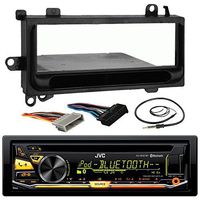
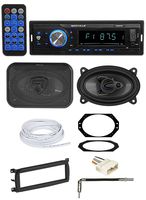
Kenwood Receiver with AM/FM Tuner with Bluetooth with Metra Dash Kit for GM Truck and Van 95-05, Metra Radio Wiring Harness and Metra Antenna Adapter
Price is below average
Current Price
$105.99
Average
$109.34
Min Price
$103.49
Max Price
$114.99
Price dynamics
3%
Description
Kenwood Receiver with AM/FM tuner with Bluetooth
- Built In Bluetooth
- Removable theft-deterrent faceplate
- Digital media receiver with built-in Bluetooth
- Built-in MOSFET amplifier (22 watts RMS/50 peak x 4 channels)
- Android Open Accessory protocol (AOA) lets you control phone-based content
- Siri Eyes Free control with select iPhones
- Plays MP3, WAV, and WMA music files
- 1.5 line LCD display with variable-color illumination
- Shallow Chassis 4" mounting depth.
- iPod/iPhone direct connection with optional cable
- Control and charging of select Android devices using the USB connection
- Pandora and iHeartRadio Internet radio control with iPhone and Android
Metra Dash Kit For GM Truck And Van 95-05
- Designed for ISO Mount radio with ISO Trim ring
- Quick Conversion From Din To 2-Shaft With Snap-In Style Shaft Supports
- Includes A Recessed Din Opening
- 1995 - 2005 Cadillac/Chevrolet/GMC Truck Single Din Installation Multi Kit
- Side Arm Support System Provides Radio Side Support
- High-Grade Abs Plastic, For 1995-96 Chevy trucks
- Painted to match factory dash color
Metra Radio Wiring Harness
- Compatible with select Non-Amplified 1988-2002 GM Vehicles
- Plugs into car harness at radio
- Powers up to 4-Speaker
- 21-Pin plug
- Used for Installing an Aftermarket Receiver to factory plug
- Allows for the installation of an aftermarket radio
- The existing factory wiring and connectors
- No need to cut or splice into factory wiring
Metra Antenna Adapter
- Factory Antenna to Aftermarket Radio Adapter
- Mini "barbless" or "barbed" plug to aftermarket radio
- For Select 1988-2006 GM Vehicles
Price will be lower
in next 2 weeks
in next 2 weeks
According to the data, price will be lower in next two weeks, so not waste your money and track better price!
Product review & video
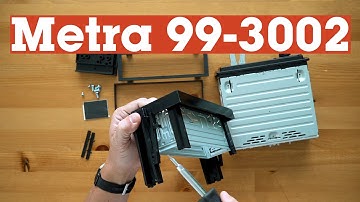
To assemble the Metra 99-3002 dash kit,
start by removing the DIN sleeve from your radio, using the removal tools that came
with your new radio. They slide in between the sleeve and the radio,
allowing them to be separated from one another. You'll also use the removal
tools if you need to uninstall your radio once it's in your dash. Just slide
the tools in from the front, and the radio can be removed from the sleeve.
Next, slide the DIN sleeve into the opening in the dash kit and secure it in
place by bending the metal tabs away from the sleeve with a flat-blade
screwdriver. Your radio will need to slide into that sleeve, so be sure to
bend the tabs out. Check that the sleeve is securely held
in place by the bent tabs. Now slide your radio into the sleeve from the front
until it snaps into place. Then you're ready to connect your
harness and reassemble your dash. If you have any questio

Similar products