Description
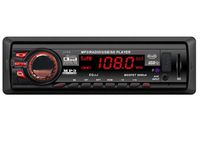
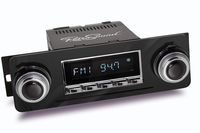
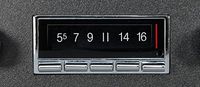
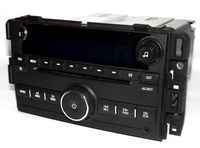
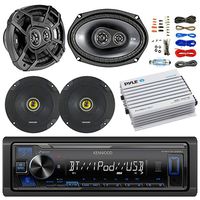
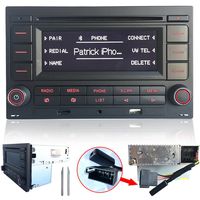
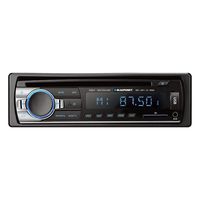
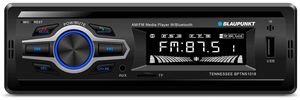
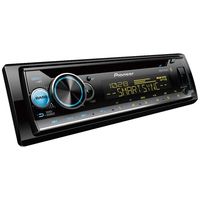
Tennessee Single-Din Mechless Bluetooth Receiver- Blaupunkt has produced millions of stereo units that have been at the pinnacle of innovation which has made us well-known, well-loved brand for nearly 100 years. The Tennessee (BPTNS1018) stereo receiver continues that legacy of innovation by serving as both radio and Bluetooth speakerphone. Pair your smartphone to the Tennessee stereo receiver and instantly stream music right to the stereo or start making and receiving phone calls. Get all of your favorite music in pristine audio as you drive, revitalizing the car entertainment experience as you know it. Bolster your stereo with 80W peak power and enjoy the high-quality sound cascading over your eardrums. Tailor your stereo to suit you by storing 18 radio stations in the stereo's memory, ensuring that you have just the right type of song in reach at all times. The half-size DIN depth gives your dashboard clean, modern look that will refresh the interior of your car. This user-friendly receiver comes equipped with dual USB ports, one in back and one in front. The front USB port can not only connect your external devices, but can also charg them at the same time. Open yourself up to more music options by inserting an SD card or plug your phone into one of the dual USB ports to play all of your MP3 files. Find the perfect sound with the electronic audio controls and hear songs in ways that you never knew existed.
Blaupunkt Tennessee BPTN1018 AM/FM Bluetooth Media Receiver with Mobile App for Android and iPhone
Current Price
$29.95
Average
$23.81
Min Price
$20.05
Max Price
$31.81
Price dynamics
21%
Description
Tennessee Single-Din Mechless Bluetooth Receiver- Blaupunkt has produced millions of stereo units that have been at the pinnacle of innovation which has made us well-known, well-loved brand for nearly 100 years. The Tennessee (BPTNS1018) stereo receiver continues that legacy of innovation by serving as both radio and Bluetooth speakerphone. Pair your smartphone to the Tennessee stereo receiver and instantly stream music right to the stereo or start making and receiving phone calls. Get all of your favorite music in pristine audio as you drive, revitalizing the car entertainment experience as you know it. Bolster your stereo with 80W peak power and enjoy the high-quality sound cascading over your eardrums. Tailor your stereo to suit you by storing 18 radio stations in the stereo's memory, ensuring that you have just the right type of song in reach at all times. The half-size DIN depth gives your dashboard clean, modern look that will refresh the interior of your car. This user-friendly receiver comes equipped with dual USB ports, one in back and one in front. The front USB port can not only connect your external devices, but can also charg them at the same time. Open yourself up to more music options by inserting an SD card or plug your phone into one of the dual USB ports to play all of your MP3 files. Find the perfect sound with the electronic audio controls and hear songs in ways that you never knew existed.
Price will be lower
in next 2 weeks
in next 2 weeks
According to the data, price will be lower in next two weeks, so not waste your money and track better price!
Product review & video
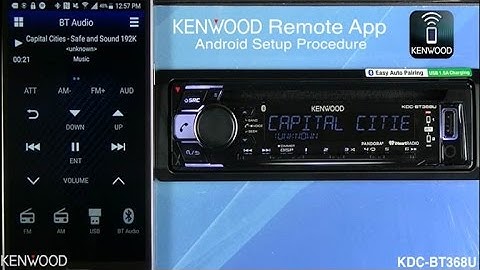
hey everyone Seth coming to you from the kenwood training department well today we've got the new Kenwood remote app this remote app allows you to have a wireless remote control directly from your smartphone in today's segment we'll connect an Android device to the KDC - BT 368 you with this new app you'll have two different modes a driver mode and a passenger mode you'll be able to use easy gesture controls in the driver mode or more advanced controls with the passenger mode let's take a look and show you just how easy it is to connect an Android device to this receiver the first thing that we need to do to connect the Kenwood remote app to the Kenwood Bluetooth receiver is to connect the phone to the receiver via bluetooth access the phone's Bluetooth settings you scan for the available devices the KDC - BT 3 series will see as an available device will select that it will then ask to

Similar products