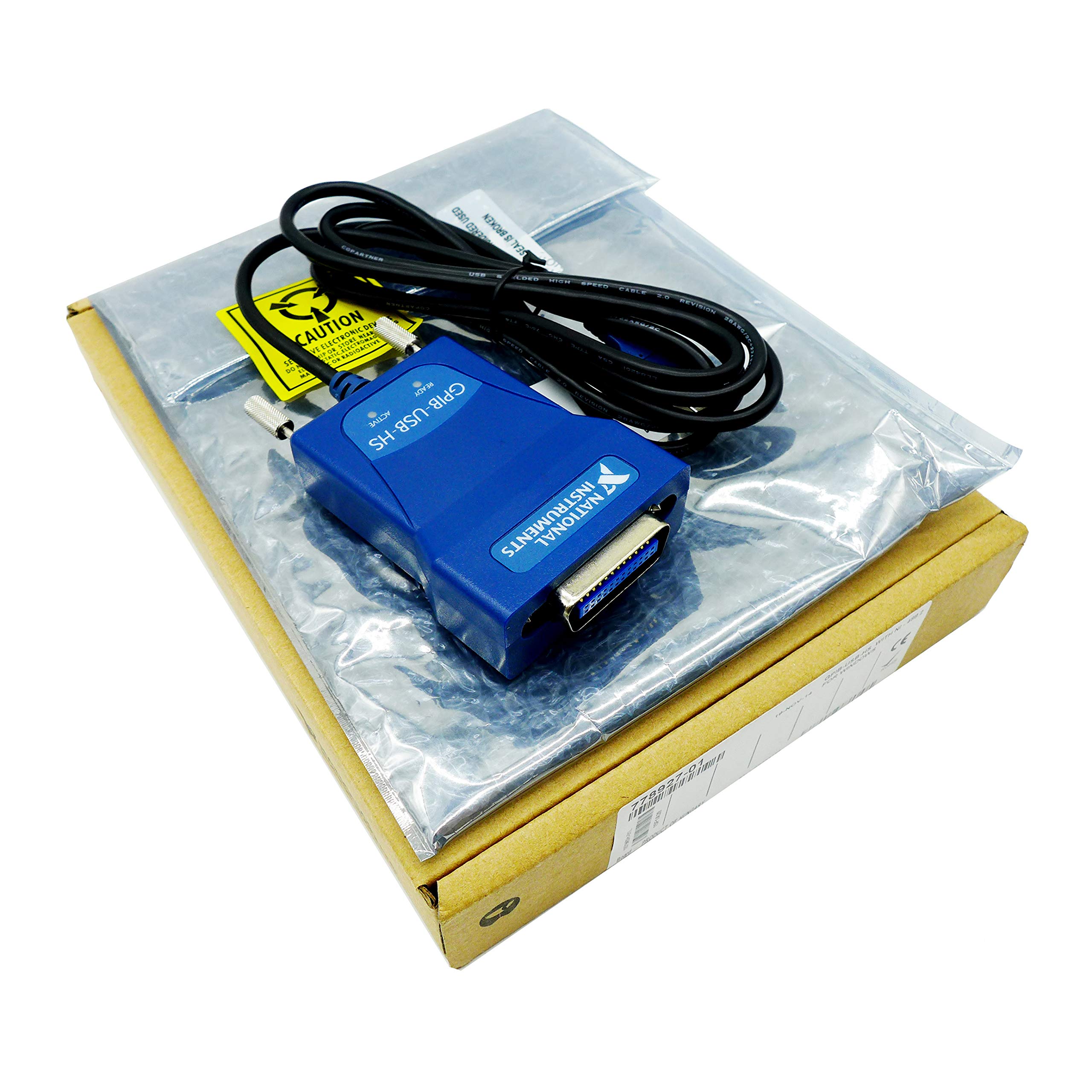
GPIB controller for high speed USB
➤Description:
Product Type: GPIB-USB-HS
Product range: GPIB
Bus type: USB
Product No: 779704-01 , 778927-01
LabVIEW RT support: NoVoltage: 5 VDC
Current: 500 mA
Power supply: internal power supply
Onboard GPIB Analyzer: No
Onboard GPIB ASIC chip: TNT5004
➤Specifications:
Number of ports: 1
Max Baud Rate (IEEE 488.1): 1.8 MB/s
Maximum baud rate (HS488): 7.2 MB/s
Maximum cable length: 4 m
I/O FIFO buffer size: 64 B , 32 B
Maximum device connection/port: 14
➤Physical standards:
I/O connector: 24-pin IEEE 488
Operating temperature: 0 °C
Operating temperature: 55 °C
INSTALLATION GUIDE
GPIB NI-488.2 for Windows
➤ Internal controllers (PCI, PXI, PCI Express, PMC, and ISA)
1. Insert the NI-488.2 media and choose install software
2. When you have completed the software installation, shut down the computer. Make certain it is powered off before proceeding
3. Install GPIB hardware, then power on the computer
➤ External controllers (Ethernet, USB, ExpressCard, and PCMCIA)
1. Insert the NI-488.2 media and choose install software
2. When you have completed the software installation, restart the computer
3. Install GPIB hardware
4. Ethernet only
After the computer has restarted, complete the GPIB Ethernet Wizard to configure your Ethernet interface
Windows XP/Vista/7 - Run the "GPIB Ethernet Wizard" from the National
Instruments - NI-488.2 program group in the Start menu
Windows 8 - Run the GPIB Ethernet Wizard from the National Instruments - NI-488.2 program in the NI Launcher.
➤Package:
1 x New GPIB-USB-HS Adapter
1 x Driver Disk
1 x User manual
BostingGPIB-USB-HS Interface Adapter Controller IEEE 488 New in Box USA
GPIB controller for high speed USB
➤Description:
Product Type: GPIB-USB-HS
Product range: GPIB
Bus type: USB
Product No: 779704-01 , 778927-01
LabVIEW RT support: NoVoltage: 5 VDC
Current: 500 mA
Power supply: internal power supply
Onboard GPIB Analyzer: No
Onboard GPIB ASIC chip: TNT5004
➤Specifications:
Number of ports: 1
Max Baud Rate (IEEE 488.1): 1.8 MB/s
Maximum baud rate (HS488): 7.2 MB/s
Maximum cable length: 4 m
I/O FIFO buffer size: 64 B , 32 B
Maximum device connection/port: 14
➤Physical standards:
I/O connector: 24-pin IEEE 488
Operating temperature: 0 °C
Operating temperature: 55 °C
INSTALLATION GUIDE
GPIB NI-488.2 for Windows
➤ Internal controllers (PCI, PXI, PCI Express, PMC, and ISA)
1. Insert the NI-488.2 media and choose install software
2. When you have completed the software installation, shut down the computer. Make certain it is powered off before proceeding
3. Install GPIB hardware, then power on the computer
➤ External controllers (Ethernet, USB, ExpressCard, and PCMCIA)
1. Insert the NI-488.2 media and choose install software
2. When you have completed the software installation, restart the computer
3. Install GPIB hardware
4. Ethernet only
After the computer has restarted, complete the GPIB Ethernet Wizard to configure your Ethernet interface
Windows XP/Vista/7 - Run the "GPIB Ethernet Wizard" from the National
Instruments - NI-488.2 program group in the Start menu
Windows 8 - Run the GPIB Ethernet Wizard from the National Instruments - NI-488.2 program in the NI Launcher.
➤Package:
1 x New GPIB-USB-HS Adapter
1 x Driver Disk
1 x User manual
in next 2 weeks