Description
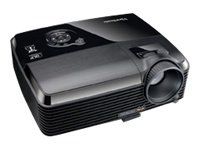
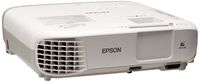
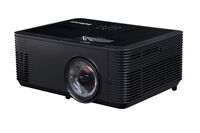
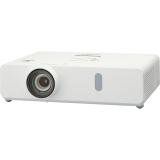
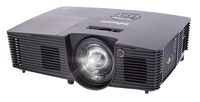
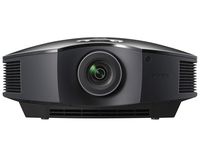
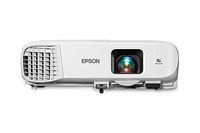
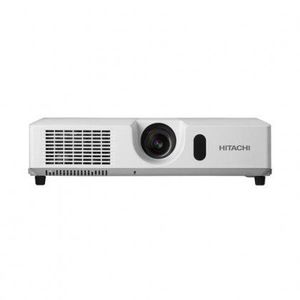
CP-X4020 XGA Multimedia Projector
liProduct Type: LCD ProjectorliProjection Method: FrontliManual Zoom Factor: 1.2xliNormal Mode Lamp Life: 2000 HourliColor Support: 16.7 Million Colors (24-bit)liStandard Mode Brightness: 4000 lmliNative Resolution: 1024 x 768liMaximum Resolution: 1600 x 1200liGraphic Mode: XGAliMinimum Projection Distance: 34"liMaximum Projection Distance: 35 ftliDiagonal Image Size: 300"liNative Aspect Ratio: 4:3liContrast Ratio: 2000:1liVertical Keystone Correction: -40/+40liNumber of Speakers: 1liSpeaker Output Mode: MonoliInterfaces: 2 x 15-pin HD-15 VGA In, 1 x 15-pin HD-15 VGA OutliDimensions: 4.50" Height x 15.70" Width x 12.50" DepthliWeight: 9.20 lbliPackage Contents: CP-X4020 Multimedia Projector , Remote Control , Batteries (AA) , RGB cable , US Power Cord , Multiple language operator / Safety Manual , Security Label , CPX4020LAMP (DT01051)liGreen Compliance: YesliGreen Compliance Certificate/Authority: RoHS
CP-X4020 XGA Multimedia Projector
Price is below average
Current Price
$984.96
Average
$1 145.34
Min Price
$422
Max Price
$1 549
Price dynamics
14%
Description
CP-X4020 XGA Multimedia Projector
liProduct Type: LCD ProjectorliProjection Method: FrontliManual Zoom Factor: 1.2xliNormal Mode Lamp Life: 2000 HourliColor Support: 16.7 Million Colors (24-bit)liStandard Mode Brightness: 4000 lmliNative Resolution: 1024 x 768liMaximum Resolution: 1600 x 1200liGraphic Mode: XGAliMinimum Projection Distance: 34"liMaximum Projection Distance: 35 ftliDiagonal Image Size: 300"liNative Aspect Ratio: 4:3liContrast Ratio: 2000:1liVertical Keystone Correction: -40/+40liNumber of Speakers: 1liSpeaker Output Mode: MonoliInterfaces: 2 x 15-pin HD-15 VGA In, 1 x 15-pin HD-15 VGA OutliDimensions: 4.50" Height x 15.70" Width x 12.50" DepthliWeight: 9.20 lbliPackage Contents: CP-X4020 Multimedia Projector , Remote Control , Batteries (AA) , RGB cable , US Power Cord , Multiple language operator / Safety Manual , Security Label , CPX4020LAMP (DT01051)liGreen Compliance: YesliGreen Compliance Certificate/Authority: RoHS
Price will be lower
in next 2 weeks
in next 2 weeks
According to the data, price will be lower in next two weeks, so not waste your money and track better price!
Product review & video
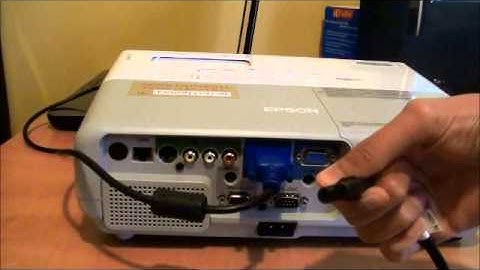
hi today we'll be showing you how to connect your PC laptop to a projector you will need a laptop VGA cable projector power cord projector and speakers first make sure both projector and laptop are turned off connect the VGA cable to the VGA connector on your laptop and to the VGA port on the projector plug the projectors power cord into the projector and into an electrical outlet turn on your laptop and projector to display your laptop screen hold down the function key and press one of the following f4 f5 f7 or f8 take the cap off the projector and focus it if you need audio connect speakers into your laptop's headphone jack this is where your end product you look like thank you for watching my video I hope it was helpful

Similar products