Description
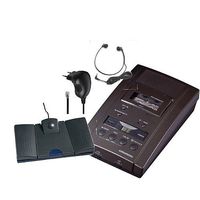
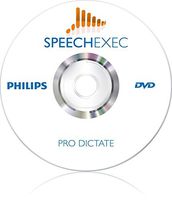
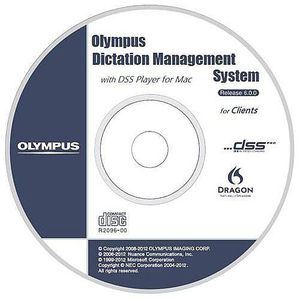
Overview : Olympus Dictation Management System (ODMS) software is an integrated software system designed to increase efficiency in the dictation and transcription workflow. By using ODMS, authors and transcriptionists can effectively manage and share dictation files and documents. ODMS allows authors to easily download dictation files onto a computer, and share them instantly with transcriptionists through local networks, FTP or email. Automatic 256-bit file encryption boosts security, and individual files or entire folders can be password-protected. ODMS consists of multiple modules, each specifically designed to cater to the needs of different users. Authors, transcriptionists and system administrators can each utilize their respective modules to carry out tasks and manage their dictation workflow. The administration modules are only available in the ODMS Workgroup Mode and will be supplied on a separate CD and respective license numbers. The dictation & transcription modules for clients are available in both Workgroup and Standalone modes. They are supplied on a CD, and a license included with the device or transcription kit. Features : DICTATION MODULE - ODMS R6 Dictation software is supplied with DS-7000/DS-3500. This is used for downloading dictation files, configuring the device and transcribing files with the voice recognition features. TRANSCRIPTION MODULE - ODMS R6 Transcription software is supplied with the AS-7000 transcription kit. This module is used for transcribing documents, managing dictations and correcting documents using the voice recognition features. FILE DOWNLOADER - A small client-side module used for automatically downloading dictations from supported Olympus devices. No License is required to use this software. This module does not have voice recognition or playback features. ADMINISTRATOR CD CONTENTS - The ODMS Administration CD contains all of the tools required to install, customize,
Olympus AS7002 DSS PRO Olympus Transcription Management System (ODMS) R6 Module Software and License
Current Price
$249
Average
$249
Min Price
$248.99
Max Price
$249
Price dynamics
0%
Description
Overview : Olympus Dictation Management System (ODMS) software is an integrated software system designed to increase efficiency in the dictation and transcription workflow. By using ODMS, authors and transcriptionists can effectively manage and share dictation files and documents. ODMS allows authors to easily download dictation files onto a computer, and share them instantly with transcriptionists through local networks, FTP or email. Automatic 256-bit file encryption boosts security, and individual files or entire folders can be password-protected. ODMS consists of multiple modules, each specifically designed to cater to the needs of different users. Authors, transcriptionists and system administrators can each utilize their respective modules to carry out tasks and manage their dictation workflow. The administration modules are only available in the ODMS Workgroup Mode and will be supplied on a separate CD and respective license numbers. The dictation & transcription modules for clients are available in both Workgroup and Standalone modes. They are supplied on a CD, and a license included with the device or transcription kit. Features : DICTATION MODULE - ODMS R6 Dictation software is supplied with DS-7000/DS-3500. This is used for downloading dictation files, configuring the device and transcribing files with the voice recognition features. TRANSCRIPTION MODULE - ODMS R6 Transcription software is supplied with the AS-7000 transcription kit. This module is used for transcribing documents, managing dictations and correcting documents using the voice recognition features. FILE DOWNLOADER - A small client-side module used for automatically downloading dictations from supported Olympus devices. No License is required to use this software. This module does not have voice recognition or playback features. ADMINISTRATOR CD CONTENTS - The ODMS Administration CD contains all of the tools required to install, customize,
Price will be lower
in next 2 weeks
in next 2 weeks
According to the data, price will be lower in next two weeks, so not waste your money and track better price!
Product review & video
hello in this video I'm gonna show you how you can upgrade from an older version of the Olympus Windows software for dictation or transcription module to the latest version which is ODMs released a 7 now before you go ahead and do the upgrade you must have the previous software or the previous release of the software installed so that that would be release 5 or release 6 on this computer that I'm gonna go ahead and do the the upgrade I've actually got released 5 transcription module installed now we often get some questions from people about when they move to a new Windows 10 machine rather than upgrading an older Windows 7 or Windows 8 machine because release 5 was never Windows 10 compatible so we often get the question about well how do we get release 5 on to there if it's not Windows 10 compatible and you still need to install the software and have it activated you just don't need t